 Retro tech meets modern AI: Inside an Amazon developer's garage turned working computer museum – GeekWire
https://www.geekwire.com/2026/retro-tech-meets-modern-ai-inside-an-amazon-developers-garage-turned-working-computer-museum/
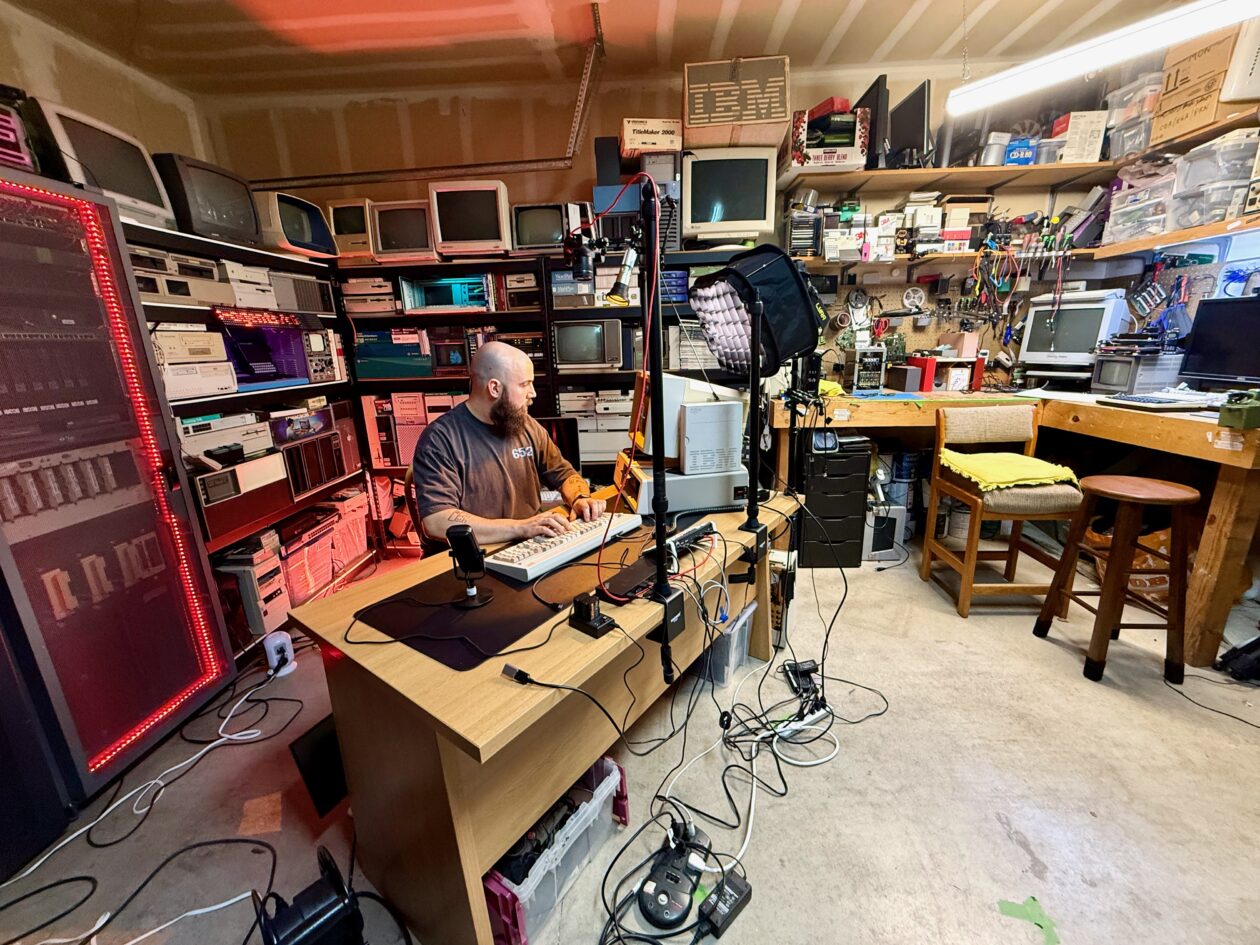
“I started getting stuff, and then … it just kind of snowballed to a point I actually had to slow down because I legitimately don’t have space for it anymore,” Mesaros told GeekWire during a recent tour of his retro hardware labyrinth.
 Controlling your home with tiny, cheap touchscreens
https://a.wholelottanothing.org/controlling-your-home-with-tiny-cheap-touchscreens/?ref=a-whole-lotta-nothing-newsletter
This turned out really well and was a cheap solution to my problems (it cost me about$16 but it currently shows me $21 for a screen). In the weeks since I set it up, it's been so useful for everyone else in the house that I'm considering buying one for the kitchen to control all the living room lights without anyone having to take their phones out, and another one in my barn to turn all the lights on whenever I walk in (currently I always fire up the Apple Home app and run a shortcut to turn on the 6 different light switches).
 Decent400 | Hackaday.io
https://hackaday.io/project/206854-decent400?mc_cid=9785804ef8
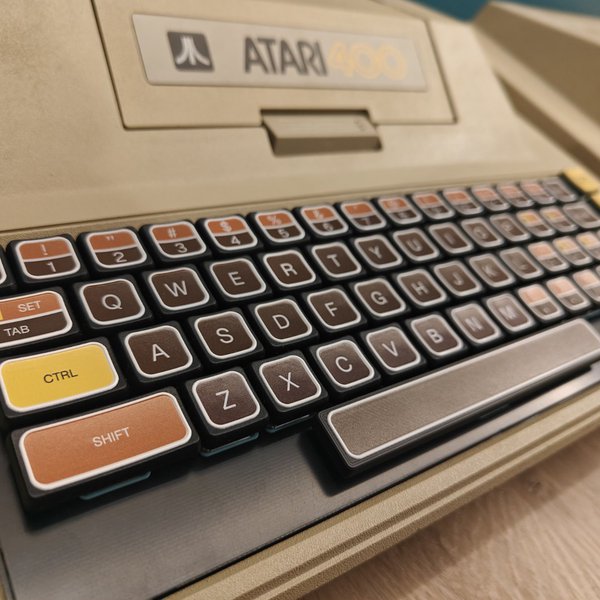
A drop-in replacement mechanical keyboard for the Atari 400's membrane, that respects the unique design of the computer
 Metal Gear Solid running natively on the ESP32-S3 | Velxio Blog
https://velxio.dev/blog/posts/metal-gear-solid-on-esp32-s3/
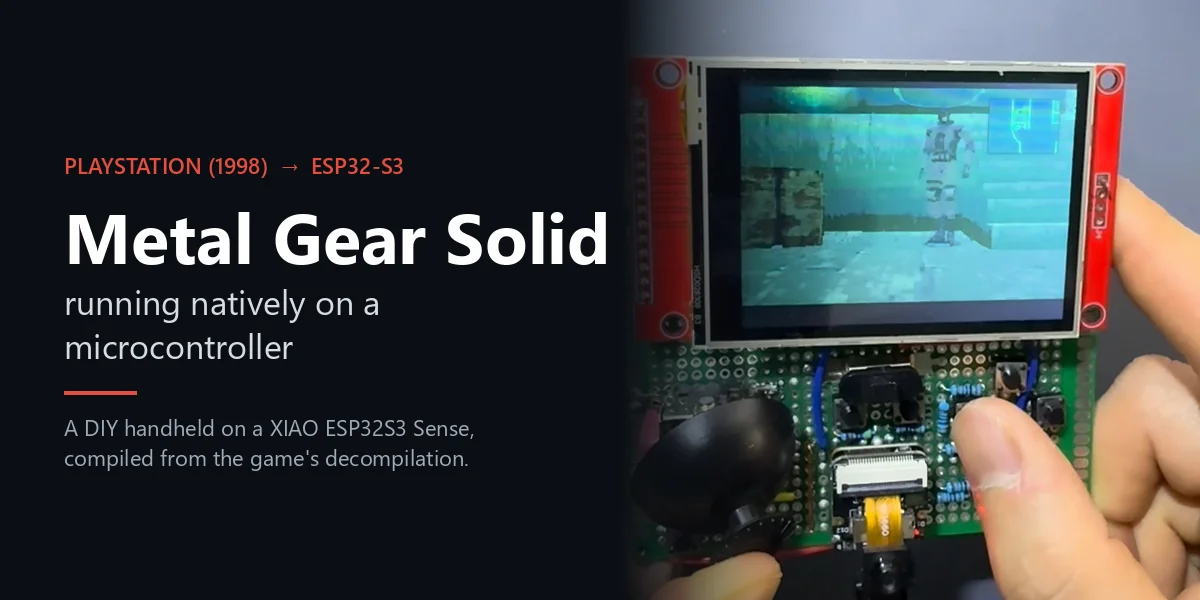
I have loved Metal Gear Solid since I was a kid. When I got a tiny ESP32-S3 board, one question stuck with me: could a PlayStation game run on something this small?
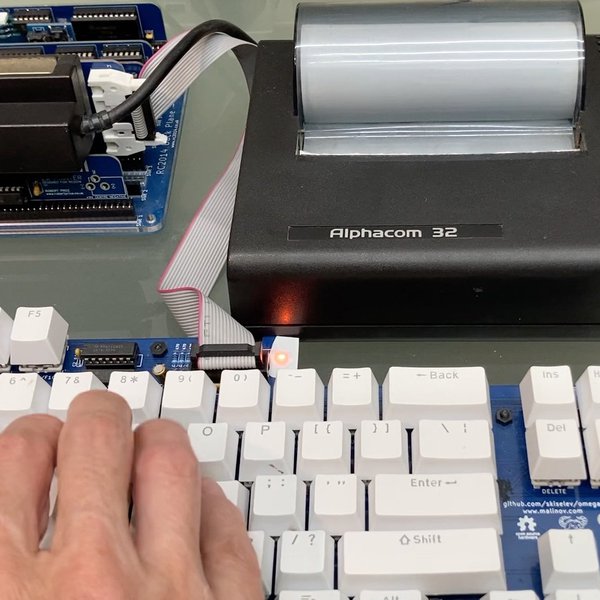
MCU-less teletype terminal using Alphacom printer | Hackaday.io
https://hackaday.io/project/206469-mcu-less-teletype-terminal-using-alphacom-printer
Period-correct technology would probably be a VDU terminal or its predecessor, a teletype terminal, which is an electric typewriter that sends serial output from its keyboard and prints serial input onto paper.
Here's where the Alphacom printer comes in. It was compatible and contemporary with the ZX81 and was a better option in many ways than Sinclair's ZX Printer. (The ZX computers had built-in line-printer capabilities.) Importantly there are plenty of the Alphacoms around today, working fine.
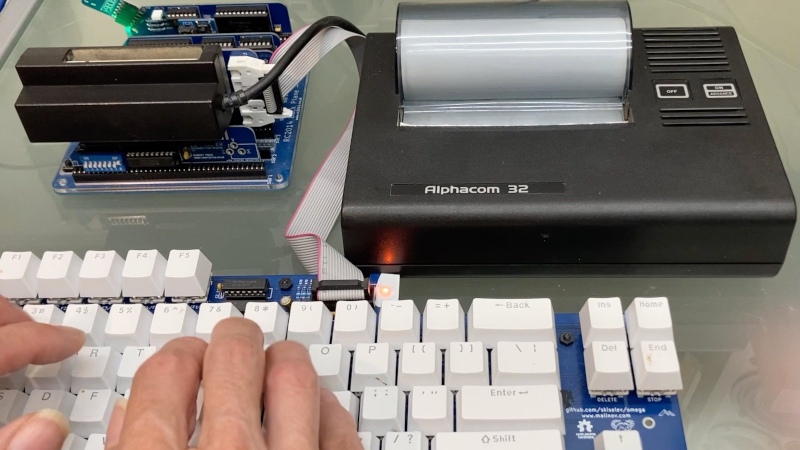
 A Computer Terminal The Old Way | Hackaday
https://hackaday.com/2026/09/21/a-computer-terminal-the-old-way/
Here in 2026 if we need a terminal the chances are we fire one up on our computer and continue on our way without a thought. What we are doing of course is emulating the experience of earlier hardware terminals, ones with a serial port on the back, a keyboard, a screen, or if they are a bit older, a teletype printer. [Sheila Dixon] is recreating that experience for the RC2014 retrocomputer, and she’s using some period-appropriate hardware and techniques.
 USBSID-Pico: Bridging Real Commodore 64 Sound to Modern USB - SmallRun
https://smallrun.net/blog/loud/usbsid-pico-sids-on-usb
I am LouD (short for loudness) and I created USBSID-Pico to bridge real SID silicon directly to modern workstations, phones, and media players over USB (CDC/WebUSB/WebSerial), MIDI, ASID and in the future possibly WiFi and Bluetooth.
Powered by the Raspberry Pi Pico microcontroller series (rp2040 and rp2350), the board acts as a flexible controller for up to two (and soon four) physical SID chips or modern hardware replacements.
retrobuiltRyan/pixelvision_av1000_mkII: 10in display monitor for HDMI and legacy analog video
https://github.com/retrobuiltRyan/pixelvision_av1000_mkII
10in display monitor for HDMI and legacy analog video
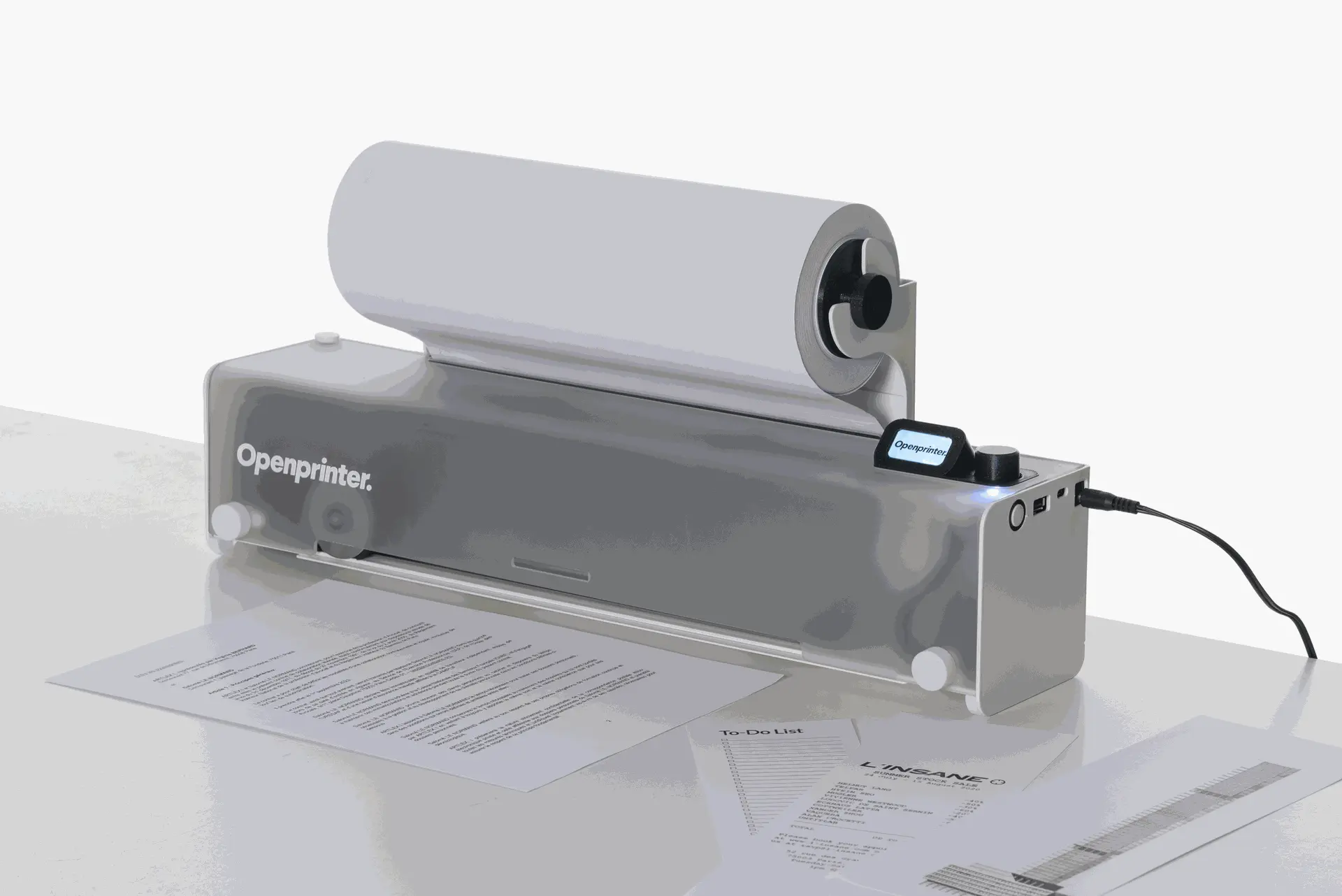
 OpenTools / OpenPrinter
https://www.opentools.studio/
a repairable, compact, and robust printer designed to last.
Fully repairable and equipped with a refillable ink system, it adapts to your needs while reducing your printing costs.
Easy to maintain, it offers a sustainable, economical, and eco-friendly alternative to traditional printers.
 rzeldent/esp32cam-rtsp: Simple RTSP (streaming image) server for the ESP32CAM. Easy configuration and monitoring through the web interface.
https://github.com/rzeldent/esp32cam-rtsp
Simple RTSP (streaming image) server for the ESP32CAM. Easy configuration and monitoring through the web interface.
 Banned Book Library | Rick's Blog
https://www.richardosgood.com/posts/banned-book-library/
A long while back I had an idea to hack a WiFi smart light bulb to do something more useful to me. Actually, I had a few different ideas of things to do with them. One of these ideas was to modify the device to have an open WiFi access point and a web server hosting banned books. The idea was that if you lived somewhere that banned books you thought were important, you could theoretically stick a digital copy of the book on one of these light bulbs. Then you could go install it somewhere in your community. As long as the light bulb is switched on, then anyone in the vicinity can still access the banned material assuming they have an electronic device with WiFi. Since the device is a light bulb, it would be difficult to detect and likely to go unnoticed. A cyberpunk digital dead drop. These devices are also fairly inexpensive, so leaving them around town as is hopefully not very cost prohibitive.
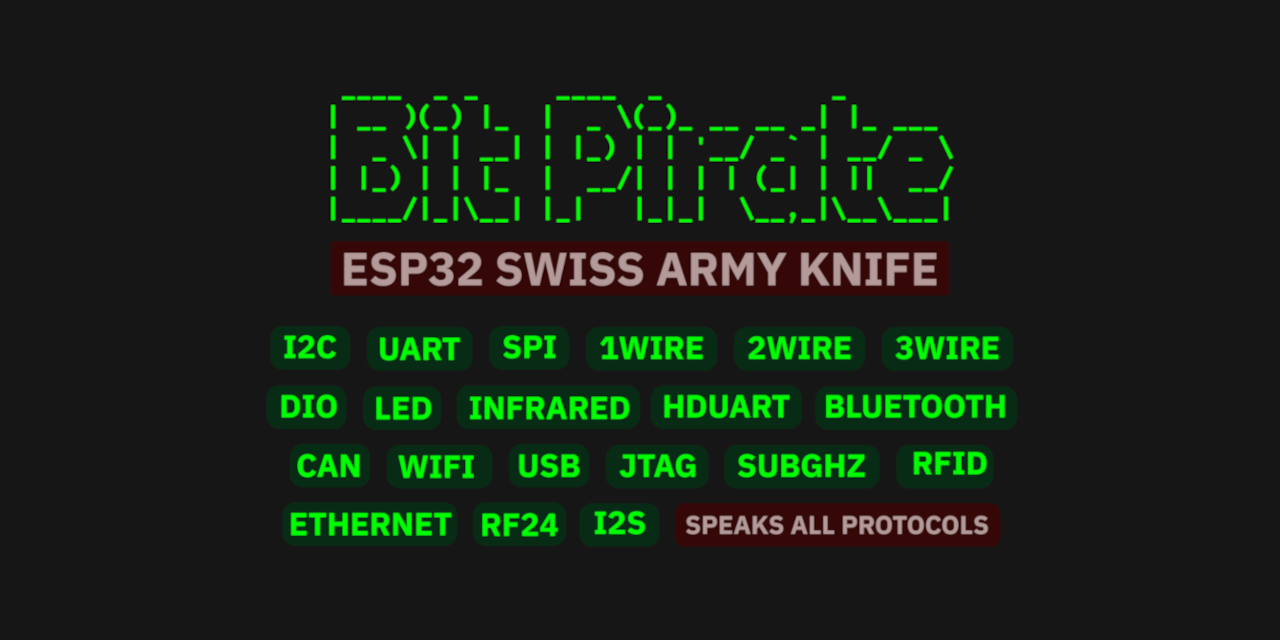
geo-tp/ESP32-Bit-Pirate at 20c88aba2e102b3e1d87a1b3f6779a2ac7f7a085
https://github.com/geo-tp/ESP32-Bit-Pirate/tree/20c88aba2e102b3e1d87a1b3f6779a2ac7f7a085
A Hardware Hacking Tool with Web-Based CLI That Speaks Every Protocol
 ESP32 Life
https://benbrown.com/txt/read/2026-05-11
As I continue to try to unbundle my hobbies from the iphone, these ESP32 devices have played a really big role. An open product like this promises a tinkerer like me much more than a useful gadget - it can become MY gadget, something modified and tuned to my specific needs and aesthetic quirks. There is no corpo telemetry tracker sneaking onto my gadget, only the stupid shit I put there!! And when I get tired of that thing, I can always flash it with something else. I can't say that about my phone.
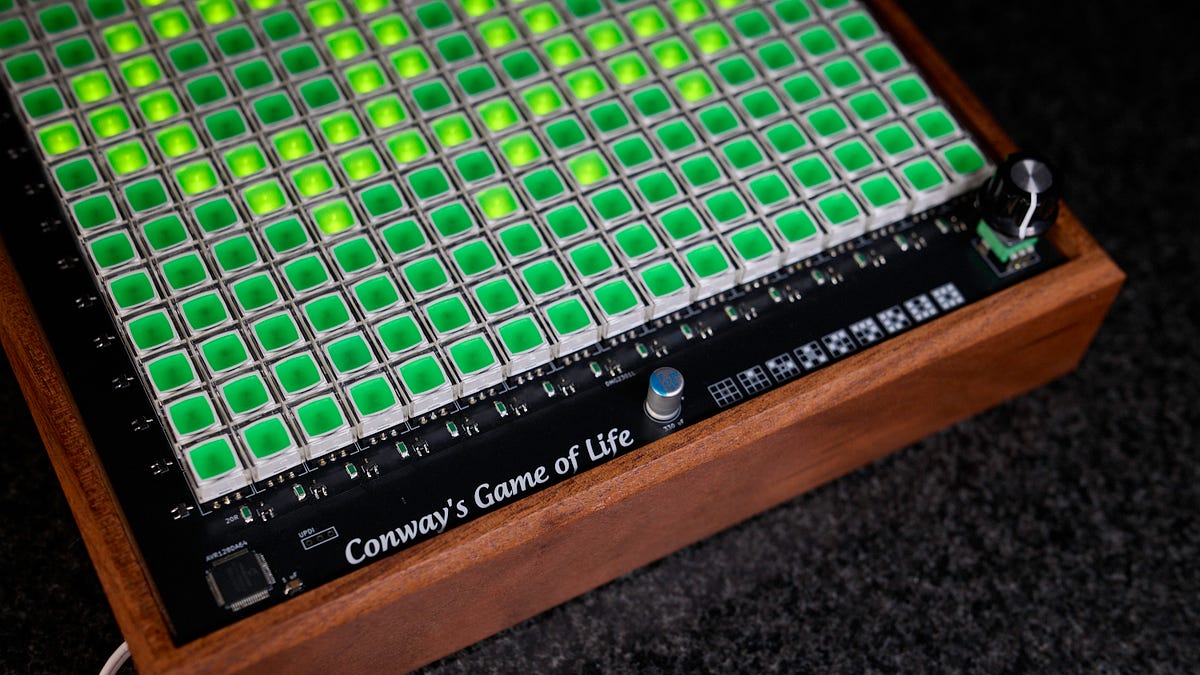
 Conway's Game of Life, in real life - lcamtuf’s thing
https://lcamtuf.substack.com/p/conways-game-of-life-in-real-life?utm_source=clivethompson&utm_medium=email&utm_campaign=linkfest-44-microchimerism-sonic-boom-duct-tape
When life gives you switches... (Conway's game of life on a big grid of illuminated momentary switches)

piersfinlayson/one-rom: The most flexible ROM replacement for retro systems - using a sub-$2 Raspberry Pi RP2350 or STM32 microcontroller.
https://github.com/piersfinlayson/one-rom
The most flexible ROM replacement for retro systems - using a sub-$2 Raspberry Pi RP2350 or STM32 microcontroller.
 How to turn anything into a router
https://nbailey.ca/post/router/
Fortunately, you can make a router out of basically anything resembling a computer.
I’ve used a linux powered mini-pc as my own router for many years, and have posted a few times before about how to make linux routers and firewalls in that time. It’s been rock solid stable, and the only issue I’ve had over the years was wearing out a $20 mSATA drive. While I use Debian typically, Alpine linux probably works just as well, perhaps better if you’re familiar with it. As long as the device runs Linux well and has a couple USB ports, you’re good to go. Mini-PCs, desktop PCs, SBCs, rackmount servers, old laptops, or purpose built devices will all work.

harbaum/galagino: A Galaga, Pac-Man and Donkey Kong arcade emulator for the ESP32
https://github.com/harbaum/galagino
Play Galaga, Pac-Man, Donkey Kong, Frogger, Digdug and 1942 on the ESP32
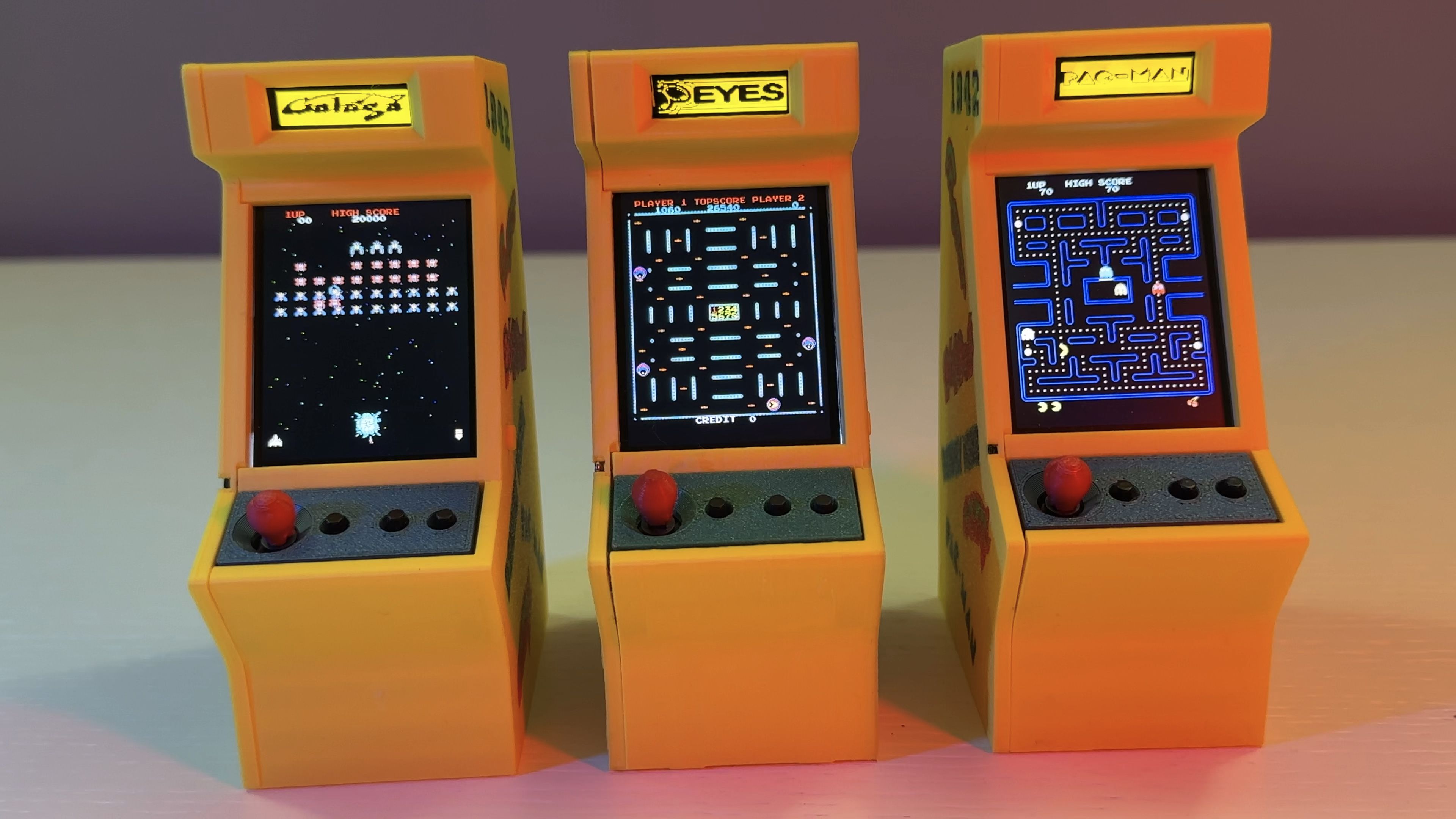
Mini Multi-Arcade Game Cabinets With An ESP32 And Galagino | Hackaday
https://hackaday.com/2026/03/11/mini-multi-arcade-game-cabinets-with-an-esp32-and-galagino/
Microcontrollers like the ESP32 with its dual 240 MHz cores can run circles around the CPU grunt of 1980s arcade hardware. Cue [Till Harbaum]’s Galagino ESP32-based arcade emulator project, that recently saw some community versions and cabinet takes.
Robotistan/PicoBricks: Pico Bricks is a fantastic project development kit for STEM educators and makers of all levels
https://github.com/Robotistan/PicoBricks
Pico Bricks is a fantastic project development kit for STEM educators and makers of all levels
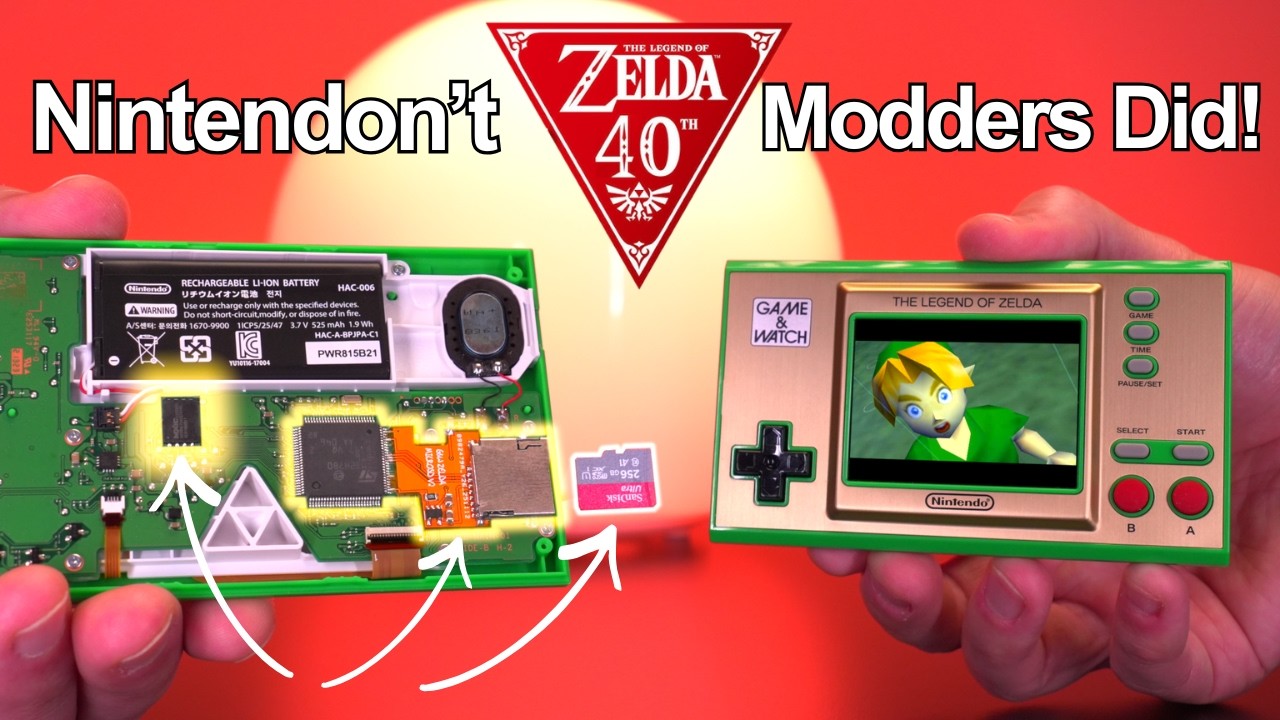
 Making The Zelda G&W Into A MODERN Emulation Powerhouse Because Nintendon’t | Zelda 40th Anniversary - YouTube
https://www.youtube.com/watch?v=8YIHjUM8Qms&t=849s
Zelda turns 40 years old, so for its big anniversary we turned the tiny Zelda Game & Watch into a pocket-sized emulation powerhouse. In this video, I upgrade the Zelda Game & Watch with expanded memory, custom firmware, and a microSD card slot for unlimited storage, unlocking support for tons of classic retro consoles, save states, and a fully customizable UI. All on real Nintendo hardware! It’s open-source, community-driven and absolutely insane.
 OpenScan - 3D Scanning for the Masses
https://openscan.eu/
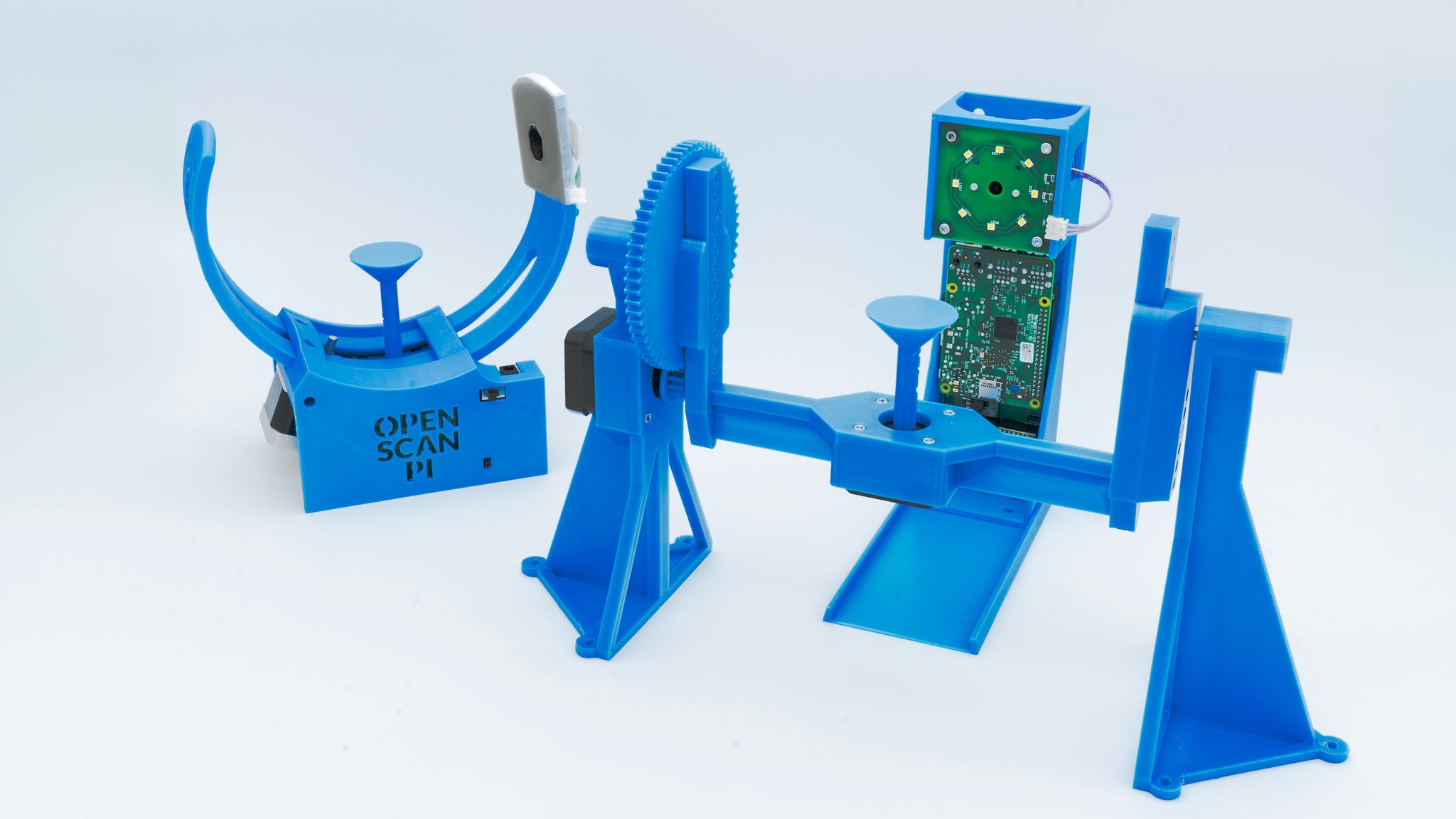
A low-cost, high-quality 3D scanner that you can build yourself - completely open source and modular. 3D scanning opens up completely new possibilities in many areas, such as 3D printing, modelling, reverse engineering, product presentations, photography and more.

 マリウス . Hold on to Your Hardware
https://xn--gckvb8fzb.com/hold-on-to-your-hardware/
There is a darker, conspiratorial interpretation of today’s hardware trends that reads less like market economics and more like a rehearsal for a managed future. Businesses, having discovered that ownership is inefficient and obedience is profitable, are quietly steering society toward a world where no one owns compute at all, where hardware exists only as an abstraction rented back to the public through virtual servers, SaaS subscriptions, and metered experiences, and where digital sovereignty, that anyone with a PC tower under their desk once had, becomes an outdated, eccentric, and even suspicious concept.
TechPaula/PC6502: My 6502 project in a PC104 like formfactor
https://github.com/TechPaula/PC6502/
My 6502 project in a PC104 like formfactor

TechPaula/LT6502: A 6502 based laptop design
https://github.com/TechPaula/LT6502
A 6502 based laptop design
jim11662418/ESP8266_WiFi_Analog_Clock: Uses an ESP8266 module and an Arduino sketch to display the local time on a inexpensive analog quartz clock.
https://github.com/jim11662418/ESP8266_WiFi_Analog_Clock
Uses an ESP8266 module and an Arduino sketch to display the local time on a inexpensive analog quartz clock.

valdanylchuk/breezybox: mini shell for esp32
https://github.com/valdanylchuk/breezybox
mini shell for esp32
Making a Factory Out Of LEGO That Builds LEGO - YouTube
https://www.youtube.com/watch?v=eQe1hxpRBKs
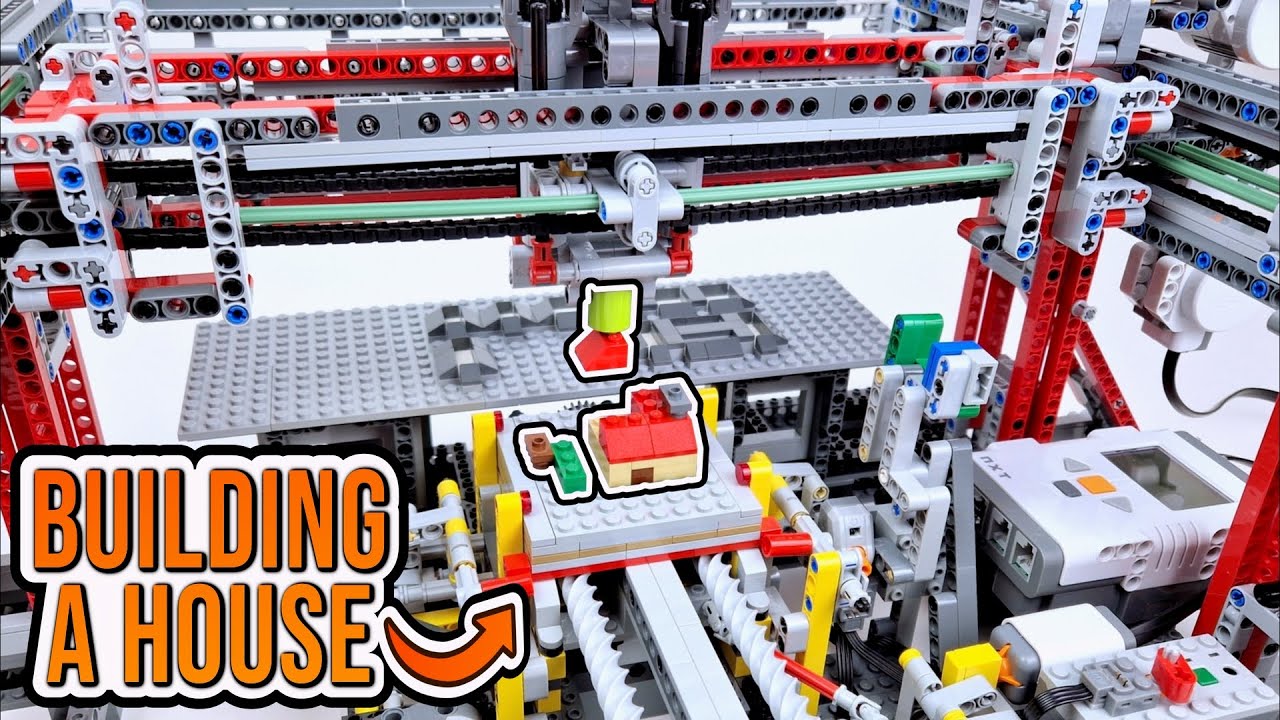
After spending two videos building a LEGO car factory, I knew that the machine had the potential to pick up and place down most individual LEGO pieces, so I wanted to try turning it into a more general pick-and-place machine to see what kinds of things it would be able to construct.
wavephoenix/hardware/mini-receiver at main · loopj/wavephoenix
https://github.com/loopj/wavephoenix/tree/main/hardware/mini-receiver
The WavePhoenix Mini Receiver is a small, low-cost WaveBird receiver replacement. It has been designed to be as cheap as possible (~$4 in parts) and simple to build.
The receiver uses a cheap, off-the-shelf wireless module (the RF-BM-BG22C3), which can either be hand-wired, or assembled onto a custom PCB.

 The Grand Old Lady
https://www.twobraids.com/2021/09/the-grand-old-lady.html
I give a nod of respect to the nameless designers and builders of this fascinating old pinball machine. It literally gave me my career and a lifetime of pleasure and mystery.
Emulate ROMs At 12MHz With Pico2 PIO | Hackaday
https://hackaday.com/2025/12/06/emulate-roms-at-12mhz-with-pico2-pio/
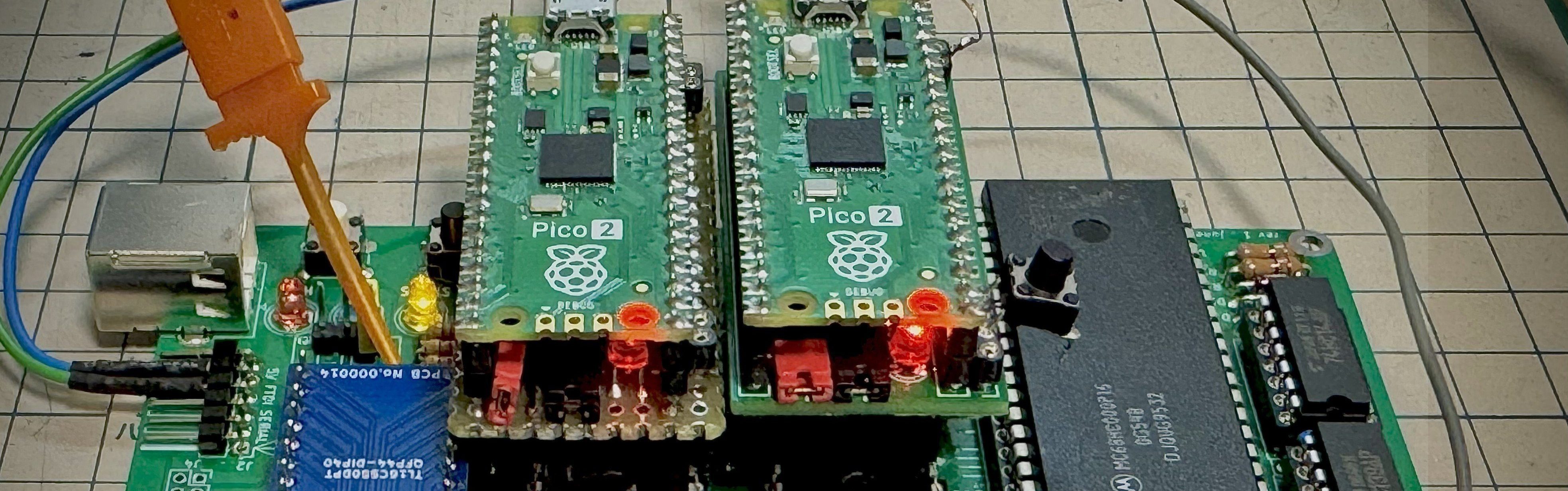
Nothing lasts forever, and that includes the ROMs required to make a retrocomputer run. Even worse, what if you’re rolling your own firmware? Period-appropriate EPROMs and their programmers aren’t always cheap or easy to get a hold of these days. [Kyo-ta04] had that problem, and thanks to them, we now all have a solution: Pico2ROMEmu, a ROM emulator based on, you guessed it, the Raspberry Pi Pico2.

 Ribbons - Kinotone
https://kinotoneaudio.com/products/ribbons/
Customize a massive range of sounds from pristine hi-fi clarity to haunting lo-fi textures — all in stereo. You can emulate magnetic tape, vinyl, an old radio, or a vintage telephone. Even skipping CDs, and spectral mishaps of MP3s and early digital media.
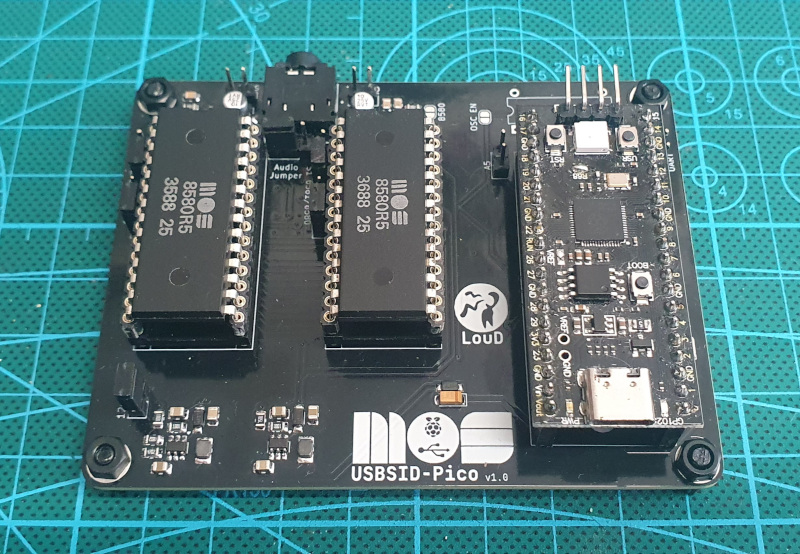
LouDnl/USBSID-Pico: USBSID-Pico is a RPi Pico (RP2040/W RP2350/W) based board for interfacing one or two MOS SID chips and/or hardware SID emulators over (WEB)USB with your computer, phone, ASID supporting player or USB midi controller
https://github.com/LouDnl/USBSID-Pico
USBSID-Pico is a RaspberryPi Pico/PicoW (RP2040) & Pico2/Pico2W (RP2350) based board for interfacing one or two MOS SID chips and/or hardware SID emulators over (WEB)USB with your computer, phone, ASID supporting player or USB midi controller.
Gun piano should be illegal - YouTube
https://www.youtube.com/watch?v=yFIxf2gTg_k
Pain is very effective to get sound out of people, so now we just need to tune them
iFlash.xyz – Welcome to the home of the iFlash Adapter
https://www.iflash.xyz/
We have adapters which will fit the following models – iPod Videos, iPod Classics, and iPod Photos.
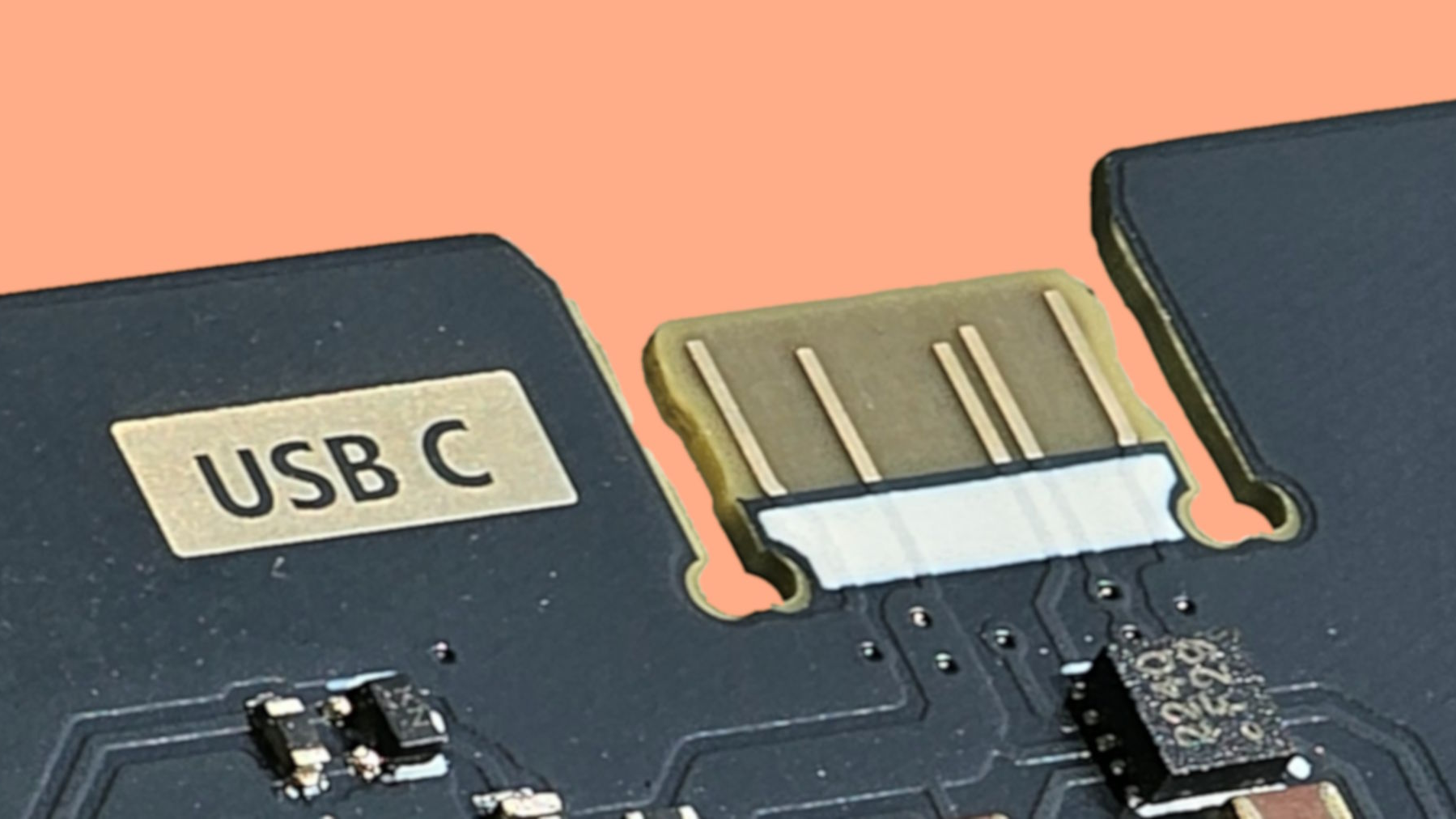
Connector-Free Zone: PCB Edge As USB-C Interfaces | Hackaday
https://hackaday.com/2025/10/27/connector-free-zone-pcb-edge-as-usb-c-interfaces/
Sometimes when you’re making a PCB that you plan on programming over USB, but you only plan on plugging in a couple of times, it would be nice to make that connection without another BOM item. Over on GitHub [AnasMalas] has released a PCB edge USB-C connection symbol/footprint to do just that!
 The Wrew: Core Dump
https://wrewtopia.com/read/2025-10-04
The thing is… it is made to run on an ESP12, which is very capable and very power efficient, but tends not to allow for external antennas and doesn’t have great WiFi range. I wanted more range. I want an external antenna. And I have a few spare ESP32’s sitting around that allow for external antennas and have better WiFi performance. So, I decided to try to port the firmware from the ESP12 to the ESP32.

TheSlugNoodle/ProjectBookmark
https://github.com/TheSlugNoodle/ProjectBookmark
A portable file-sharing system built on NodeMCU ESP8266 that creates a wireless access point and serves a web interface for accessing digital documents and hosting discussions.
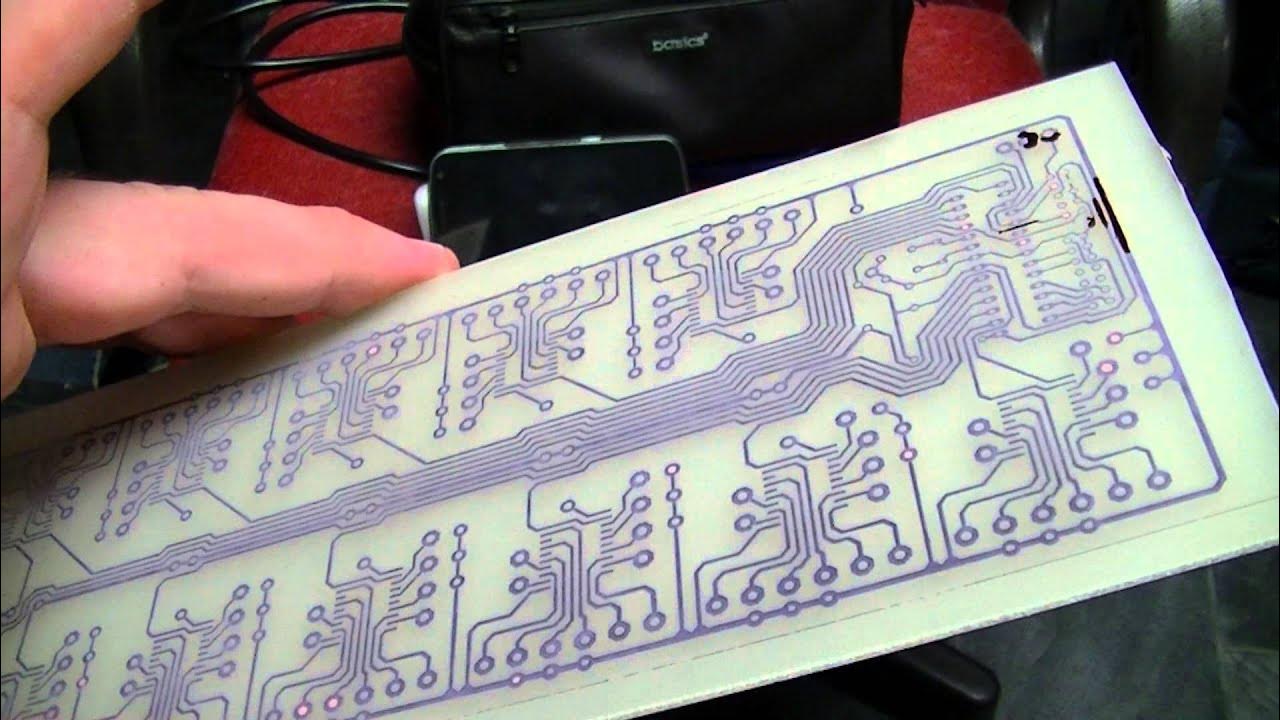
[retro swim] - Episode 18 - RGB SCART AV Switch - YouTube
https://www.youtube.com/watch?v=AH5M4Xj5-RY
A look at the construction and operation of my RGB AV switcher. (expand to see all the links!)

michaelobed/rgb-switcher: An open-source switcher for analogue RGBS video, so you don't have to.
https://github.com/michaelobed/rgb-switcher
An open-source switcher for analogue RGBS video, so you don't have to.
 8-input Video Switch
https://www.vwlowen.co.uk/radio/videoswitch2/index.htm
Instead of switching just four inputs, the new unit can switch 8 AV (composite) cameras and uses readily available transistors to do the switching in place of the potentially unreliable electro-mechanical relays. As a bonus, it is, of course, totally silent in use.
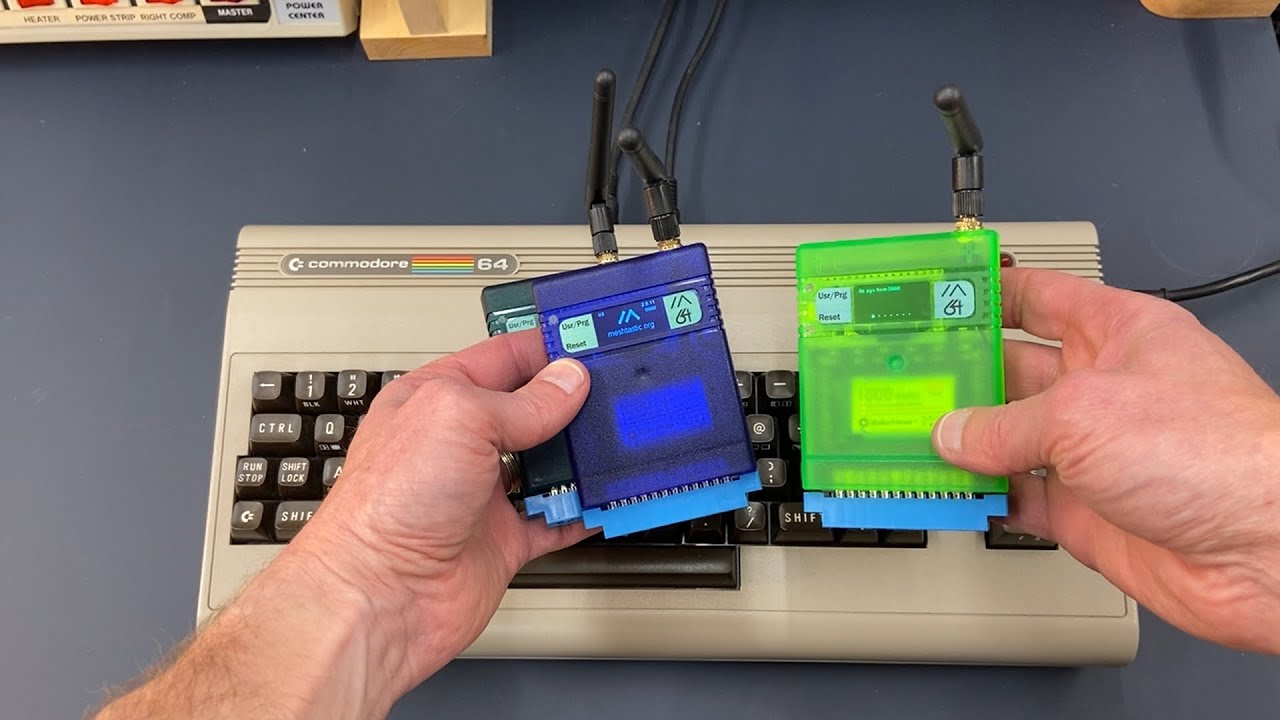
 Meshtastic 64 Radio Demo on Commodore 64 - The Oasis BBS
https://theoasisbbs.com/meshtastic-64-radio-demo-on-commodore-64/?feed_id=5678&_unique_id=68dfcf2d76f81
The Meshtastic 64 Radio connects through the user port and sits inside a cartridge shell with a built-in battery. Once installed, the device powers up and runs with a custom BASIC program loaded from floppy disk. This software lets the Commodore 64 send and receive text messages across the Meshtastic network, linking retro hardware with modern mesh communication.
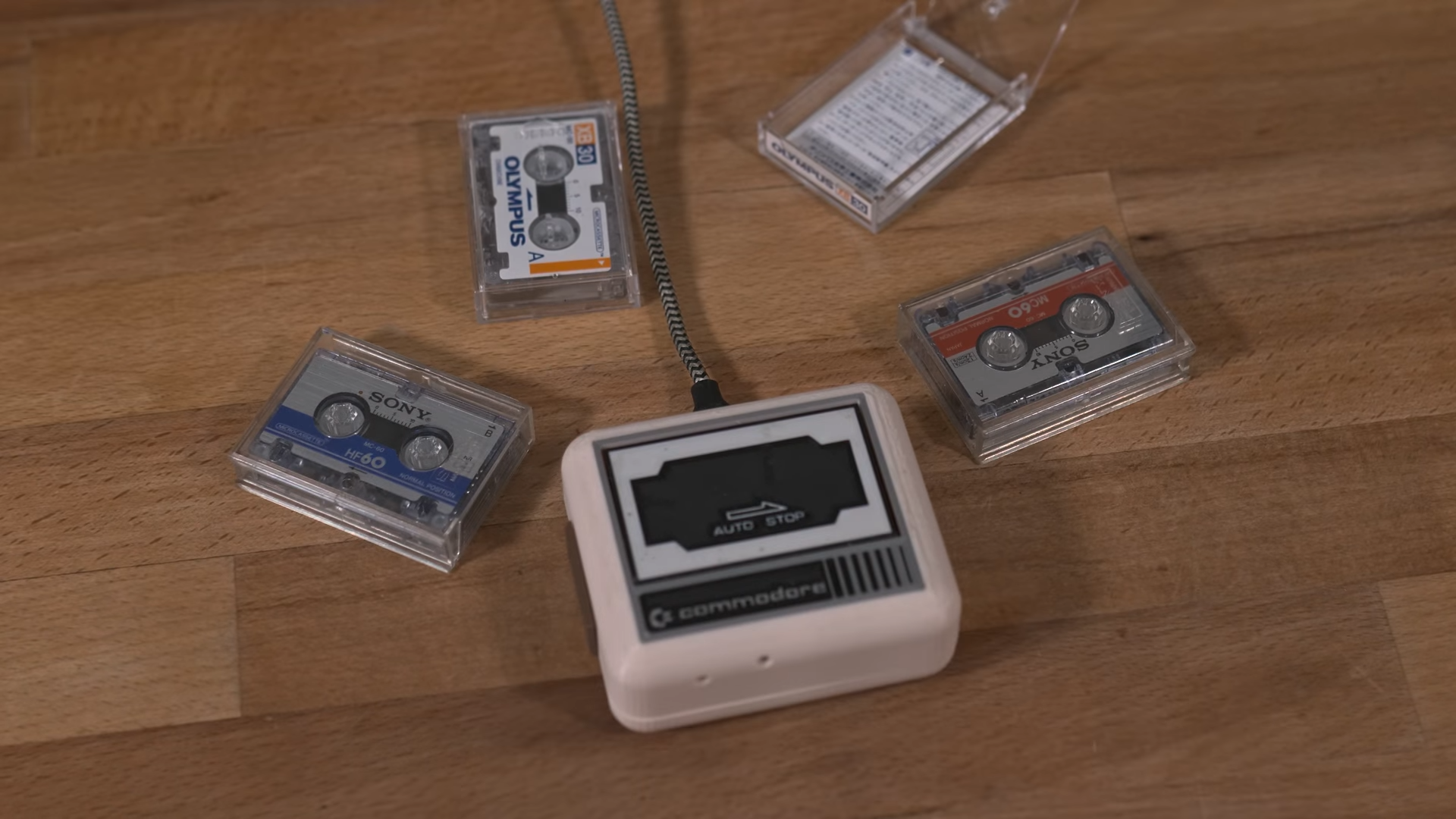
Tiny Datasette Uses USB For The Modern Day | Hackaday
https://hackaday.com/2025/09/01/tiny-datasette-uses-usb-for-the-modern-day/
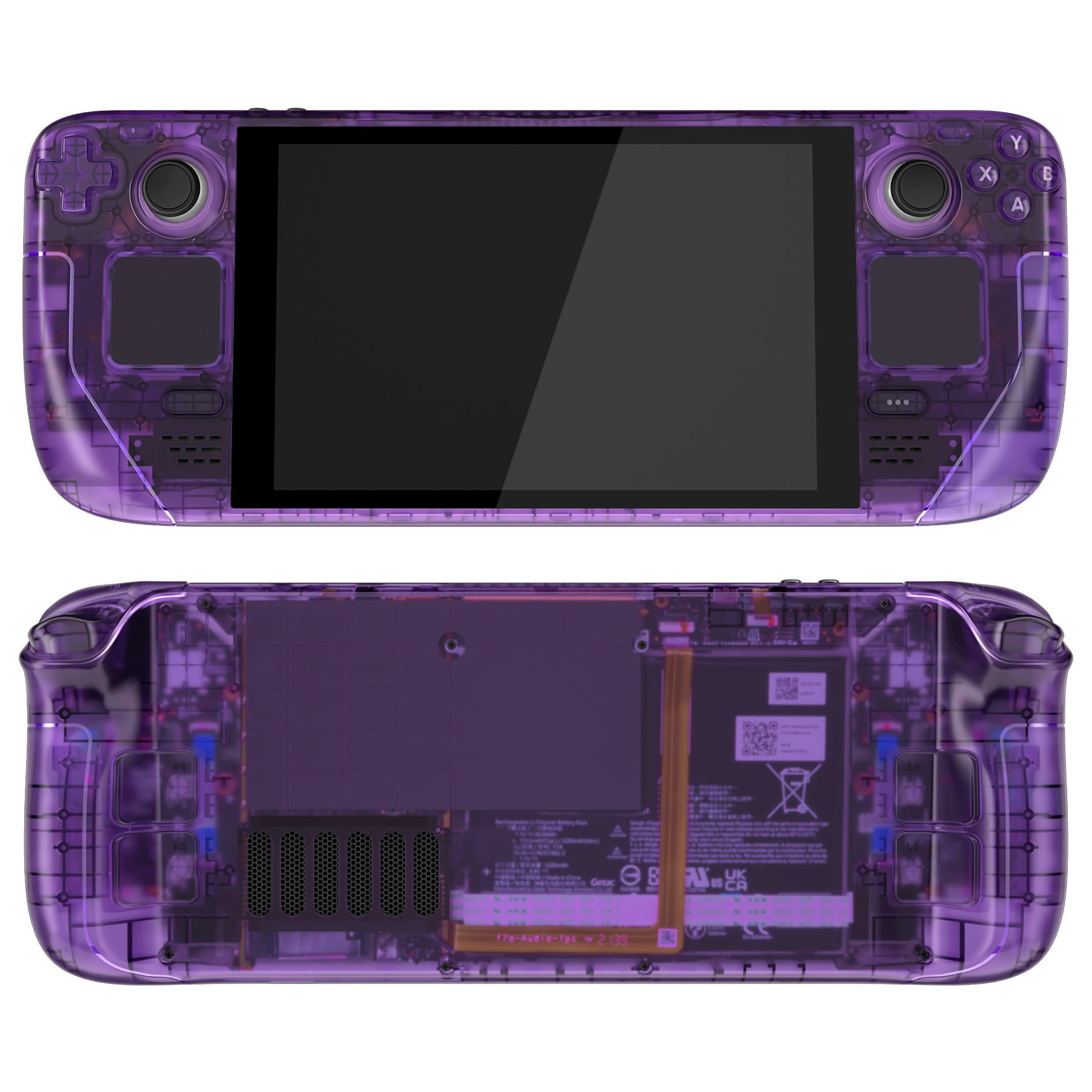
 eXtremeRate Custom Faceplate Back Plate for Steam Deck, Handheld Console Replacement Housing Case, DIY Full Set Shell with Buttons for Steam Deck Console - Console NOT Included – eXtremeRate Retail
https://extremerate.com/products/clear-atomic-purple-custom-full-set-shell-with-buttons-for-steam-deck-console-qesdm003
 RC2040 - Retro emulated Z80 CP/M computer kit - Extreme Kits
https://extkits.co.uk/product/rc2040/
The RC2040 is a PI PICO emulated RC2014 kit, with CP/M-80. It is capable of running the stock ROM images currently supported by the RC2014 (except RomWBW) which gives you a number of monitors and ROM based BASIC.
 The VMU Pro turns the Dreamcast’s memory card into a handheld emulator | The Verge
https://www.theverge.com/news/665012/8bitmods-sega-dreamcast-virtual-memory-unit-vmu-pro-emulator-nes-sega
8BitMod’s upcoming VMU Pro offers the same functionality as Sega’s original, but it’s rebuilt from the ground up with upgrades that include a full-color screen and enough processing power to use it as a handheld emulator for retro games.
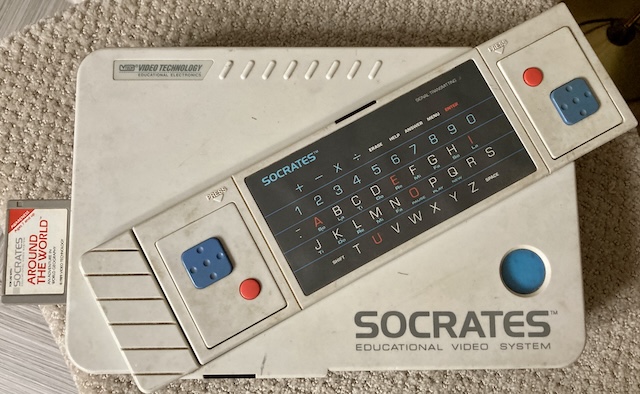
 The VTech Socratic Method | Leaded Solder
https://www.leadedsolder.com/2025/04/22/vtech-socrates-pickup.html
So we’ve managed to pick up an arbitrary educational computer off the side of the road, figure out its ROM pinout, make a composite mod for it, and draw pixels to the screen. Why am I still feeling dissatisfied? It’s because I don’t have printf working still.
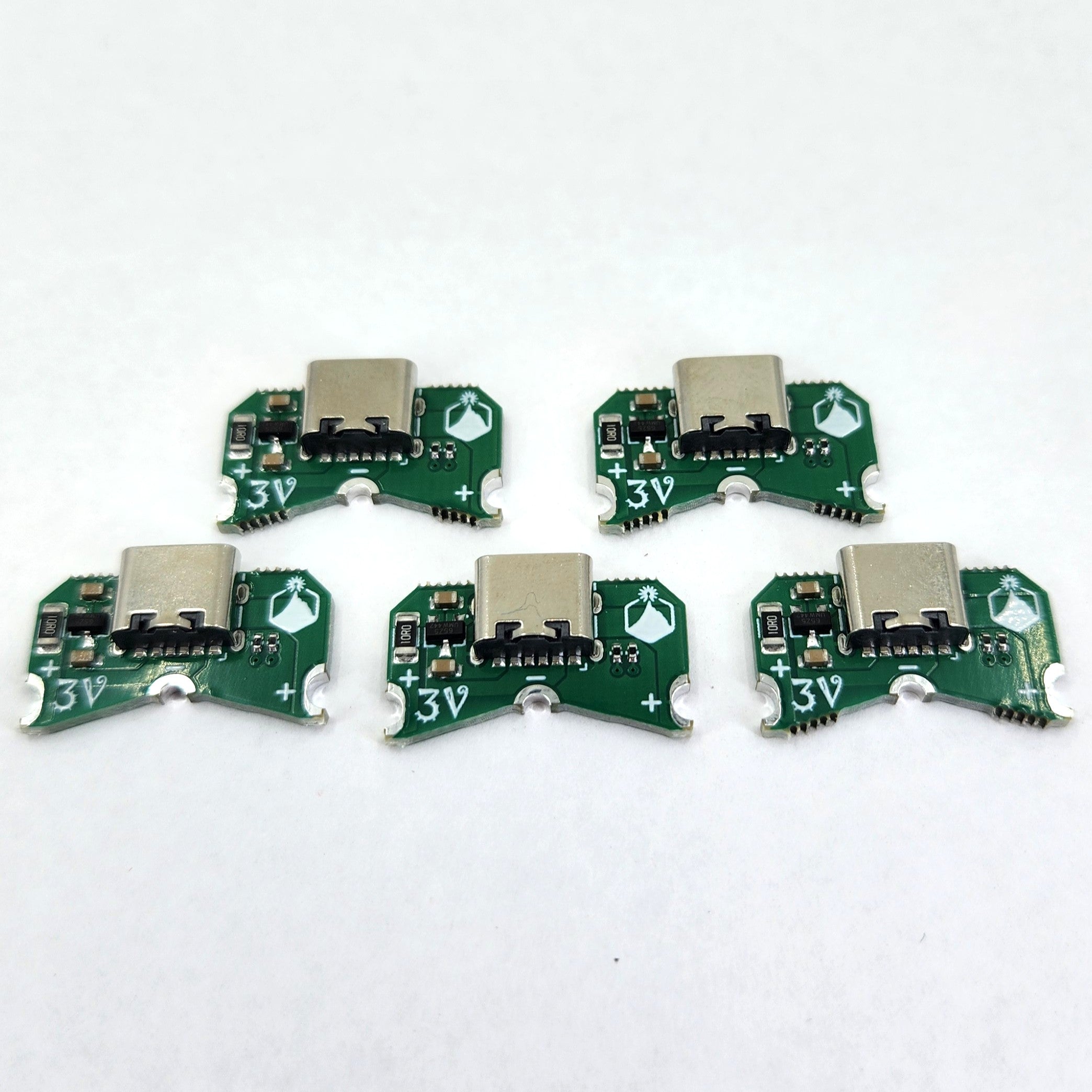
 Coin Cell Be Gone
https://www.alpenglowindustries.com/products/coin-cell-be-gone-5-pack
Got soldering kits that take side-insert CR2032 holders? Want to get rid of that coin cell holder and convert it to USB? The Coin Cell Be Gone does exactly this! Solder it directly to either a through-hole or surface mount side-insert footprint at the 3 castellations
The SwitchTrick
https://www.alpenglowindustries.com/products/the-switchtrick
A super handy switching power supply (buck/drop-down) for solderless breadboards, with jumper-configurable output voltage.
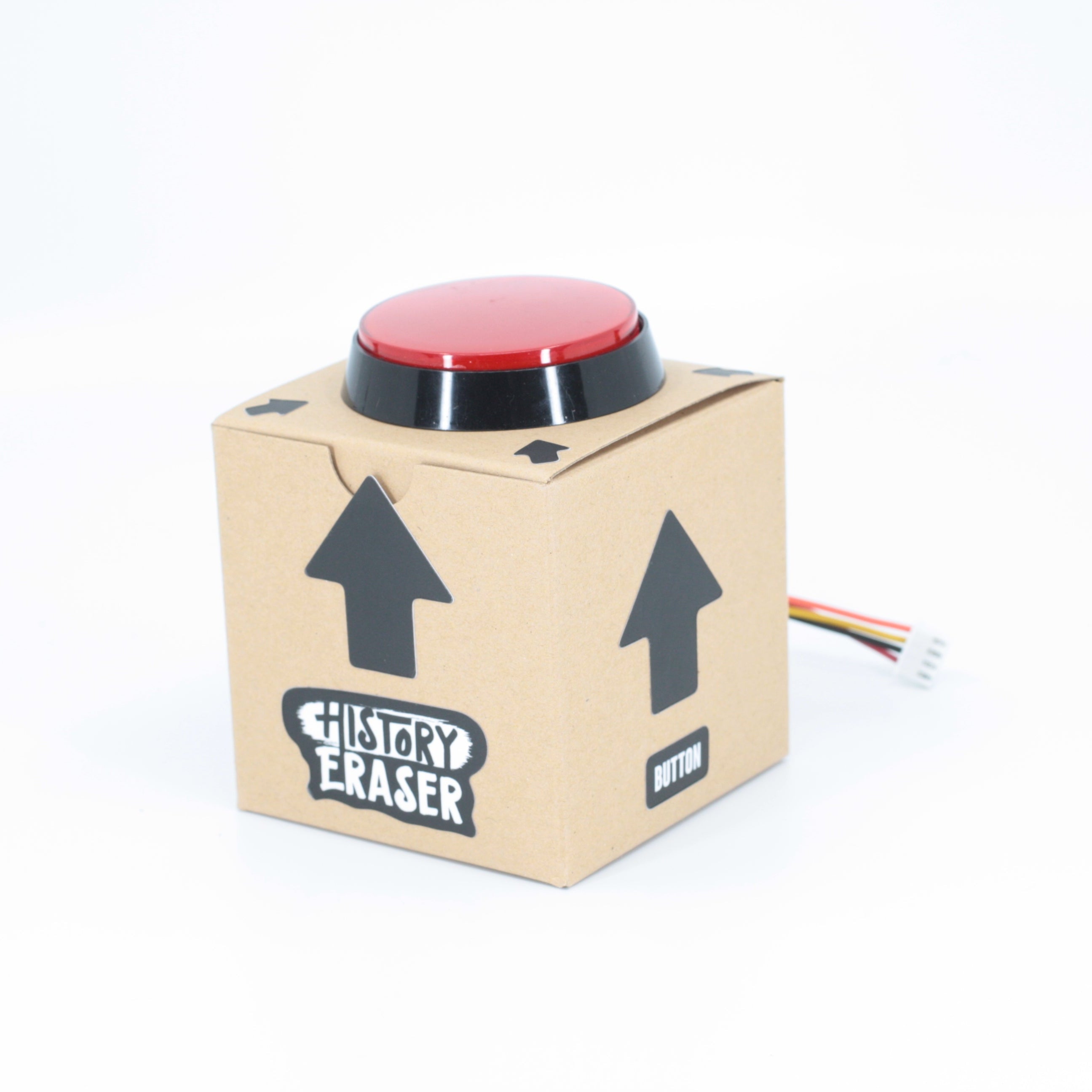
Big Red Arcade Button Kit
https://www.alpenglowindustries.com/products/big-red-arcade-button-kit
Add a Big Red Button to any project with this handy kit! Includes 60mm arcade button with LED, box, cable, and stickers.
It Goes Both Ways! Lithium Battery Charge-Boost Kit
https://www.alpenglowindustries.com/products/it-goes-both-ways-lipo-charge-boost-kit
Make your own power bank out of any (1000 mAh or over) lithium battery!
Are you a fan of bi-directional USB-C? Hey, so are we! This awesome little board goes both ways - the USB-C connector is both an input to charge a lithium battery at 1.0-1.2A and an output that provides a boosted 5V from the battery at 1.2A!
 The Sorbus Computer
https://xayax.net/sorbus/
The Sorbus Computer started with the idea on building a very simple and cheap 65C02 based computer. It was intended to show the operation of the CPU for a talk about historic computers during a talk and workshop (slides blow).
SvOlli/sorbus: The Sorbus Computer is a very simple 65c02 computer for tinkering and learning
https://github.com/SvOlli/sorbus/
The attempt to build a very simple 65C02 based computer by utilizing a Raspberry Pi Pico clone for the rest of the functionality.
 Michael Kohn - modern 6502
https://www.mikekohn.net/micro/modern_6502.php
while doing my daily hackaday.com reading, I discovered the W65C265SXB board, a modern microcontroller with a 6502 (actually 65C816) at its core. I did a really good job resisting buying one for a while, but eventually gave in. To put this board to use I decided to put up this page with 3 small projects (added a 4th more recently) to show off some things that can be done with this newer 6502 chip
 Using a ZX Printer on an RC2014 - Robert Price
https://www.robertprice.co.uk/robblog/using-a-zx-printer-on-an-rc2014/
Both the ZX81 and ZX Spectrum are Z80-based, and so is the RC2014 computer. So I wondered if the RC2014 could use a ZX Printer?
 Citronics, meet the world’s first Circular Microcomputers
https://citronics.eu/
The embedded computers powered by repurposed smartphone components.
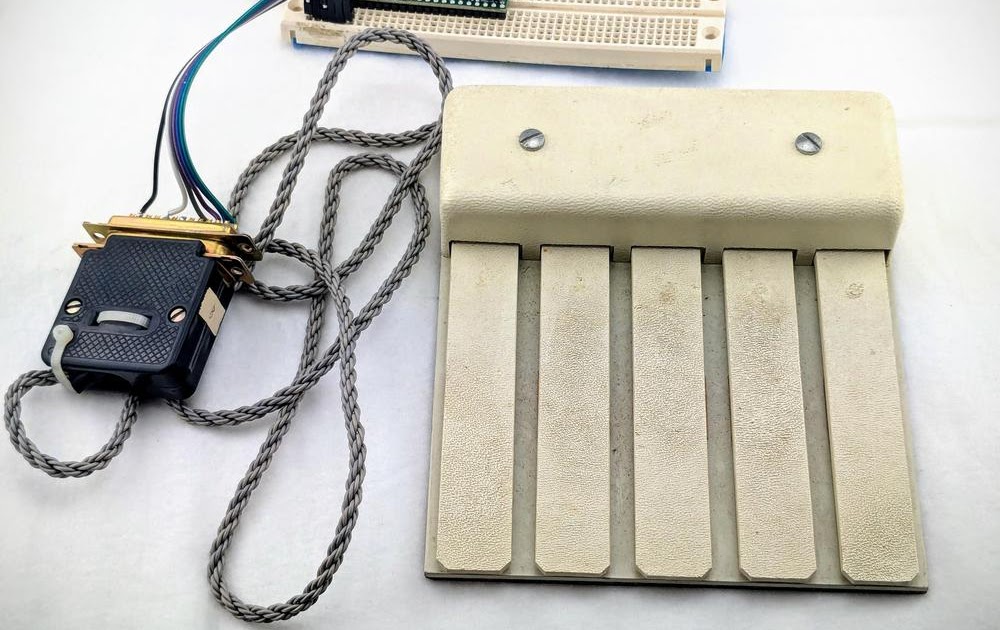
 A USB interface to the "Mother of All Demos" keyset
https://www.righto.com/2025/03/mother-of-all-demos-usb-keyset-interface.html
Engelbart's demo also featured an input device known as the keyset, but unlike his other innovations, the keyset failed to catch on. The 5-finger keyset lets you type without moving your hand, entering characters by pressing multiple keys simultaneously as a chord. Christina Englebart, his daughter, loaned one of Engelbart's keysets to me. I constructed an interface to connect the keyset to USB, so that it can be used with a modern computer. The video below shows me typing with the keyset, using the mouse buttons to select upper case and special characters.
 ewintr.nl - building a personal, private ai computer on a budget
https://ewintr.nl/posts/2025/building-a-personal-private-ai-computer-on-a-budget/?ref=sidebar
my attempt to build such a capable AI computer without spending too much. I ended up with a workstation with 48GB of VRAM that cost me around 1700 euros
 Giant USB Button – RasterWeb!
https://rasterweb.net/raster/2025/01/29/giant-usb-button/
Look, I’m just going to come out and say it… this Giant USB Button is probably too big! It’s 228.6mm x 228.6mm x 120mm (which is 9″x9″ x 4.725″). The thing is, when someone asks me to build something for them, and it seems interesting, I can’t really say no. And I did say “no” this time, but mainly due to the tight deadline. I said I would need about twice as much time as requested and luckily the client came back with “We can do that!” So I got to work…
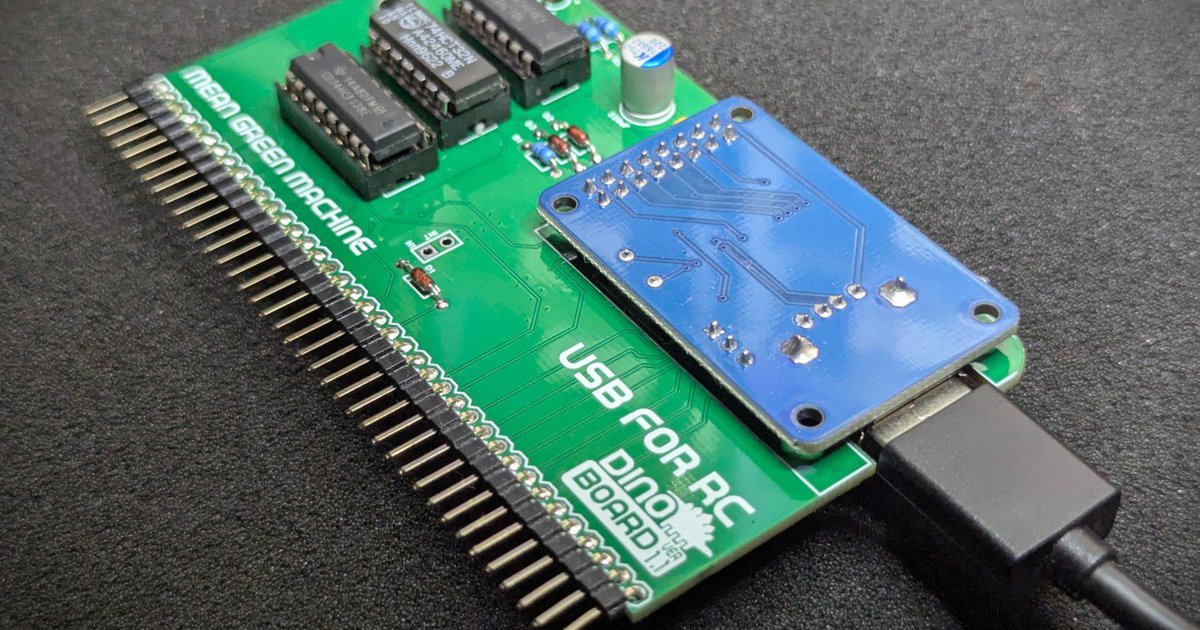
 USB for RC from Dino Boards on Tindie
https://www.tindie.com/products/dinotron/usb-for-rc/
Bring your RCBus/RC2014 build into the 90's with true native support for Universal Serial Bus.
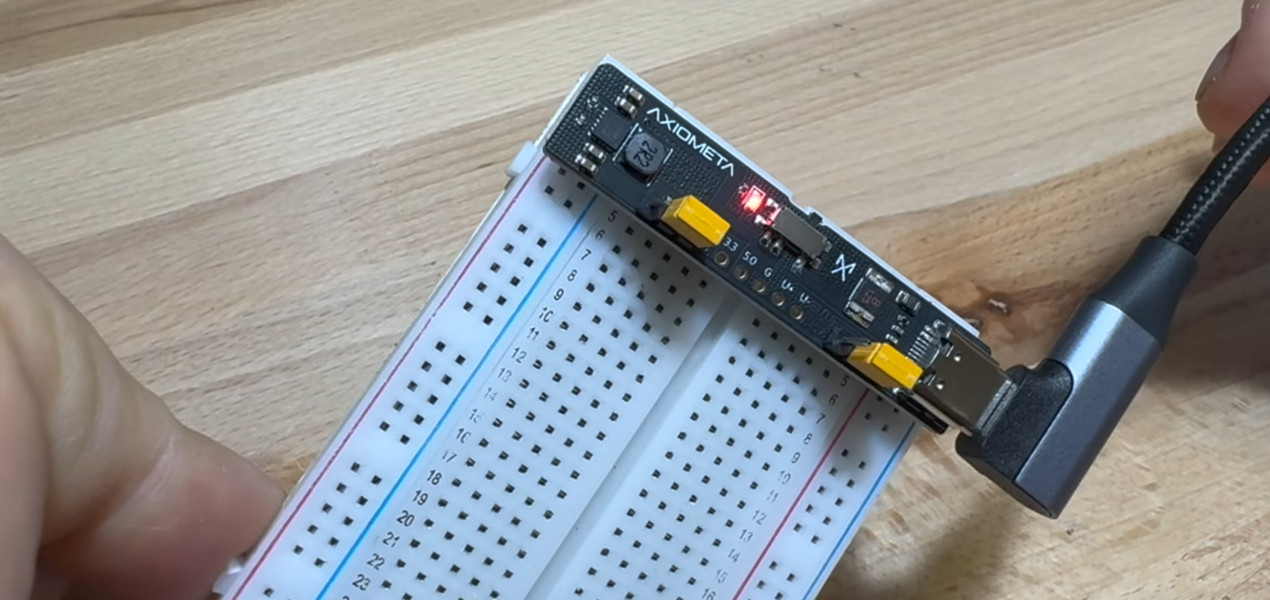
No Frills PCB Brings USB-C Power To The Breadboard | Hackaday
https://hackaday.com/2025/01/06/no-frills-pcb-brings-usb-c-power-to-the-breadboard/
[Axiometa] has recently unveiled a simple PCB that will plug into a standard solderless breadboard to provide 3.3 and 5 VDC when connected to a USB-C power supply. The device is going to start a crowdfunding campaign soon if you want to buy a completed one — but with the design files and Bill of Materials already up on GitHub, nothing stops you from spinning up your own version today.
 My favourite computer ergonomics hack
https://blog.jacobvosmaer.nl/0036-beeper/
The Beeper consitst of three parts: the hardware, the firmware runnning on the hardware, and software running on my work computer. If my computer screen is unlocked for too long, the Beeper starts beeping and because it is situated away from my desk I must get up to silence it. Mission accomplished: I stopped sitting still.
 The NES Expansion Port Is Finally Emerging From The Darkness. Why Now?
https://tedium.co/2024/12/02/nintendo-expansion-port-history/
After 39 years, console modders have begun to develop ways to use the Nintendo Entertainment System’s infamous expansion slot, a key example of vestigial manufacturing. In honor of this amazing feat, which is being used to add Bluetooth and Famicom Disk System support to the console, I thought it might be good to take a look back at this fascinating wrinkle of history. Today’s Tedium ponders the legacy of the NES Expansion Port, and where it’s going next.
E-Ink Screen Combined With Analog Dial Is Epic Win | Hackaday
https://hackaday.com/2024/11/25/e-ink-screen-combined-with-analog-dial-is-epic-win/
The concept is simple—get an e-ink display, and draw a dial on it using whatever graphics and scale you choose. Then, put it behind a traditional coil-driven analog dial in place of the more traditional paper scale. Now, you have an analog dial that can display any quantity you desire. Just update the screen to display a different scale as needed. Meanwhile, if you don’t need to change the display, the e-ink display will draw zero power and still display the same thing.
 JawnCon0x1: The Modem Badge
https://jawncon.org/0x1-modem.html
Having decided the retro late-80s early-90s theme for JawnCon 0x1, the inspiration for the badge seemed almost immediately obvious: the iconic, venerable Hayes SmartModem oozes industrial design of the era and is instantly recognizable to any of us who grew up when computers had the decency to shriek like digital banshees to let us know when they were plotting against us.
frntc/SIDKick: SIDKick -- the first complete SID 6581/8580-drop-in-replacement that you can build yourself
https://github.com/frntc/SIDKick
SIDKick is a versatile sound device for C64s and C128s: it serves as a drop-in replacement for the SID 6581/8580 sound chips, and at the same time provides Sound Expander-emulation (Yamaha OPL-based FM sound), a MIDI interface and can control LED stripes. It is based on a Teensy 4.1 and makes no compromises with regard to quality: the emulation is based on reSID and fmOPL. It also comes with a few extras.
Hacking a tiny Bluetooth Smart Ring - YouTube
https://www.youtube.com/watch?v=w90RVspTkt8
In this video we will take a deeper look into the Colmi Bluetooth Smart Ring R02 and its SoC
 Gadgetbridge
https://gadgetbridge.org/?utm_source=FuckOff&utm_campaign=FuckOff&utm_medium=FuckOff
Gadgetbridge is a free and open source Android application that allows you to pair and manage various gadgets such as smart watches, bands, headphones, and more without the need for the vendor application. So in short, you can use Gadgetbridge instead of relying on your gadget's own proprietary app.
 USB Insight Hub | Crowd Supply
https://www.crowdsupply.com/aerio-solutions/usb-insight-hub
USB Insight Hub plugs into your computer through a USB Type-C connector and exposes three USB 3.0 downstream ports, each with a 1.3-inch screen that displays relevant information about the attached device. That information includes operating system enumeration name (COMx, TTYx, or drive letter), voltage, and current. USB Insight Hub also allows you to control the individual activation and deactivation of the D+/D- USB 2 data lines to force enumeration and control the power of each downstream device. A small application running on the host computer extracts USB information from the operating system and sends it to the Hub over USB.
Forget About Raspberry Pi! Use Your Old Phone Instead. (Really???) - YouTube
https://www.youtube.com/watch?v=iobvVl8jZ5o&t=309s
You don't need a Raspberry Pi any more! Re-use an obsolete mobile phone in electronics projects and program it like an Arduino.
RC2024 – Part 15 – Building A Music Player That Uses The Rotary Encoder Module - Robert Price
https://www.robertprice.co.uk/robblog/rc2024-part-15-building-a-music-player-that-uses-the-rotary-encoder-module/
I wanted to put together all my learning and build a music player for the RC2014. This will run using my RC2014 Classic 2 computer. It uses the LCD Driver Module, and the YM2149 Sound Card Module from Z80Kits. In addition, it also uses my ROM board, and of course the Rotary Encoder Module.
ploopyco/trackpad: A high-performance, open-source trackpad, powered by QMK.
https://github.com/ploopyco/trackpad
A high-performance, open-source trackpad, powered by QMK.
cnlohr/channel3: ESP8266 Analog Broadcast Television Interface
https://github.com/cnlohr/channel3
Hook an antenna up to GPIO3/RX, tune your analog TV to Channel 3. Power the ESP on!
 Educational LCD Oscilloscope Kit EDU08 Velleman | Jameco
https://www.jameco.com/z/WSEDU08-Velleman-Velleman-Educational-LCD-Oscilloscope-Kit-by-Whadda_2261959.html?trk_msg=4P14JF8AODRKB0OJBNA6UIJB1G&trk_contact=0BK3H3I8ID11QJT0HBNJJVJBV0&trk_sid=91VNO9GBV7OR98IEVRIR9Q0KV0&trk_link=S6SL6TGC5GU4PA79DEKMDI4A64&utm_source=FuckOff&utm_medium=FuckOff&utm_term=FuckOff&utm_campaign=FuckOff&utm_content=FuckOff
Build your own oscilloscope and learn how to visualize signals. See the signals you learn about in real life! Despite the low cost, this oscilloscope has many features only found on expensive units like signal markers, frequency, dB, true RMS readouts, etc. This powerful auto-setup function will get you going in a snap!
RC2024 - Part 1 - The Rotary Encoder - Robert Price
https://www.robertprice.co.uk/robblog/rc2024-part-1-the-rotary-encoder/
It’s October 2024, and Retro Challenge RC2024/10 has started.
I’m looking at interfacing rotary encoders with the RC2014 computer this year.
 Introducing Jelly-Load! – TFW8b.com
https://www.tfw8b.com/introducing-jelly-load/
Why load your 8bit things via the convenience of Cassette, Disk or Cartridge when you can load things via YouTube video? Because it’s horribly slow that’s why! But it is rather cool! And if like me you’ve got a million electronic bits and bobs lying around the house, you may have enough electronic purchase left-overs to start making your own Jelly-Load interface right now! 😀


The buttons on Zenith’s original ‘clicker’ TV remote were a mechanical marvel - The Verge
https://www.theverge.com/23810061/zenith-space-command-remote-control-button-of-the-month
The Zenith Space Command, one of the first wireless television remotes ever to exist, is a monument to a time before we took the remote for granted. It also just so happened to contain one of the most influential and intriguing buttons in history.
 2BitToy
https://2bittoy.carrd.co/
A Gameboy Camera custom shell designed for the retro Nintendo fan who wants to dabble a little more with their Gameboy photography.
2BitToy
https://2bittoy.carrd.co
A Gameboy Camera custom shell designed for the retro Nintendo fan who wants to dabble a little more with their Gameboy photography.
 [TOOL] XperiFirm ~ Xperia Firmware Downloader [v5.6.1] | XDA Developers Forums
https://forum.xda-developers.com/t/tool-xperifirm-xperia-firmware-downloader-v5-6-1.2834142/
Allows you to download the current firmware for all Sony Xperia-line smartphones, tablets and accessories running Android (except really old ones).
[TOOL] XperiFirm ~ Xperia Firmware Downloader [v5.6.1] | XDA Developers Forums
https://forum.xda-developers.com/t/tool-xperifirm-xperia-firmware-downloader-v5-6-1.2834142
Allows you to download the current firmware for all Sony Xperia-line smartphones, tablets and accessories running Android (except really old ones).
 ESP32 Web Server (WebSocket) with Multiple Sliders PWM | Random Nerd Tutorials
https://randomnerdtutorials.com/esp32-web-server-websocket-sliders/
This tutorial shows how to build an ESP32 web server that displays a web page with multiple sliders. The sliders control the duty cycle of different PWM channels to control the brightness of multiple LEDs.
ESP32 Web Server (WebSocket) with Multiple Sliders PWM | Random Nerd Tutorials
https://randomnerdtutorials.com/esp32-web-server-websocket-sliders
This tutorial shows how to build an ESP32 web server that displays a web page with multiple sliders. The sliders control the duty cycle of different PWM channels to control the brightness of multiple LEDs.
PERSEUS-8 homemade 6502 computer | Hackaday.io
https://hackaday.io/project/179196-perseus-8-homemade-6502-computer
Since this computer uses a CPU that is about 45 years old, it cannot compete at all with today's computers in terms of performance. However, I wanted the PERSEUS-8 to have functions and appearance that would remind us of concepts that today's computers has lost.
 Pi Zero Serial Terminal « RC2014
https://rc2014.co.uk/modules/pi-zero-serial-terminal/
The Pi Zero Serial Terminal module allows you to plug the RC2014 in to an HDMI monitor or TV and a USB keyboard, thus use it without the reliance on another computer. [Ok, yes, you are still relying on another computer – the Pi Zero – but it’s small and neat within the RC2014 footprint]
Pi Zero Serial Terminal « RC2014
https://rc2014.co.uk/modules/pi-zero-serial-terminal
The Pi Zero Serial Terminal module allows you to plug the RC2014 in to an HDMI monitor or TV and a USB keyboard, thus use it without the reliance on another computer. [Ok, yes, you are still relying on another computer – the Pi Zero – but it’s small and neat within the RC2014 footprint]
 Setting up an LCD screen on the Raspberry Pi, 2019 edition | by Avik Das | Medium
https://medium.com/@avik.das/setting-up-an-lcd-screen-on-the-raspberry-pi-2018-edition-d0b2792783cd
The installation of the hardware was straightforward, but setting up the Pi to display onto the new LCD didn’t go so well. It turns out this LCD, and many similar ones, ask you to enable the LCD via scripts in the LCD-show project. On my first attempt, I simply ran the relevant script (LCD35-show) as requested, but I ended up not being able to connect to my WiFi anymore!
 DSRemote
https://www.teuniz.net/DSRemote/
DSRemote is a program to control and visualize your Rigol® DS6000 or DS1000Z series oscilloscope from
your Linux desktop via USB or LAN.
DSRemote
https://www.teuniz.net/DSRemote
DSRemote is a program to control and visualize your Rigol® DS6000 or DS1000Z series oscilloscope from
your Linux desktop via USB or LAN.
 RIGOL DS1054Z screen capture on Linux - The Impossible Code
https://www.theimpossiblecode.com/blog/rigol-ds1054z-screen-capture-linux/
RIGOL DS1054Z screen capture on Linux - The Impossible Code
https://www.theimpossiblecode.com/blog/rigol-ds1054z-screen-capture-linux
 Atari 65XE as USB keyboard
https://camper-assistant.com/atrkb.html
Making retro Atari 65XE as USB-keyboard for a modern computer. And it will leave the opportunity to use this Atari in the native mode. Arduino Leonardo is used for connect the Atari's keyboard to an USB. With an UNIX this keyboard will works without any restrictions.
 FLIP CHIP - Computer History Wiki
http://gunkies.org/wiki/FLIP_CHIP
FLIP CHIP was DEC's trade name (a registered trademark for DEC) for a lengthy series of small cards used to build computers, and devices for them
ESP32 WiFi Robot | Hackaday.io
https://hackaday.io/project/163542-esp32-wifi-robot
The ESP32 requires no app, it can be controlled from any PC or mobile device that has a web browser.
 Untitled
https://cbm-pi1541.firebaseapp.com/
Pi1541 is a real-time, cycle exact, Commodore 1541 disk drive emulator that can run on a Raspberry Pi 3B, 3B+ or 3A+.
Cbm pi1541
https://cbm-pi1541.firebaseapp.com
Pi1541 is a real-time, cycle exact, Commodore 1541 disk drive emulator that can run on a Raspberry Pi 3B, 3B+ or 3A+.
 Make your own S-Video for your 8-bit card easily and quickly - Atari 8-Bit Computers - AtariAge Forums
http://atariage.com/forums/topic/286982-make-your-own-s-video-for-your-8-bit-card-easily-and-quickly/
Heres how you can make your own top quality S-Video video board for almost any Atari 8 bit. It uses few parts and would take minutes to install.
Make your own S-Video for your 8-bit card easily and quickly - Atari 8-Bit Computers - AtariAge Forums
http://atariage.com/forums/topic/286982-make-your-own-s-video-for-your-8-bit-card-easily-and-quickly
Heres how you can make your own top quality S-Video video board for almost any Atari 8 bit. It uses few parts and would take minutes to install.
 Whizzo Software - SIO2Arduino
http://whizzosoftware.com/sio2arduino/
SIO2Arduino is an Atari 8-bit (800/XL/XE) device emulator that runs on the Arduino platform. It currently emulates a single Atari 1050 disk drive (D1:) but there are plans to extend it to support multiple drives as well as other devices.
Whizzo Software - SIO2Arduino
http://whizzosoftware.com/sio2arduino
SIO2Arduino is an Atari 8-bit (800/XL/XE) device emulator that runs on the Arduino platform. It currently emulates a single Atari 1050 disk drive (D1:) but there are plans to extend it to support multiple drives as well as other devices.
 The PiModem Project - Retro BBS and dialup fun!
http://podsix.org/articles/pimodem/
Connect to BBS's (via telnet) and the Internet (via PPP) from your old computer!
The PiModem Project - Retro BBS and dialup fun!
http://podsix.org/articles/pimodem
Connect to BBS's (via telnet) and the Internet (via PPP) from your old computer!
 Grant's MULTICOMP pick and mix computer
http://searle.hostei.com/grant/Multicomp/
Pick-and-mix to create your own custom computer on a low-cost FPGA board
Grant's MULTICOMP pick and mix computer
http://searle.hostei.com/grant/Multicomp
Pick-and-mix to create your own custom computer on a low-cost FPGA board
 OSH Park ~ Atari SIO23v3
https://oshpark.com/shared_projects/cvBmkVl4
The board fits like an edge connector in between the two rows of pins in the Atari SIO port and is modeled after the Atari8Warez “Poor Mans SIO Cable”. The side labeled “SIO23V3” is the top/up side.
 Build your own 9600 Baud C64 WiFi Modem For $10 | 1200baud
https://1200baud.wordpress.com/2017/03/04/build-your-own-9600-baud-c64-wifi-modem-for-20/
Build your own 9600 Baud C64 WiFi Modem For $10 | 1200baud
https://1200baud.wordpress.com/2017/03/04/build-your-own-9600-baud-c64-wifi-modem-for-20
SIO2PI -> Raspberry Pi as a floppy - Atari 8-Bit Computers - AtariAge Forums
http://atariage.com/forums/topic/209010-sio2pi-raspberry-pi-as-a-floppy/
The Raspberry Pi is a small and inexpensive computer that can also emulate ATARI floppies.
SIO2PI - Raspberry Pi as a floppy - Atari 8-Bit Computers - AtariAge Forums
http://atariage.com/forums/topic/209010-sio2pi-raspberry-pi-as-a-floppy
The Raspberry Pi is a small and inexpensive computer that can also emulate ATARI floppies.
ESP8266 WiFi Modem Working! - TI-99/4A Computers - AtariAge Forums
http://atariage.com/forums/topic/264587-esp8266-wifi-modem-working/
I am using a HUZZAH ESP8266 that i purchased for $10
A DB9 Male Serial to TTL converter that I purchased for $10
ESP8266 WiFi Modem Working! - TI-99/4A Computers - AtariAge Forums
http://atariage.com/forums/topic/264587-esp8266-wifi-modem-working
I am using a HUZZAH ESP8266 that i purchased for $10
A DB9 Male Serial to TTL converter that I purchased for $10
 40% Keyboards: mf68 revised PCB
http://www.40percent.club/2016/11/mf68-revised-pcb.html
This is a replacement PCB for the Magicforce 68 keyboard. It is powered by a cheap Pro Micro controller. This is the second version, more information can be read in this post and details on github.
 Raspberry PiBoy – Building a Handheld Gaming System from Walnut and Carbon Fiber – MICHAEL K CASTOR
http://www.mkcastor.com/raspberry-piboy-handheld-gaming-system-in-walnut-and-carbon-fiber/
Portable Raspberry Pi enabled gaming system projects seem to be everywhere. The concept is relatively simple; get an old GameBoy (or other old portable) shell, stuff in a Raspberry Pi Zero as well as some switches, LiPo battery and charger, an LCD screen, and maybe an audio amplifier and you’re set (except for the giant mess of wires.)
Raspberry PiBoy – Building a Handheld Gaming System from Walnut and Carbon Fiber – MICHAEL K CASTOR
http://www.mkcastor.com/raspberry-piboy-handheld-gaming-system-in-walnut-and-carbon-fiber
Portable Raspberry Pi enabled gaming system projects seem to be everywhere. The concept is relatively simple; get an old GameBoy (or other old portable) shell, stuff in a Raspberry Pi Zero as well as some switches, LiPo battery and charger, an LCD screen, and maybe an audio amplifier and you’re set (except for the giant mess of wires.)
 The underground story of Cobra, the 1980s’ illicit handmade computer | Ars Technica
https://arstechnica.com/gadgets/2017/11/the-underground-story-of-cobra-the-1980s-illicit-handmade-computer/
Among the clones manufactured by the Communists was the Cobra or CoBra. The name stands for COmputere BRAsov, with Brasov being the town in central Romania where these machines were assembled to be used by enterprises. Of course, ordinary people couldn’t buy them—which is what first led several students at the Politehnica University of Bucharest deciding to build them themselves.
The underground story of Cobra, the 1980s’ illicit handmade computer | Ars Technica
https://arstechnica.com/gadgets/2017/11/the-underground-story-of-cobra-the-1980s-illicit-handmade-computer
Among the clones manufactured by the Communists was the Cobra or CoBra. The name stands for COmputere BRAsov, with Brasov being the town in central Romania where these machines were assembled to be used by enterprises. Of course, ordinary people couldn’t buy them—which is what first led several students at the Politehnica University of Bucharest deciding to build them themselves.
 IoT Container makes shopping easier – Tinkering with Technology
https://tinker.yeoman.com.au/2016/07/24/iot-container/
The yogurt texts you when it's time to buy more!
IoT Container makes shopping easier – Tinkering with Technology
https://tinker.yeoman.com.au/2016/07/24/iot-container
The yogurt texts you when it's time to buy more!
 Sonoff WiFi Smart Switch With I2C Port - JackenHack
https://www.jackenhack.com/sonoff-switch-i2c/
Sonoff WiFi Smart Switch With I2C Port - JackenHack
https://www.jackenhack.com/sonoff-switch-i2c
 Tempest (DP-190 2nd Printing) [Drawing Package] [English].pdf
http://pdf.textfiles.com/manuals/ARCADE/S-Z/Tempest%20(DP-190%202nd%20Printing)%20[Drawing%20Package]%20[English].pdf
 Vic Vector - FPGA Emulator for Atari© Tempest arcade game
http://www.eecs.ucf.edu/seniordesign/sp2011su2011/g03/
Vic Vector is a game emulation project which preserves the classic arcade game Tempest by Atari© using modern technology. Using the original schematics and specifications for Tempest as a foundation, the digital and analog components are re-created with Verilog HDL and an updated hardware design.
Vic Vector - FPGA Emulator for Atari© Tempest arcade game
http://www.eecs.ucf.edu/seniordesign/sp2011su2011/g03
Vic Vector is a game emulation project which preserves the classic arcade game Tempest by Atari© using modern technology. Using the original schematics and specifications for Tempest as a foundation, the digital and analog components are re-created with Verilog HDL and an updated hardware design.
 ElectroHarmonograph - i3Detroit
https://www.i3detroit.org/wiki/ElectroHarmonograph
A Harmonograph is 19th-century mechanical device which draws geometric patterns based on the motion of pendulums. (For a real example, see Marie-therese's Maker Faire project - A 3-pendulum Harmonograph. Also, search youtube for videos like this one) By adjusting the physical parameters of the device, and initial conditions of the pendulums, you can vary the patterns it can make.