 2411887 – Slitherer segfaults on hardware with with nvidia card
https://bugzilla.redhat.com/show_bug.cgi?id=2411887
Probably the same issue using Fedora-KDE-Desktop-Live-43-1.6.x86_64.iso , using a nvidia card too (not sure if related).
slitherer is crashing.
I edited /usr/libexec/anaconda/webui-desktop: line 172: to DEFAULT_BROWSER_CMD=firefox
and I was able to complete the installation.
If there is interest in solving the bug, I can run the installer again to get the exact hardware info and stack/core dump for slitherer.
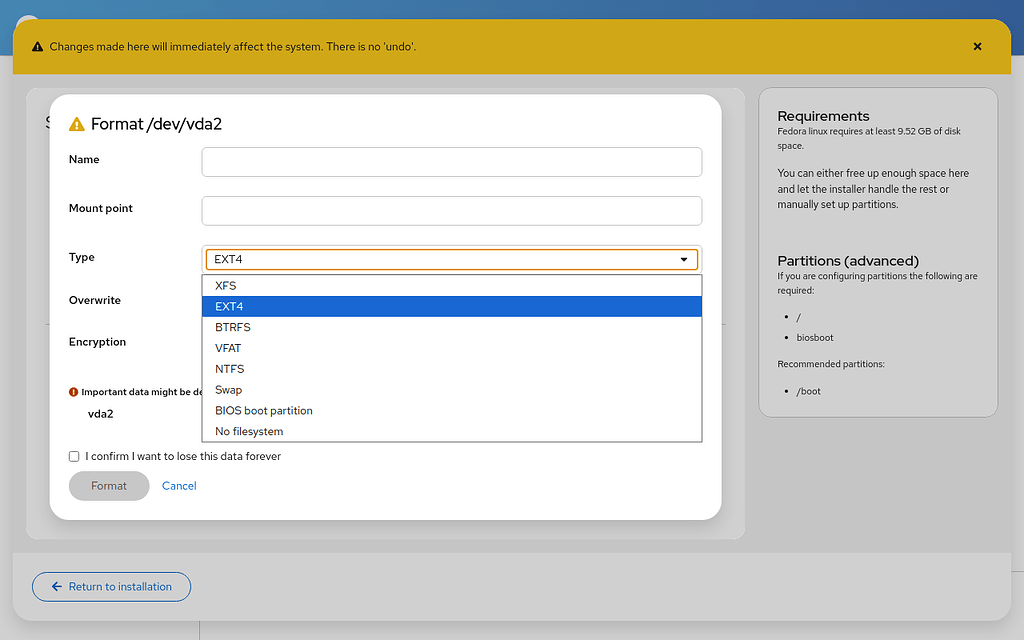
 Installer crashes in storage editor in all Live environments except Workstation - Fedora Discussion
https://discussion.fedoraproject.org/t/installer-crashes-in-storage-editor-in-all-live-environments-except-workstation/192590
Workarounds
Don’t start the installer (or quit it if you started it already). Start terminal (Konsole in KDE) and edit a config file:
sudo nano /etc/anaconda/profile.d/fedora.conf
Find this part:
# The default browser for the Web UI.
webui_web_engine = slitherer
and change it to:
# The default browser for the Web UI.
webui_web_engine = firefox
Close the editor (Ctrl+X → Y → Enter), and run the installer, either from a desktop launcher, or from a terminal:
liveinst
The installer should no longer crash when using drop-down lists.

KDE liveinst crash - Fedora Discussion
https://discussion.fedoraproject.org/t/kde-liveinst-crash/177548/11
I had this exact issue attempting to install Fedora 44 KDE live ISO on an older laptop with a GeForce GTX 970 GPU. I resolved it by forcing Anaconda to use Firefox instead of Slitherer.
I can confirm that Firefox was the selected default browser, but for some reason the indicated variable doesn’t seem to work
Instead of editing /usr/libexec/anaconda/webui-desktop I changed the following line inside /etc/anaconda/profile.d/fedora.conf:
webui_web_engine = slitherer
to
webui_web_engine = firefox
this allowed me to start Anaconda GUI normally and proceed with installing Fedora 44.
 PROCASE Macally Peripherals
http://macally.com/EN/Product/ArticleShow.asp?ArticleID=206
"Suede wrist rest for comfort and also protects the surface"
 Contortionist | GelaSkins | Protection with Style, not Bulk
https://www.gelaskins.com/skins.php?Category=9&Category=9&Device=5&ProductCode=106Device=5&ProductCode=106&Skin=15&Skin=15
Molly's First Flight | GelaSkins | Protection with Style, not Bulk
https://www.gelaskins.com/skins.php?Category=9&Category=9&Device=5&ProductCode=168Device=5&ProductCode=168&Skin=57&Skin=57
 TidBITS: Stewing Over Safe Sleep
http://db.tidbits.com/article/9090
"Look, it's 2007 and I'm a Mac user; if I can't put my brand new computer to sleep and into its bag in less than 10 seconds, something is seriously wrong."
 smcFanControl
http://homepage.mac.com/holtmann/eidac/index.html
Damn, this thing reduces the machine's temperature dramatically. I could feel it cool down under my hand. "smcFanControl lets you control your fans manually to make your macbook(pro) run cooler. "
 YouTube - SmackBook
http://www.youtube.com/watch?search=macbook+pro&v=6uvQTTPr9Rw
"Useless desktop manager/motion sensor hack for MacBook Pro"