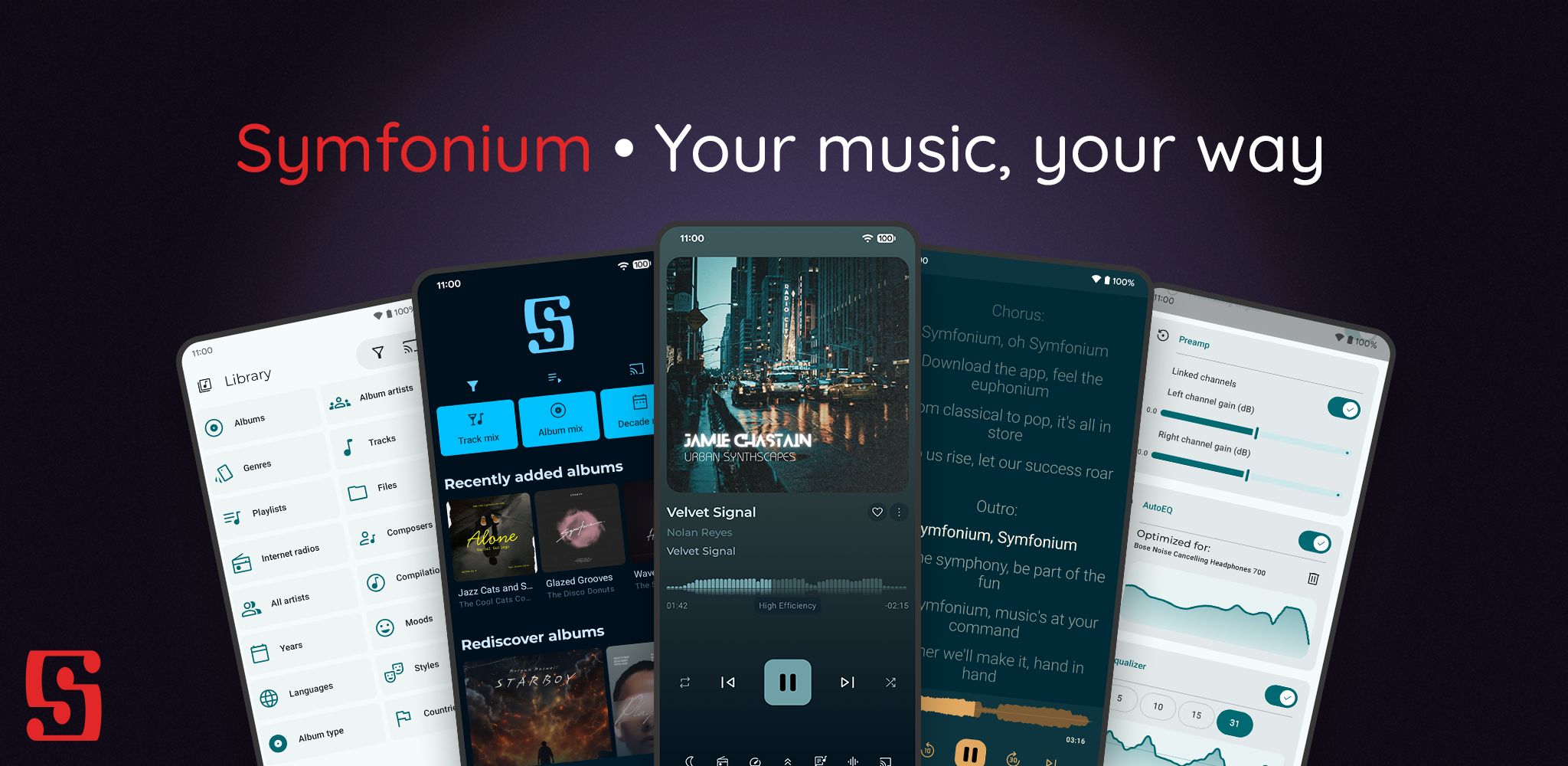
 Symfonium: Android Music Player for Local, Plex, Jellyfin, Audiobookshelf & Cloud
https://www.symfonium.app/?ref=blog.matthewbrunelle.com
From local files and NAS to Plex, Emby, Jellyfin, Audiobookshelf, Subsonic, OpenSubsonic, Navidrome and cloud drives, Symfonium unifies your music and audiobook libraries in one Android player.
 How to manage this Hugo based page from my Android phone in 2026 | foosel.net
https://foosel.net/til/how-to-manage-this-page-from-my-phone-in-2026/
I recently got a new phone and thus had to re-do the setup of my mobile blogging pipeline. So, basically, allow me to checkout, modify, test, commit and push the sources of this Hugo based static page under Android. While doing so I noticed some necessary changes and improvements, and also wanted to make use of my Taskfile which does most of the heavy lifting now, so here are my updated steps.
 Starboard — Portmaster games, on your Android
https://get-starboard.app/
Portmaster put hundreds of free, community-ported games on Linux handhelds. Starboard brings huge swathes of that catalogue to the Android ones — the Odin, Retroid, RG and dual-screen Thor class of device — by running them in a real Linux environment under the bonnet. Phones are welcome too.
 ntfy.sh | Send push notifications to your phone via PUT/POST
https://ntfy.sh/
ntfy (pronounced notify) is a simple HTTP-based pub-sub notification service. It allows you to send notifications to your phone or desktop via scripts from any computer, and/or using a REST API. It's infinitely flexible, and 100% free software.
 Install Docker natively on Android Phone and use it as a Home Server | CrackOverflow
https://crackoverflow.com/docs/system_administration/containerization/install-docker-natively-on-android-phone-and-use-it-as-a-home-server/
In this tutorial, we will guide you through the process of installing Docker on your Android phone, specifically using a OnePlus 6T with postmarketOS. I also wrote another blog post explaining how you can run this phone without a battery, allowing it to run forever as long as it remains connected to a power source. If you’re interested, feel free to check it out! This guide can be adapted only for phones on the postmarketOS device list. Please note that this process will erase all data on your phone, so it’s important to use a device you don’t need.
 Gadgetbridge
https://gadgetbridge.org/?utm_source=FuckOff&utm_campaign=FuckOff&utm_medium=FuckOff
Gadgetbridge is a free and open source Android application that allows you to pair and manage various gadgets such as smart watches, bands, headphones, and more without the need for the vendor application. So in short, you can use Gadgetbridge instead of relying on your gadget's own proprietary app.
 Forget About Raspberry Pi! Use Your Old Phone Instead. (Really???) - YouTube
https://www.youtube.com/watch?v=iobvVl8jZ5o&t=309s
You don't need a Raspberry Pi any more! Re-use an obsolete mobile phone in electronics projects and program it like an Arduino.
 [TOOL] XperiFirm ~ Xperia Firmware Downloader [v5.6.1] | XDA Developers Forums
https://forum.xda-developers.com/t/tool-xperifirm-xperia-firmware-downloader-v5-6-1.2834142/
Allows you to download the current firmware for all Sony Xperia-line smartphones, tablets and accessories running Android (except really old ones).
[TOOL] XperiFirm ~ Xperia Firmware Downloader [v5.6.1] | XDA Developers Forums
https://forum.xda-developers.com/t/tool-xperifirm-xperia-firmware-downloader-v5-6-1.2834142
Allows you to download the current firmware for all Sony Xperia-line smartphones, tablets and accessories running Android (except really old ones).
 StreamControl - Remote for OBS & Streamlabs OBS - Apps on Google Play
https://play.google.com/store/apps/details?id=dev.t4ils.obs_remote&hl=en_US&gl=US
This app allows you to remotely control OBS Studio and Streamlabs OBS from your phone or tablet.
StreamControl - Remote for OBS & Streamlabs OBS - Apps on Google Play
https://play.google.com/store/apps/details?gl=US&hl=en_US&id=dev.t4ils.obs_remote
This app allows you to remotely control OBS Studio and Streamlabs OBS from your phone or tablet.
 Taming Android File Transfer on Mac OS X » Cooltrainer.org
https://cooltrainer.org/taming-android-file-transfer-on-mac-os-x/
I transfer files very rarely and usually just plug in for some power, so I tire of the constant warnings. With a few modifications to the AFT application bundle I neutered the agent and restored sanity.
Taming Android File Transfer on Mac OS X » Cooltrainer.org
https://cooltrainer.org/taming-android-file-transfer-on-mac-os-x
I transfer files very rarely and usually just plug in for some power, so I tire of the constant warnings. With a few modifications to the AFT application bundle I neutered the agent and restored sanity.
 Mount / Unmount Android System images | My Cellar Door
http://javigon.com/2012/09/04/mount-unmount-android-system-images/
There are many reasons for wanting to unpack Android’s system image. The most obvious is modifying it. System.img is in the end an ext4 loop file system (such as the Linux system image), that can be mounted, modified and repacked in order to be burned afterwards in an embedded system. Android’s system image can be obtained from the google factory images.
Mount / Unmount Android System images | My Cellar Door
http://javigon.com/2012/09/04/mount-unmount-android-system-images
There are many reasons for wanting to unpack Android’s system image. The most obvious is modifying it. System.img is in the end an ext4 loop file system (such as the Linux system image), that can be mounted, modified and repacked in order to be burned afterwards in an embedded system. Android’s system image can be obtained from the google factory images.
 Unpack/repack ext4 Android system images « AndWise
http://andwise.net/?p=403
This is for all who want to unpack and modify the original system.img that you can flash using recovery.
 pts.blog: How to fix the adb no permissions error on Ubuntu Lucid
http://ptspts.blogspot.com/2011/10/how-to-fix-adb-no-permissions-error-on.html
This blog post explains how to fix the no permissions error the Android Debugger displays when running the adb devices command Linux. The solutions presented here have been tested and found working on Ubuntu Lucid, but they should also work on other Ubuntu and Linux versions as well.
 HoRNDIS: USB tethering driver for Mac OS X | Joshua Wise's domain
http://joshuawise.com/horndis
HoRNDIS (pronounce: “horrendous”) is a driver for Mac OS X that allows you to use your Android phone's native USB tethering mode to get Internet access. It is known to work with Mac OS X versions 10.6.8 (Snow Leopard) through 10.9 (Mavericks – see notes below), and has been tested on a wide variety of phones. Although you should be careful with all drivers that you install on your computer, HoRNDIS has been tested at least well enough for the author (and many others) to run full time on their own personal computers.
 Droid@Screen | Show your Android device for your audience
http://droid-at-screen.ribomation.com/
With Droid@Screen you can easily show the screen of an Android device on a computer/laptop (PC, Mac, Linux, ...) and then project the desktop using a LCD-projector. Droid@Screen is used for training/teaching and demonstration purposes.
Droid@Screen | Show your Android device for your audience
http://droid-at-screen.ribomation.com
With Droid@Screen you can easily show the screen of an Android device on a computer/laptop (PC, Mac, Linux, ...) and then project the desktop using a LCD-projector. Droid@Screen is used for training/teaching and demonstration purposes.
 RetroArch - multi-system frontend for libretro
http://www.libretro.org/
RetroArch is a modular multi-system emulator system that is designed to be fast, lightweight, and portable. It has features few other emulators frontends have, such as real-time rewinding and game-aware shading.
RetroArch - multi-system frontend for libretro
http://www.libretro.org
RetroArch is a modular multi-system emulator system that is designed to be fast, lightweight, and portable. It has features few other emulators frontends have, such as real-time rewinding and game-aware shading.

IP Webcam - Android Apps on Google Play
https://play.google.com/store/apps/details?id=com.pas.webcam&feature=related_apps
Turn your phone into a wireless camera! Supports Windows, Mac and Linux.
Turns your phone into a network camera with multiple viewing options. View your camera on any platform with VLC player or web browser. Stream video inside WiFi network without internet access.
IP Webcam - Android Apps on Google Play
https://play.google.com/store/apps/details?feature=related_apps&id=com.pas.webcam
Turn your phone into a wireless camera! Supports Windows, Mac and Linux.
Turns your phone into a network camera with multiple viewing options. View your camera on any platform with VLC player or web browser. Stream video inside WiFi network without internet access.
 Groklaw - Day 23, From the Courtroom: Oracle v. Google Trial - Jury: No Patent Infringement ~pj Updated 2Xs
http://www.groklaw.net/article.php?story=20120523125023818
UPDATE: The jury verdict is in. They found no infringement of the patents!
 Mark Finkle’s Weblog » Firefox for Android: Where’s the Error Console?
http://starkravingfinkle.org/blog/2011/12/firefox-for-android-wheres-the-error-console/
The new native Android UI version of Firefox does not ship with a dedicated Error Console. Instead, all console messages are redirected to the Android system log – also known as logcat. If you have the Android SDK installed, you already have a way to view the logcat:
Mark Finkle’s Weblog » Firefox for Android: Where’s the Error Console?
http://starkravingfinkle.org/blog/2011/12/firefox-for-android-wheres-the-error-console
The new native Android UI version of Firefox does not ship with a dedicated Error Console. Instead, all console messages are redirected to the Android system log – also known as logcat. If you have the Android SDK installed, you already have a way to view the logcat:
 Google to Sell Heads-Up Display Glasses by Year's End - NYTimes.com
http://bits.blogs.nytimes.com/2012/02/21/google-to-sell-terminator-style-glasses-by-years-end/
People who constantly reach into a pocket to check a smartphone for bits of information will soon have another option: a pair of Google-made glasses that will be able to stream information to the wearer’s eyeballs in real time.
Google to Sell Heads-Up Display Glasses by Year's End - NYTimes.com
http://bits.blogs.nytimes.com/2012/02/21/google-to-sell-terminator-style-glasses-by-years-end
People who constantly reach into a pocket to check a smartphone for bits of information will soon have another option: a pair of Google-made glasses that will be able to stream information to the wearer’s eyeballs in real time.
 Arduino ADK TinkerKit
http://www.makershed.com/Arduino_ADK_TinkerKit_p/mksp10.htm?Click=37845
The ADK TinkerKit is a complete pack of 25 TinkerKit Modules, Arduino Mega ADK, Mega Sensor Shield, and necessary wires to kickstart your Android development experience without soldering.
 Why Hasn't Google Put ChromeOS Out to Pasture?
http://www.readwriteweb.com/enterprise/2011/11/why-hasnt-google-put-chromeos.php
At this point, Google would be better off focusing its attention on Android. With some tweaking, Android could power the same devices as ChromeOS, with more native functionality. Someday we may be ready for a browser-based OS, but we're not quite there yet.
 Tiny Tower breaks ground on Android -- Engadget
http://www.engadget.com/2011/11/20/tiny-tower-breaks-ground-on-android
FXI's Cotton Candy could turn every screen you own into a cloud client -- Engadget
http://www.engadget.com/2011/11/17/fxis-cotton-candy-could-turn-every-screen-you-own-into-a-cloud
 Native UI for Firefox on Android | lucasr.org
http://lucasr.org/2011/11/15/native-ui-for-firefox-on-android
It’s been a month since Johnathan publicly announced the native UI for Firefox on Android. So it’s probably a good time to give everyone a quick status update. In case you haven’t heard about it yet, we are re-implementing Fennec’s UI using Android’s native platform to be able to deliver a much better performance and UX to our users on Android devices.
 Is it Game Over for Nintendo DS and Sony PSP?
http://blog.flurry.com/bid/77424/Is-it-Game-Over-for-Nintendo-DS-and-Sony-PSP
Portable gaming, played primarily on Nintendo DS and Sony PSP devices, has been dominated by these two companies for over two decades. In this model, at retail, consumers pay around $200 for the gaming device and up to $40 for popular game cartridges. Because of the similar form factor, overlap in consumer base (especially younger players on iPod touch) and the casual nature of game content, Flurry combines iOS and Android devices with traditional portable devices to form the category. With the inclusion of smartphone game revenue into the category, shifts taking place in market share become clearer.
 8tracks Brings User-Created Playlists and Music Discovery to Your Android Phone
http://lifehacker.com/5857796/8tracks-brings-user+created-playlists-and-music-discovery-to-your-android-phone
The Best Podcast Manager for Android
http://lifehacker.com/5855861/the-best-podcast-manager-for-android
There's no shortage of podcast managers for Android, but they run the gamut from simplistic to feature-rich. We tested a few, but found that DoggCatcher is the best option to find, download, and organize your podcasts on your Android phone. More »
FL Studio coming to Android, Google fans can make phat beats too -- Engadget
http://www.engadget.com/2011/10/31/fl-studio-coming-to-android-google-fans-can-make-phat-beats-too
 Experiments with Touch – Bigscreen Android with 23 inch Resistive Touch Panel « Beyond the keyboard
http://beyondthekeeboard.wordpress.com/2011/10/05/bigscreen-android-with-touch
Inspired by the allegedly Windows Android x86 demo with a 23 inch multi-touch screen by Martin Drashkov (see second video below), I decided to give my own version a spin.
Ice Cream Sandwich supports USB game controllers and HDMI, turns your phone into full game console
http://www.engadget.com/2011/10/24/ice-cream-sandwich-supports-usb-game-controllers-and-hdmi-turns
 Why Google Doesn't (and Shouldn't) Care About Tablets Yet
http://feeds.wired.com/~r/wired/index/~3/Ib482xehg0I
Firefox for Android Plans to Go Native
http://feeds.wired.com/~r/wired/index/~3/2nqA8986PZo
 Motorola Owners' Forum: Lapdock stuck on screen saver
https://supportforums.motorola.com/message/442101#442101
What to do if the Photon doesn't jump to Webtop mode when connected to the HD Dock
 Sleep as an Droid
https://sites.google.com/site/sleepasandroid
Sleep as an Droid is an Android alarm clock with integrated sleep
cycle tracker for waking you up gently in your light sleep cycle.
 Arduino GPS System | Sean Carney's Website
http://www.seancarney.ca/projects/arduino-gps-receiver/arduino-gps-system
"A fully functional GPS receiver with the ability to display the current location, heading, speed, average speed and maximum speed, the distance traveled, the bearing, distance and ETA for a way-point, and the date and time."
 android-notifier - Project Hosting on Google Code
http://code.google.com/p/android-notifier
"This project sends notifications to a desktop computer when certain events happen on an Android device, such as the phone ringing, an SMS being received, or the battery running low. The notifications can be sent over Wifi, Bluetooth, or (in the future) USB. "
 Sprint HTC EVO 4G Developer’s...
https://docs.google.com/View?id=dhtsnvs6_57d2hpqtgr
"This documentation covers additional functionality that is available for the HTC EVO 4G and Samsung Epic 4G Android devices. This documentation is intended for the 3rd party developers who want to develop applications for these devices. While every attempt has been made to ensure the included documentation is accurate, Sprint reserves the right to make changes to device functionality and API design during the life of the device. This document will be updated with changes and/or additions as they become available. "
 Cool trick to change brightness anywhere - Android Forums
http://forum.androidcentral.com/t-captivate/24125-cool-trick-change-brightness-anywhere.html
"If you swipe your finger on the notification bar (with the panel still up), you can change your brightness, anywhere that bar is present! Useful when auto brightness isnt on and you need a quick brightness change"
 Upgrading From CM 4.2 or other rooted ROMS to 5.0.x(Dream/Sapphire) - CyanogenMod Wiki
http://wiki.cyanogenmod.com/index.php?title=Upgrading_From_CM_4.2_or_other_rooted_ROMS_to_5.0.x(Dream/Sapphire)
"This guide will tell you how to upgrade from an older (
 Send To Phone :: Add-ons for Firefox
https://addons.mozilla.org/en-US/firefox/addon/161941
"Using the new APIs in Android 2.2 and based on the ChromeToPhone extension, allows to send urls from Firefox to your phone."
 Android garage door opener
http://bradfitz.com/garage-opener
"You need two parts: the Android App (apk link; Android Market link) and the server app running in your house. Further, the server app needs to be connected to X10 hardware to toggle your garage door."
 [APP] WiimoteController 0.25 Alpha [may-14-2010] NO MORE LIMIT! - xda-developers
http://forum.xda-developers.com/showthread.php?t=672884
"WiimoteController is an application which allows a Wii remote to connect to your Android phone. You can then use the Wii remote to control various apps."
 39 Android Apps that I love
http://www.mattcutts.com/blog/39-android-apps-you-should-try
"Here are the Android Apps that I currently love. It’s not a complete list, but it’s a pretty good start."
 Robert Love: Why the iPad and iPhone don’t Support Multitasking
http://blog.rlove.org/2010/04/why-ipad-and-iphone-dont-support.html
"So how is Apple going to enable support for multitasking? Likely similar to how Android allows it. The Android platform was designed from the ground up for use on phones and other embedded devices. Consequently, we built in a mechanism whereby applications can save their state, including their current view, with the system. In fact, through this state saving mechanism, which we call Bundles, Android applications can operate as if they are stateless."
 AndroidSPIN • View topic - [ROM] Drizzy's DROID 2.1 for G1
http://www.androidspin.com/forum/viewtopic.php?f=242&t=153
"Our good friend Drizzy has been hard at work converting the DROID Android 2.1 ROM over to the HTC Dream / T-Mobile G1 and his dedication has paid off.
YES, You did read that right. Drizzy has also made this DROID rom from Android 2.1."
 Droid Battery Life Requires New Charging Habits - Business Center - PC World
http://www.pcworld.com/businesscenter/article/181684/droid_battery_life_requires_new_charging_habits.html
So... The Palm Pre gets totally slammed on battery life, but the Droid gets a pass saying we just need to change our habits? Sheesh. "Until battery technology changes to double or triple capacity, you will have to change your charging habits to fit the needs of the smartphone. Instead of charging it every few days, or only charging it overnight, you need to charge the phone basically whenever it isn't being used. Driving in your car--charge the phone. Sitting at your desk--charge the phone. Sleeping at night--charge the phone."
 Ascender creates the new Droid font collection for Open Handset Alliance's Android platform | Typophile
http://typophile.com/node/39036
"Droid was designed by Ascender’s Steve Matteson to provide optimal quality and comfort on a mobile handset when rendered in application menus, web browsers and for other screen text."
 RussellBeattie.com - The simple test for the Android OS
http://www.russellbeattie.com/blog/the-simple-test-for-the-android-os
"Simple test: Will you be able to take the Android OS as it exists on Monday and hack it so it runs on an existing device?"