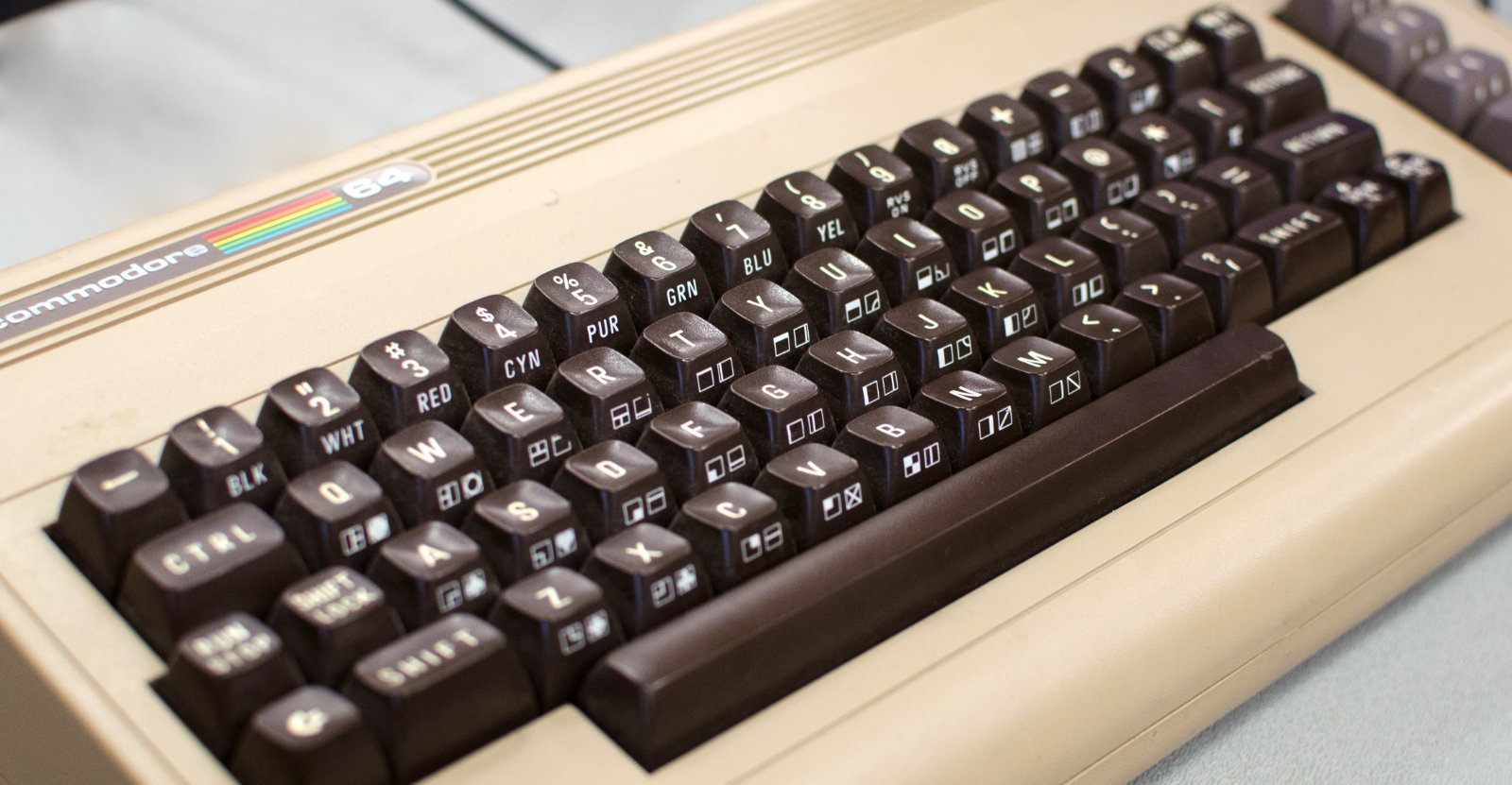
 How to install an app on your Commodore 64 - Anil Dash
https://www.anildash.com/2026/10/08/install-an-app-commodore-64/
You will need to ask your mom if you can ride your bike to the mall. The dirt mall is closer, but the magazine stand at the dirt mall doesn’t carry any computer magazines, so you’ll need to take a longer ride to the good mall, where the book store actually has computer magazines. It’s a couple of miles to the mall, so usually you would have a friend come with you, but you called their house and nobody picked up, so today it’s a solo trip.
 USBSID-Pico: Bridging Real Commodore 64 Sound to Modern USB - SmallRun
https://smallrun.net/blog/loud/usbsid-pico-sids-on-usb
I am LouD (short for loudness) and I created USBSID-Pico to bridge real SID silicon directly to modern workstations, phones, and media players over USB (CDC/WebUSB/WebSerial), MIDI, ASID and in the future possibly WiFi and Bluetooth.
Powered by the Raspberry Pi Pico microcontroller series (rp2040 and rp2350), the board acts as a flexible controller for up to two (and soon four) physical SID chips or modern hardware replacements.
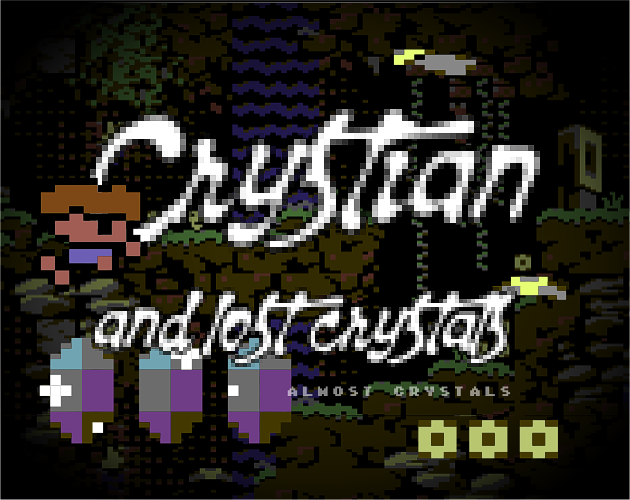
 Crystian and the Lost Crystals by ntpr
https://ntpr.itch.io/crystian-and-lost-crystals
Will Crystian remain just an ordinary boy, or will he find the strength of a hero and return for his lost almost-crystals? The adventure is just beginning...

 Commodore Amiga - Operating Systems - Workbench : Free Download, Borrow, and Streaming : Internet Archive
https://archive.org/details/commodore-amiga-operating-systems-workbench
Commodore Amiga - Operating Systems - Workbench
 A friend has commissioned me to make a wood Commodore 64 case. Here is a progress shot of a test fit. : r/c64
https://www.reddit.com/r/c64/comments/1r0igy4/a_friend_has_commissioned_me_to_make_a_wood/
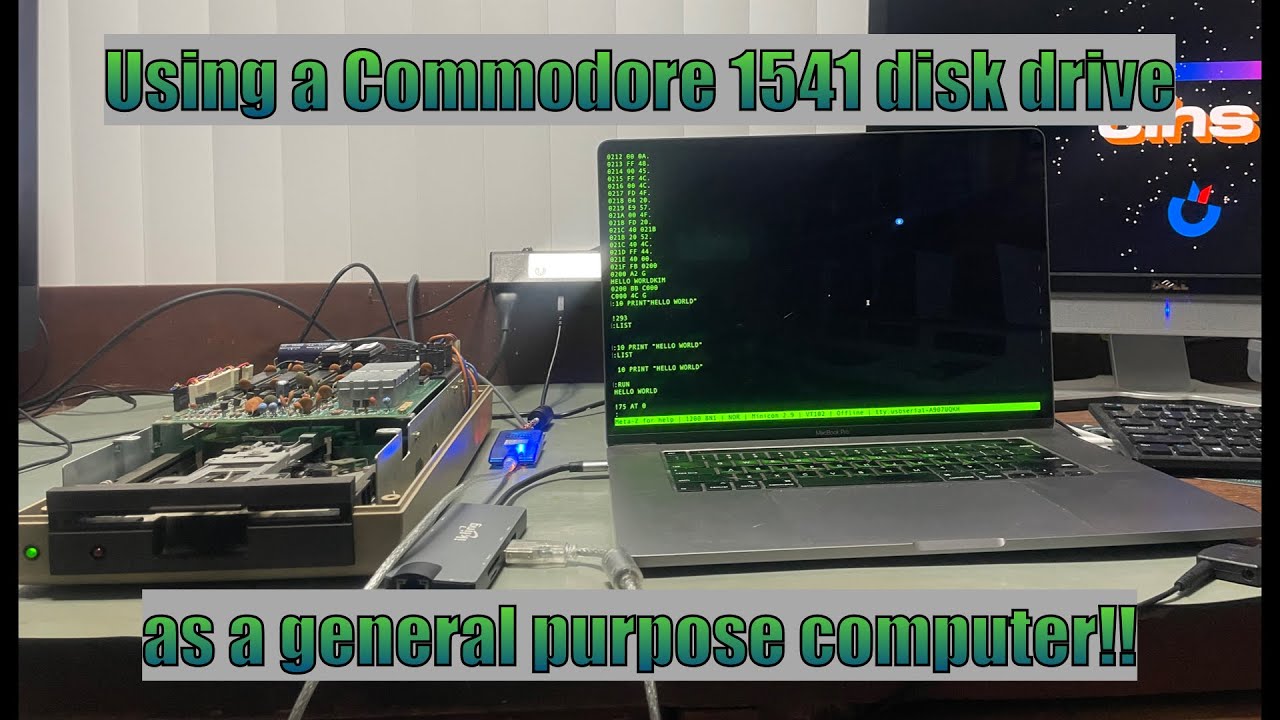
 Can a Commodore 1541 disk drive be used as a general purpose computer? - YouTube
https://www.youtube.com/watch?v=6loDwvG4CP8&t=327s
I modified the KIM-1 kernal to run on a bone stock Commodore 1541 disk drive. That's right -- zero hardware modifications. I'll walk you through the theory behind this, and everything I needed to do to make it work, then I'll show you a Hello World example in both BASIC and machine language running on a Commodore 1541 disk drive.
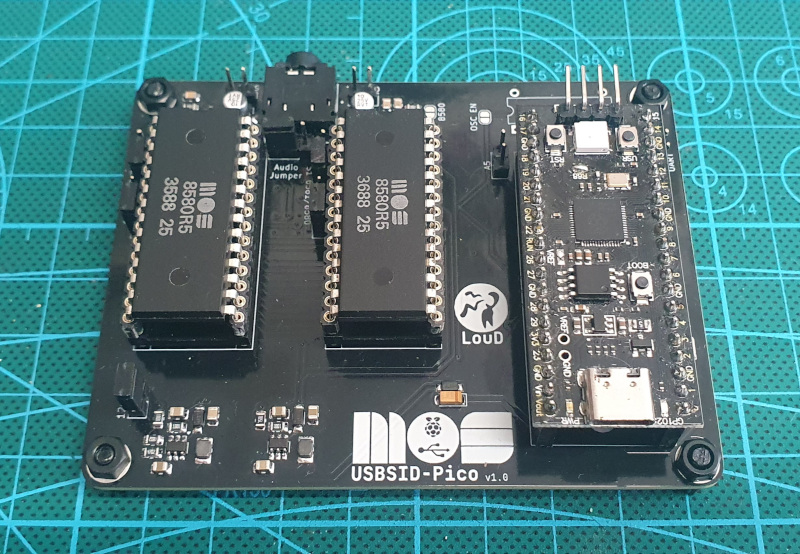
 LouDnl/USBSID-Pico: USBSID-Pico is a RPi Pico (RP2040/W RP2350/W) based board for interfacing one or two MOS SID chips and/or hardware SID emulators over (WEB)USB with your computer, phone, ASID supporting player or USB midi controller
https://github.com/LouDnl/USBSID-Pico
USBSID-Pico is a RaspberryPi Pico/PicoW (RP2040) & Pico2/Pico2W (RP2350) based board for interfacing one or two MOS SID chips and/or hardware SID emulators over (WEB)USB with your computer, phone, ASID supporting player or USB midi controller.
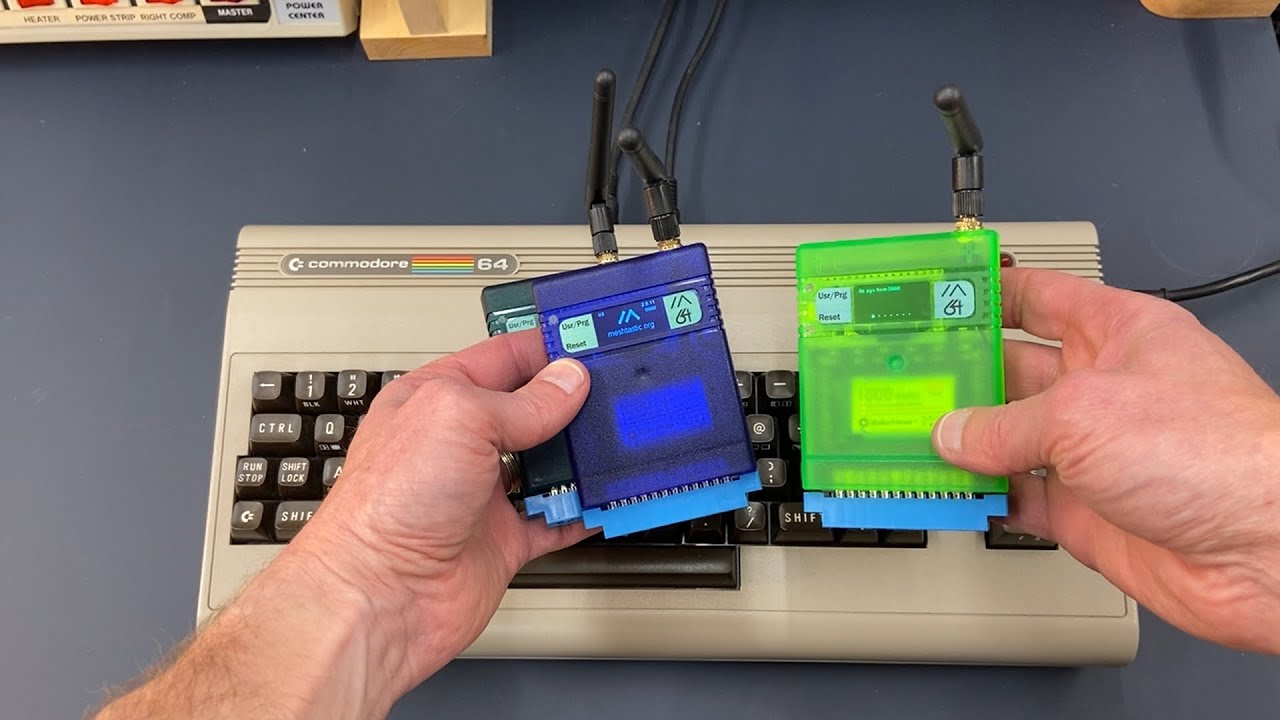
 Meshtastic 64 Radio Demo on Commodore 64 - The Oasis BBS
https://theoasisbbs.com/meshtastic-64-radio-demo-on-commodore-64/?feed_id=5678&_unique_id=68dfcf2d76f81
The Meshtastic 64 Radio connects through the user port and sits inside a cartridge shell with a built-in battery. Once installed, the device powers up and runs with a custom BASIC program loaded from floppy disk. This software lets the Commodore 64 send and receive text messages across the Meshtastic network, linking retro hardware with modern mesh communication.
 Classic Amiga Workbench
https://classicwb.abime.net/index.htm
Download an Amiga Workbench OS
Preinstalled packs setup for real
A500+ A600 A1200 A1500+ A2000+ A3000 A4000 and UAE
 [CSDb] - Soundmonitor V1.0 by Chris Huelsbeck (1986)
https://csdb.dk/release/?id=59929
 COMPUTE!'s Sidplayer
https://sidplayer.org/
 DeepSID | Chordian.net
https://deepsid.chordian.net/
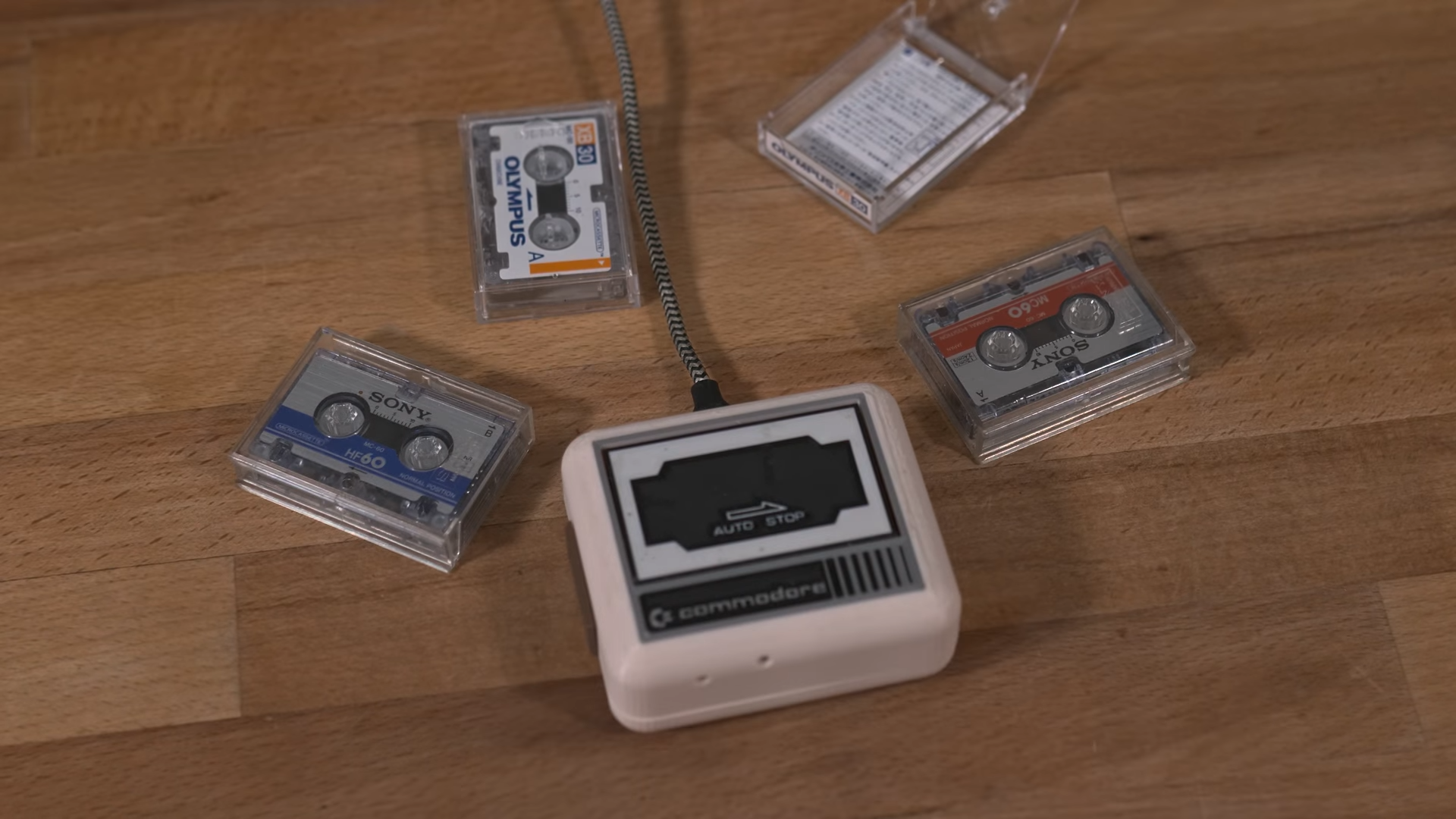
 Tiny Datasette Uses USB For The Modern Day | Hackaday
https://hackaday.com/2025/09/01/tiny-datasette-uses-usb-for-the-modern-day/
 BRA and KET: String Interpolation in AmigaDOS | datagubbe.se
https://www.datagubbe.se/braket/
By default, the parser does string interpolation using the characters < (less than) and > (greater than). The cleverness of this is debatable: these characters are also used for I/O redirection, which can quickly make things confusing. Luckily, the parser also accepts the directives .BRA and .KET, each followed by a single character, which lets the programmer override the default interpolation characters. The terms BRA and KET are most likely borrowed from Dirac notation.
The Coolest Amiga Setup | datagubbe.se
https://www.datagubbe.se/coolestamiga/
Still, there are setups and there are setups. Having recently visited the Swedish Amiga demo party GERP, I had the opportunity to photograph a worthy contender to - and, to me, current holder of - the throne. Without further ado, let's examine!
 Building a Frankenstein 64 - Celso Martinho
https://celso.io/posts/2022/12/28/c64-from-scratch/
Last year, I decided that I was going to build a Commodore 64 from scratch. This is the blog documenting the project.
The first perfect computer - Celso Martinho
https://celso.io/posts/2025/01/26/the-first-perfect-computer/
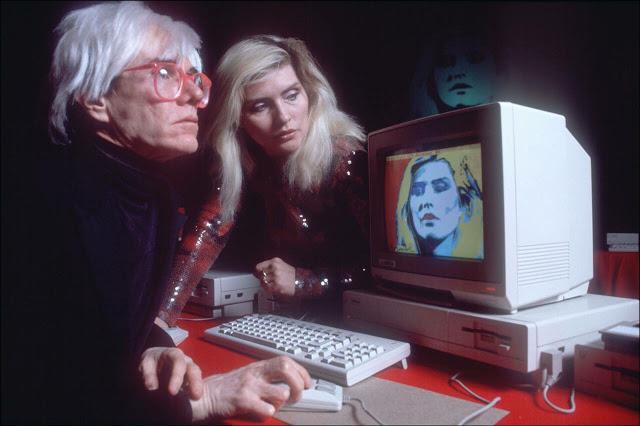
That was solved recently when I bought an Amiga 1000 on eBay. This is the long-overdue story about how I restored, fixed, and upgraded it and my future plans. If you’re the rabbit hole type, I added as many links and references as I could so you can dive deeper into the Amiga world. I hope you enjoy reading it.
frntc/SIDKick: SIDKick -- the first complete SID 6581/8580-drop-in-replacement that you can build yourself
https://github.com/frntc/SIDKick
SIDKick is a versatile sound device for C64s and C128s: it serves as a drop-in replacement for the SID 6581/8580 sound chips, and at the same time provides Sound Expander-emulation (Yamaha OPL-based FM sound), a MIDI interface and can control LED stripes. It is based on a Teensy 4.1 and makes no compromises with regard to quality: the emulation is based on reSID and fmOPL. It also comes with a few extras.
 The History of the Commodore 64 in Twelve Objects
https://www.jesperjuul.net/c64/history/
too much Fun: The five lives of the commodore 64 computer - About the book
https://www.jesperjuul.net/c64/about.html
With interviews of Commodore engineers and with its insightful look at C64 games, music, and software, from Summer Games to International Karate to Simons' BASIC, Too Much Fun will appeal to those who used a Commodore 64, those interested in the history of computing and video games and computational literacy, or just those who wish their technological devices would last longer.
Eye of the Beholder for Commodore 128 - Ultimate Gaming Rig Setup - YouTube
https://www.youtube.com/watch?v=HxoBpb29TA0
In November of 2022, Eye of the Beholder for C64 and C128 dropped like a dragon roar heard 'round the realm. In this video I demonstrate what is one of the best ways to fully enjoy this incredible gaming experience. I use vintage hardware with a touch of modernity for the storage option.
 Eye of the Beholder for Commodore 128 - Ultimate Gaming Rig Setup - AmigaLove
https://www.amigalove.com/viewtopic.php?t=2427
Anyway, in this video I demonstrate what - for me - is the ultimate way to play this incredible game. In fact, I'll say it. I think it is easily the greatest game ever made for the C128. And, in my opinion, the C128 is the best way to play it - rather than the much more common C64 - for several reasons.
 Music | Chris Huelsbeck Productions
https://chrishuelsbeck.bandcamp.com/
Chris Huelsbeck Productions.
Arizona.
 7 | DIY Commodore WiFi modem with ESP8266 board | Robert Trebor | Flickr
https://www.flickr.com/photos/190972110@N06/50775492128/in/photostream/
DIY Commodore WiFi modem with ESP8266 board
7 | DIY Commodore WiFi modem with ESP8266 board | Robert Trebor | Flickr
https://www.flickr.com/photos/190972110@N06/50775492128/in/photostream
DIY Commodore WiFi modem with ESP8266 board
 Untitled
https://cbm-pi1541.firebaseapp.com/
Pi1541 is a real-time, cycle exact, Commodore 1541 disk drive emulator that can run on a Raspberry Pi 3B, 3B+ or 3A+.
Cbm pi1541
https://cbm-pi1541.firebaseapp.com
Pi1541 is a real-time, cycle exact, Commodore 1541 disk drive emulator that can run on a Raspberry Pi 3B, 3B+ or 3A+.
 Commodore 1702 s-video mod
http://www.jax184.com/projects/1702/1702.html
these days you won't find anything that outputs s-video via two RCA cables. I've seen people make adapters from the standard 4 pin s-video plug to 2 RCA connectors, but I think I have a better solution.
 Commodore 65 Sells For $20,100.00
http://www.gamesniped.com/2011/10/04/commodore-65-sells-for-20100-00
How did I not know this existed?
 PetSynth | Chiron Bramberger
http://www.petsynth.org
"This is the official project page for PetSynth - the only program for rocking the Commodore PET that the cool kids use."
 cbm-hackers mailing list: Professional-1541-DOS (was: Re: Big-PET)
http://www.softwolves.com/arkiv/cbm-hackers/0/0727.html
"The "Professional-1541-DOS" from Mikrotronic System is an add-on for the 1541 and a C64 or a C128 in C64 mode, which is supposed to speedup all read- and write-operations of the drive. The Professional-DOS is an expansion for an already installed speeder with a parallel cable, like SpeedDOS, SpeedDOS Plus, Floppy Flash User System and Floppy Flash Toolkit System."
 D64it
http://www.kludgesoft.com/c64/d64it.html
"D64it is a simple program for the c64 to convert from .D64 files (emulator disk images) to a 1541 disk or vice-versa."
 Vic 20 emulator in JS - Matt's collection of nick-nacks
http://www.mdawson.net/vic20beta/vic20.php
"100% Javascript Vic-20 / 6502 Emulator"
 MSSIAH - MIDI SID Software
http://www.8bitventures.com/mssiah
"The MSSIAH is a MIDI cartridge for the Commodore 64.
It contains a suite of music applications that starts instantly as you insert the cartridge and start up the computer.
With these applications you can play the C64's audio circuit (SID) via MIDI or stand-alone with the internal sequencers."
 Lallafa’s Blog » OpenCBM on Mac
http://lallafa.de/blog/opencbm-on-mac
"OpenCBM is a library and a set of command line tools that allow to control old Commodore IEC devices like the famous 1541 floppy disk drive. You can transfer disk image to and from old discs. As modern computers do not provide a IEC connector, OpenCBM allows to control adapters that attach to your PC. Older PCs use parallel port cables (like the XA1541 or XS1541) and newer ones use a USB adapter (XU1541 or XUM1541).
This pages shows you how to use OpenCBM on your Mac. As modern Macs only support USB connectors and no parallel ones, we focus on setting up the XU1541 or XUM1541 devices."
Lallafa’s Blog » D64QLPlugin
http://lallafa.de/blog/d64qlplugin
"A D64/D71/D81 DiskImage QuickLook Plugin for Mac OS X 10.5"
 Project 64 Hardware
http://project64.c64.org/hw
"Documentation for C64 related Hardware and Firmware"
 Index of /commodore/commodore
http://www.bombjack.org/commodore/commodore
 David Simons, the author of Simons' Basic - Commodore 64 (C64) Forum
http://www.lemon64.com/forum/viewtopic.php?p=394597&sid=5186e8a3fc0f2c10e1271ffdb34afddb#394597
"After Simon's basic I went to university and studied computing and economics. From there I joined SCO (Santa Cruz Operation) and worked on their Unix kernel which was something I always wanted to do. I then joined a startup which unfortunately didn't make it but had a lot of fun (implementing an open source J2EE app server). I've since worked for a number of other companies including Sun and I now work for the leading virtualization company."
Commodore - Magazines
http://www.bombjack.org/commodore/magazines.htm
"If you can provide any magazines that have not been scanned, please contact me."
 Dave Farquhar's Silicon Underground - How to connect a Commodore 64 to a television
http://dfarq.homeip.net/article/20050104084808610
"What if you can't find a Commodore video cable? If you're handy with a soldering iron, you can make your own cable with parts from Radio Shack. You'll need a 5-pin DIN plug, two male RCA plugs, and two lengths of speaker wire. Shielded cable like RGU-58 would be better, but isn't totally necessary.
"
 Cables and adaptors
http://sta.c64.org/cables.html
"The following cables and adaptors are discussed on these pages. For a detailed guide on selecting among X1541-series cables, read the cable selection guide on the X1541-series interfaces page."
 C64 Standard Tape Interface
http://www.zimmers.net/anonftp/pub/cbm/documents/projects/interfaces/soundcard2tape.html
"This is an interface which lets you connect your C64 to ANY standard Tape Player instead of the custom made C1531 device, which can be hard to get today. Also it means you can connect your C64 to any PC with a sound card and let the PC act as a Tape Player with a perfectly clear sound - so there are no Load errors possible."
 GoatTracker - C64 SID music editor for Mac OS X
http://www.sidmusic.org/goattracker/mac
"GoatTracker is a cross-platform tracker written by Lasse Öörni, producing SID chiptune music for the Commodore 64, and released with source code under the GPL. It is notable for being possibly the only SID chiptune-composer NOT native to the C64, as many alternative composers (including JCH, and CyberTracker) only execute on the C64 or inside C64 emulators. Many SID tunes are available in various formats on the Internet, especially through the High Voltage SID Collection (HVSC). GoatTracker is capable of directly exporting to the .sid (PSID/RSID) file format in addition to standard C64 PRG files."
 Inside the Commodore 64 - PC World
http://www.pcworld.com/article/152528/inside_the_commodore_64.html
"This pioneering PC made instant geeks out of millions of people back in the 80s. But what lies within the Commodore 64's fetching brown shell?"
 The diskette that blew Trixter’s mind « Oldskooler Ramblings
http://trixter.wordpress.com/2008/09/28/the-diskette-that-blew-trixters-mind
"The manual for Mental Blocks claims that, for both C64 and IBM, you put the diskette in label-side up. I thought that had to be a typo, since every single mixed C64/IBM or Apple/IBM diskette I have ever seen is a “flippy” disk where one side is IBM and the other side is C64 or Apple — until I looked at the FAT12 for the disk and saw that tons of sectors in an interleaved pattern were marked as BAD — very strange usage."
 MAKE: Blog: Commodore 64 LAN party
http://blog.makezine.com/archive/2008/07/commodore_64_lan_party.html?CMP=OTC-0D6B48984890
"The setup consists of up to eight Commodore 64s with Ethernet cartridges and a central server written in Java running on a PC. The game is also playable over the Internet."
 subatomicglue - MidiboxSID work log
http://www.subatomicglue.com/sidl0g
"This is the worklog for my MidiboxSID, a synthesizer that has sound chips from the original commodore 64 personal computer from the 1980's. These sound chips are called the SID 6582"
 Welcome to My Nerditorium: New Old Stock In-Box C64C Arrives
http://mynerditorium.blogspot.com/2008/04/new-old-stock-in-box-c64c-arrives.html
"All of the cables were still wrapped in original plastic with aged looking tape. The manuals were all sealed, and the computer itself did not have a spot of dust on it or in it. All connectors and slots appear to be virgin."
 Remembering the Commodore SX-64
http://www.theregister.co.uk/2008/01/20/tob_commodore_sx_64
"Despite its faults, the SX-64 is a sweet system"
 The Second Book Of Machine Language - Appendix C
http://www.atariarchives.org/2bml/appendix_c.php
""MLX" lets you type in long machine language (ML) listings with almost foolproof results."
 PET index - Killer Poke
http://www.6502.org/users/andre/petindex/poke.html
"The so-called Fast Print or Killer Poke has much been talked about. It is a Commodore BASIC Poke command that is supposed to be able to destroy a PET computer."
 Toni Westbrook's Shredz64
http://freedomirc.net/~megaboz/shredz64
"an attempt to built an interface to connect the Playstation Guitar Hero controller to the Commodore 64 computer, and then build a guitar-hero like game on the C64 utilizing this controller."
 globeandmail.com: They adore their 64s
http://www.theglobeandmail.com/servlet/story/RTGAM.20061202.gtcommodore02/BNStory/Technology
"Nostalgia and a sense of computer-whiz community has kept [TPUG] going for nearly 30 years."
 YouTube - Commodore Vic-20 commercial
http://www.youtube.com/watch?mode=related&search=&v=PUEI7mm8M7Q
"80's commercial - Shatner on fire selling the Commodore Vic-20."
 Commodore.ca | Gallery | Commodore Announcements History Gallery - Advertising, Brochures, Hardware, Magazine Articles
http://www.commodore.ca/gallery/announcements/announcements.htm
 Commodore sets up for a comeback
http://arstechnica.com/news.ars/post/20051223-5829.html
For Pete's sake, let Commodore die. It's like they're sticking their hands in a dead guy's head and making him talk.

 Internet Archive: Search Engine "Amiga"
http://www.archive.org/search.php?query=amiga+AND+mediatype:movies+AND+collection:computerchronicles
Wow. Searching for Commodore Amiga coverage in the Computer Chronicles.
Program Details for Commodore 64
http://www.archive.org/movies/movies-details-db.php?collection=computerchronicles&collectionid=CC517_commodore_64
Very, very cool look back at the C64