
 Nobody Rips Out the Plumbing – Regionally Famous
https://regionallyfamous.com/nobody-rips-out-the-plumbing/
Nobody rips out the plumbing. But the smartest homeowners upgrade their fixtures every chance they get.

 Why Matt Mullenweg went to war over WordPress | The Verge
https://www.theverge.com/decoder-podcast-with-nilay-patel/693052/automattic-ceo-matt-mullenweg-wordpress-drama-wp-engine-open-source
The head of the WordPress project on the WP Engine lawsuit, Automattic turning 20, and what’s next for the web.
 Interactive Intro to WordPress Playground Public API – Adam's Perspective
https://adamadam.blog/2023/04/12/interactive-intro-to-wordpress-playground-public-api/
WordPress Playground public API allows you to run and control an entire WordPress stack in your browser. You can use it to build an entirely new kind of a web app, like an in-browser WordPress IDE we built at CloudFest Hackaton 2023. In this post, you will learn how to get started.
Interactive Intro to WordPress Playground Public API – Adam's Perspective
https://adamadam.blog/2023/04/12/interactive-intro-to-wordpress-playground-public-api
WordPress Playground public API allows you to run and control an entire WordPress stack in your browser. You can use it to build an entirely new kind of a web app, like an in-browser WordPress IDE we built at CloudFest Hackaton 2023. In this post, you will learn how to get started.
 Command line interface for WordPress | WP-CLI
http://wp-cli.org/
A command line interface for WordPress
Command line interface for WordPress | WP-CLI
http://wp-cli.org
A command line interface for WordPress
 BadgeOS
http://badgeos.org/
BadgeOS™ is a powerful free plugin to WordPress that lets you easily create achievements and issue sharable badges as your users succeed.
BadgeOS
http://badgeos.org
BadgeOS™ is a powerful free plugin to WordPress that lets you easily create achievements and issue sharable badges as your users succeed.
 WordPress › Support » Share a Draft
http://wordpress.org/support/view/plugin-reviews/shareadraft
Let your friends preview one of your drafts, without giving them permissions to edit posts in your blog
 HTTP 413 Request Entity Too Large – Control+R
http://jontai.me/blog/2012/04/http-413-request-entity-too-large/
Adding client_max_body_size 8M; to the server { ... } section of my nginx configuration fixed the problem.
HTTP 413 Request Entity Too Large – Control+R
http://jontai.me/blog/2012/04/http-413-request-entity-too-large
Adding client_max_body_size 8M; to the server { ... } section of my nginx configuration fixed the problem.
 Sudden empty / blank page for large posts with WordPress
http://www.undermyhat.org/blog/2009/07/sudden-empty-blank-page-for-large-posts-with-wordpress/
It isn’t fair: you spend a few hours on creating your most marvellous blog post ever, the one and only that will surely enlist you in the Hall of Famous Bloggers, but then you click Publish or Preview and all you see is an empty post. Totally panicked you click “Edit” (never do that!) on that empty post only to find yourself in an editing screen that’s, well, empty (!!). Before you try to commit suicide, I hope you do a bit of googling and find yourself here or on one of the many other helpful / not so helpful posts on the subject.
Sudden empty / blank page for large posts with WordPress
http://www.undermyhat.org/blog/2009/07/sudden-empty-blank-page-for-large-posts-with-wordpress
It isn’t fair: you spend a few hours on creating your most marvellous blog post ever, the one and only that will surely enlist you in the Hall of Famous Bloggers, but then you click Publish or Preview and all you see is an empty post. Totally panicked you click “Edit” (never do that!) on that empty post only to find yourself in an editing screen that’s, well, empty (!!). Before you try to commit suicide, I hope you do a bit of googling and find yourself here or on one of the many other helpful / not so helpful posts on the subject.
WordPress › W3 Total Cache « WordPress Plugins
http://wordpress.org/extend/plugins/w3-total-cache
Easily optimize the speed and user experience of your site with caching: browser, page, object, database, minify and content delivery network support.
WordPress › PuSHPress « WordPress Plugins
http://wordpress.org/extend/plugins/pushpress
This plugin adds PubSubHubbub ( PuSH ) support to your WordPress powered site. The main difference between this plugin and others is that it includes the hub features of PuSH, built right in. This means the updates will be sent directly from WordPress to your PuSH subscribers.
 Holy Shmoly! » WordPress, Nginx and WP Super Cache
http://ocaoimh.ie/89495533/wordpress-nginx-wp-super-cache
"If you host your own WordPress blog, it’s probably on Apache. That all fine and good. For most sites Apache works wonderfully, especially as it’s so easy to find information on it, on mod_rewrite and everything else that everyone else uses.
One of the alternatives is Nginx, a really fast webserver that streaks ahead of Apache in terms of performance, but isn’t quite as easy to use. That’s partly because Apache is the default webserver on most Linux distributions and hosts. Want to try Nginx? Here’s how."
 Scholarly publishing with WordPress – ../learninglab/joss
http://joss.blogs.lincoln.ac.uk/2009/08/25/scholarly-publishing-with-wordpress#identifier_2_1506
"my point here is to discuss whether WordPress can be extended to accommodate most conventions found in scholarly publishing and where it is lacking, to identify the development work required to meet the needs of most academic who wish to write on and publish to the web"
 How to Install/Run A Wordpress Blog on a Palm Pre! | Palm Pre Hacks Blog!
http://palmpre-hacks.com/palm-pre-hacks/how-to-installrun-a-wordpress-blog-on-a-palm-pre
Totally pointless, but cool. "Since the Palm Pre is based on Linux, I figured that you could probably run a Wordpress blog on the Palm Pre. Well, after about 3 hours of research, I found a way to run a wordpress blog using Optware Lighttpd and MySQL server."
 digress.it
http://digress.it
"digress.it is a plugin for WordPress* that lets you comment paragraph by paragraph in the margins of a text"
 HookPress: Webhooks for WordPress
http://mitcho.com/blog/projects/hookpress-webhooks-for-wordpress
"I recently have spent a little time putting together a new WordPress plugin called HookPress. HookPress lets you add webhooks to WordPress, letting you easily develop push notifications or extend WordPress in languages other than PHP."
 Go Diagram Plugin for WordPress
http://www.blog.komrades.org/?p=44
"I wrote a quick and dirty WordPress plugin to emulate the behaviour of sites such as Sensei’s Library and GoDiscussions; namely the automatic conversion of ASCII board diagrams into PNG images, supporting markup and such."
WordPress › Oulipo « WordPress Themes
http://wordpress.org/extend/themes/oulipo
"A grid-based, black and white WordPress theme"
 snowstorm.js
http://s2.wordpress.com/wp-content/plugins/snow/snowstorm.js
"DHTML PNG Snowstorm! OO-style Jascript-based Snow effect "
 WordPress Audio Player
http://wpaudioplayer.com
mitcho code Yet Another Related Posts Plugin
http://mitcho.com/code/yarpp
"Yet Another Related Posts Plugin (YARPP) gives you a list of posts and/or pages related to the current entry, introducing the reader to other relevant content on your site."
 Easier Theme Development with Sample WordPress Content — WPCandy — WordPress Themes, Plugins, Tips, and Tricks
http://wpcandy.com/articles/easier-theme-development-with-the-sample-post-collection.html
"Developing a theme for public release isn’t an easy task. When you’re the only one using your theme you don’t have to worry about expanding it, but put it into the hands of other users and it better be ready for any content they throw at it. Blockquotes, lists, and floating images - there are plenty of elements that are common to blogs that need to be supported in every theme you release. Cue our new sample WordPress content. "
 One Way in which Habari Absolutely Slaughters WordPress - Asymptomatic
http://asymptomatic.net/2008/09/09/2751/one-way-in-which-habari-absolutely-slaughters-wordpress
 Wordpress plugin - Universal Edit Button
http://universaleditbutton.org/Wordpress_plugin
"Here's a simple WordPress plugin. Save the following as universal-edit-button.php and place it in the /plugins/ folder, then activate it in admin. "
 FriendFeed Activity Widget • Evan Sims
http://evansims.com/projects/friendfeed_activity_widget
"The FriendFeed Activity Widget is a simple WordPress widget plugin that pulls your FriendFeed stream, pretties it up a bit and shares it with visitors to your blog."
 Index of /projects/writescroll
http://dougal.gunters.org/projects/writescroll
Simple plugin for WordPress that causes the page to scroll down to the editing fields on page load
 Coding Horror: Behold WordPress, Destroyer of CPUs
http://www.codinghorror.com/blog/archives/001105.html
"Personally, I think it's absolutely irresponsible that WP-Cache like functionality isn't already built into WordPress"
 Hemingway for Wordpress 2.5 | Xiaoka Notes
http://notes.xiaoka.com/hemingway
"This is a port of Hemmingway for Wordpress 2.5."
WordPress › AsideShop « WordPress Plugins
http://wordpress.org/extend/plugins/asideshop
"AsideShop is a WordPress plugin which allows you to show aside posts on your blog's front page in a different way without theme template modification."
 Jumping out of the system [dive into mark]
http://diveintomark.org/archives/2008/02/29/godel-escher-who
"Go read Gödel, Escher, Bach, then come back and argue in favor of enforcing draconian error handling everywhere."
 Redoable at deanjrobinson.com
http://www.deanjrobinson.com/projects/redoable
 Another *nix coder/sysadmin » Drop-down Archives Widget
http://tech.windsofstorm.net/wordpress/drop-archive-widget
"Some themes, such as Kurtina, use a drop-down archive listing. Since I didn’t find a widget to support this, I tossed together a quick replacement."
 Introducing Prologue « WordPress.com
http://wordpress.com/blog/2008/01/28/introducing-prologue
"a new theme for us: Prologue. Imagine it like a group Twitter."
 alex donncha dougal matt michel mike ryan - Yahoo! Search Results
http://search.yahoo.com/search?p=alex+donncha+dougal+matt+michel+mike+ryan
"1-10 of 1,200,000 for alex donncha dougal matt michel mike ryan"
 alex donncha dougal matt michel mike ryan - Google Search
http://www.google.com/search?q=alex+donncha+dougal+matt+michel+mike+ryan
"Results 1 - 10 of about 1,180,000 for alex donncha dougal matt michel mike ryan"
 » PHP, WordPress, Ruby, and DiSo | monkinetic Archive
http://redmonk.net/archives/2008/01/06/php-wordpress-ruby-and-diso
"Could an app like WordPress, easy for users of medium technical knowledge to run and customize, easy for developers to extend, and easy for hosts to provide, be written in Ruby? If so, how?"
 Blog by Email « WordPress Codex
http://codex.wordpress.org/Blog_by_Email
"Set up a cron job to periodically view http://example.com/installdir/wp-mail.php using a command-line HTTP agent like wget, curl or GET."
 Wordpress
http://www.milw0rm.com/exploits/4721
Installing/Updating WordPress with Subversion « WordPress Codex
http://codex.wordpress.org/Installing/Updating_WordPress_with_Subversion
"Some people consider this to be much easier than following the standard WordPress installation and upgrade methods (downloading and unzipping archives, then using FTP to put them on your web host), and this article explains how to do it."
 Odelbee WordPress founder to use million-dollar trumpet as fruit bowl
http://odelbee.com/2007/11/14/wordpress-founder-to-use-million-dollar-trumpet-as-fruit-bowl
"Matt Mullenweg, lead developer of the open-source WordPress blogging software, last night celebrated a $25 million “bonus” from investors by purchasing a $1 million Louis Armstrong trumpet, which he plans to use as a fruit bowl."
 Devthought - Guillermo Rauch’s Blog » WP-o-Matic. The Wordpress RSS Agreggator
http://devthought.com/wp-o-matic-the-wordpress-rss-agreggator
"WP-o-Matic makes autoblogging a snap by automatically creating posts from the RSS/Atom feeds you choose, which are organized into campaigns."
 The Masterplan | The Morning After
http://themasterplan.in/themes/the-morning-after
"The Morning After is a magazine-style theme for WordPress created by Arun Kale. The theme was created based on a brief survey on the WordPress forums about what people would want to see in a unique magazine-style theme."
 VerseLogic » Wordpress OpenID Plugin
http://verselogic.net/projects/wordpress/wordpress-openid-plugin
"The wpopenid plugin lets visitors to a Wordpress blog quickly register, login, and leave comments using their OpenID Identity."
 WordPress Grid Focus Download
http://5thirtyone.com/grid-focus
"WordPress Grid Focus is a three column WordPress theme created and distributed free of any dependance of WordPress plugins."
 Amazon S3 plugin for WordPress : tan tan noodles - msg free since 2005
http://tantannoodles.com/toolkit/wordpress-s3
"This WordPress plugin allows you to use Amazon’s Simple Storage Service to host your media for your WordPress powered blog."
 Yummy - add del.icio.us boomarks to your wordpress blog with a simple plugin - Wait till I come!
http://www.wait-till-i.com/index.php?p=470
"This time I wanted to easily implement del.icio.us bookmarks into blog posts without having to use a server-side component and add to the already slow loading of this blog."
 if:book: CommentPress 1.0
http://www.futureofthebook.org/blog/archives/2007/07/commentpress_10.html
"CommentPress, a free, open source theme for the WordPress blog engine designed to allow paragraph-by-paragraph commenting in the margins of a text."
 Photo Matt » On PHP
http://photomatt.net/2007/07/13/on-php
"None of the most requested features for WordPress would be any easier (or harder) if they were written for PHP 4 or 5 or Python. They’d just be different."
Photo Matt » WP Contributors
http://photomatt.net/2007/06/07/wp-contributors
"Open source is about so much more than code and licenses."
 BlackGray 1.0 | Theme viewer
http://themes.wordpress.net/columns/3-columns/3321/blackgray-10
 OPML Editor support: wordPress.root
http://support.opml.org/2005/11/23#a369
"Download wordPress.root into the Guest Databases/apps/Tools sub-folder of the OPML Editor application folder."
Photo Matt » Meaningful Overnight Relationship
http://photomatt.net/2007/05/10/meaningful-overnight-relationship
"I’m not a millionaire, and may never be, but there are now hundreds of people making their living using WordPress, and I expect that number to grow to tens of thousands. That’s what gets me out of bed in the morning, not the prospect of becoming a fe
 Wordpress OpenID Plugin+ at willnorris.com
http://willnorris.com/projects/wpopenid
"wpopenid is a Wordpress plugin by Alan Castonguay that enables commenters to authenticate using their OpenID."
 Timing is everything: scheduling in WordPress - Development on a Shoestring
http://blog.slaven.net.au/archives/2007/02/01/timing-is-everything-scheduling-in-wordpress
"WordPress 2.1 brought with it a number of new features, one of which is a pseudo-cron scheduling framework."
 Twitter Tools README | alexking.org
http://alexking.org/projects/wordpress/readme?project=twitter-tools
"Twitter Tools is a plugin that creates an integration between your WordPress blog and your Twitter account."
 Wordpress Mailhook Integration Script - Version 0.1
http://dogtoe.com/weblog/wp-mailhook.txt
Commodore 2.1-20070321 | Theme viewer
http://themes.wordpress.net/columns/1-column/1867/commodore-21-20070321
"A pretty faithful recreation of an old-style Commodore VIC-20 or 64 interface."
WordPress › Blog - WordPress 2.1.1 dangerous, Upgrade to 2.1.2
http://wordpress.org/development/2007/03/upgrade-212
"It was determined that a cracker had gained user-level access to one of the servers that powers wordpress.org, and had used that access to modify the download file."
 WordPress 2.0.3: Nonces « Mark on WordPress
http://markjaquith.wordpress.com/2006/06/02/wordpress-203-nonces
"A nonce is a number used once, and it is used for intention verification purposes in WordPress. Think of it as a password that changes each time it is used."
 Ivan Uzunov Blog - Blog Archive - del.icio.us Tagometer Badge WP Plugin
http://www.ivanuzunov.net/delicious-tagometer-badge-wp-plugin
"This Word Press Plugin adds del.icio.us Tagometer Badge into your blog. The badge can be added in the side bar or after each post or page. "
 Yahoo! Cool thing of the Day - Blog Archive - Adding Del.icio.us to Wordpress Blogs
http://ycoolthing.com/archives/232/adding-delicious-to-wordpress-blogs
"Set manual mode so that we can have multiple badges"
 Atom 1.0 for WordPress
http://benjamin.smedbergs.us/wordpress-atom-1.0
"The plugin replaces all WordPress feeds. RSS will no longer be available, and Atom 1.0 will be served at most of the generated URLs that previously served RSS."
 WP-Microsummary: Microsummaries plugin for WordPress
http://www.xs4all.nl/~jlpoutre/BoT/WP/microsummary
"The purpose of this plugin is to return the latest blog post title as plain text, to be used as a microsummary for Firefox 2.0 "
 VerseLogic - Wordpress OpenID Plugin
http://blog.verselogic.net/projects/wordpress/wordpress-openid-plugin
"The wpopenid plugin lets visitors to a Wordpress blog quickly register, login, and leave comments using their OpenID Identity."
 Brain on Fire - Dublin Core plugin for Wordpress
http://www.brainonfire.net/resources/files/dublin-core-for-wordpress
"This plugin implements some Dublin Core metadata elements for Wordpress."
 Appcasting in WordPress - Chip.Cuccio.US
http://chip.cuccio.us/docs-and-howtos/appcasting-in-wordpress
"Appcasting in WordPress is quite simple."
 Elias Torres ‽ Blog Archive ‽ WP-APP: Atom Publisher Protocol for WordPress
http://torrez.us/archives/2006/08/21/486
"Simply drop app.php into your root wordpress install directory and have some Atom/APP fun."
 WordPress Internal Rewrite Viewer Plugin ‽ Dagon Design
http://www.dagondesign.com/articles/wordpress-internal-rewrite-viewer-plugin
"This plugin has a very specific purpose - to generate a list of the current rewrite rules that WordPress is using."

 Automattic ‽ WordPress Widgets
http://automattic.com/code/widgets
"Widgets have come to WordPress! By installing the Widgets plugin by Automattic (download zip or svn) and using a widget-ready theme, you can bring the popular customization feature from WordPress.com to your very own, hosted WordPress installation."

Automattic ‽ Widgetizing Plugins
http://automattic.com/code/widgets/plugins
"How do I develop new widgets?"
 WordPress makes a move towards hAtom, gets upgrades at FactoryCity
http://factoryjoe.com/blog/2006/08/06/wordpress-makes-a-move-towards-hatom-gets-upgrades
"because the Sandbox theme is marked up with hAtom in its HTML, there’s no need to supply an alternative link to RSS or ATOM because the page itself is able to be read by newsreaders."

 Lorelle on WordPress ‽ Wordpress.com Custom CSS - All The Styles for the Sandbox Theme
http://lorelle.wordpress.com/2006/08/06/wordpresscom-custom-css-all-the-styles-for-the-sandbox-theme
"While not complete, here is my first attempt to put all the styles together from within the new Wordpress.com Sandbox Theme stylesheet."

 More Like This WebLog Sandbox and Strangelove: hAtom in Wordpress
http://www.whump.com/moreLikeThis/2006/08/07/sandbox-and-strangelove-hatom-in-wordpress
"I hung out in the back of the hall at Wordcamp, adding hAtom support to the default Wordpress theme."
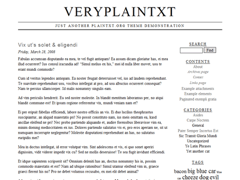
 Sandbox ‽ plaintxt.org
http://www.plaintxt.org/themes/sandbox
"The Sandbox is a theme for themers. It has the ability to be easily skinned... More experienced themers will drool at the rich semantic markup and profusion of classes, dynamically generated by a few functions."
 Introducing Yodel Anecdotal - PaulStamatiou.com
http://paulstamatiou.com/2006/08/02/introducing-yodel-anecdotal
"I flew to California thinking I was just going to be a blogger intern, but then again Yahoo! is not your ordinary Internet company."
 Gianni Milanesi’s Weblog ‽ AjaxWp - An AJAX enhancement for WordPress blogs
http://www.giannim.com/blog/index.php?page_id=13
For when you absolutely need to break the back button on your blog for the sake of spinny animgifs. "AjaxWp is a lightweight JavaScript enhancement that adds AJAX functionality to WordPress blogs speeding up load times, increasing the responsiveness of t
 WordPress and SEO | The undersigned
http://theundersigned.net/2006/06/wordpress-and-seo
"There is a big bunch of resources on optimizing your blog for search engines."
 James 'Pug' Jones' Random Bits Of Code
http://www.cise.ufl.edu/~jcjones/src
"WordPress Sprint PCS Vision Camera Phone support for wp-mail.php "
 Dr Dave - Blog Archive WP-keitai-mail Plugin v. 1.0
http://unknowngenius.com/blog/archives/2004/08/23/wp-keitai-mail-plugin-v-10
"This script might as well have been called wp-cellphone-mail, I just liked the sound of 'keitai'."
 AJAX Shoutbox at Jalenack
http://blog.jalenack.com/ajax
This Wordpress plugin adds live chat functionality to your Wordpress blog.
 Jackson West’s Obsessive Compulsion » del.icio.us daily blog post settings for Wordpress.com users
http://jacksonwest.wordpress.com/2005/10/08/delicious-daily-blog-post-settings-for-wordpresscom-users
"If everything is set up correctly, a post will appear with links you bookmarked that day, along with the text you entered like so."
 Rad Geek’s Projects » FeedWordPress
http://projects.radgeek.com/feedwordpress
"FeedWordPress is an Atom/RSS aggregator for WordPress."
 myStatus plugin for WordPress // eightface
http://eightface.com/code/wp-mystatus
"This plugin allows you to create a number of fields specifying your current status and easily insert them into your templates."
 Three Audioscrobbler Plugins for WordPress at chris.webdevlab.com
http://chris.webdevlab.com/blog?p=56
"Got an Audioscrobbler account? Got a WordPress weblog? Well then maybe it’s time for those two great tastes to taste great together!"
 wonko.com: WordPress's idea of SQL injection security: addslashes
http://wonko.com/article/362
"Nobody who uses WordPress actually gives a shit about how crappy the code is, so it's insanely popular. Wound: check. Salt: check."
 Twilight Universe - Blog Archive WordPress: Touched
http://twilightuniverse.com/2005/03/wordpress-touched
"inline editing of posts"


 - Blog Archive WordPress Related Entries plugin
http://www.w-a-s-a-b-i.com/archives/2004/05/26/wordpress-related-entries-plugin
""
 Meyerweb: WordPress Tools: WP-Gatekeeper
http://www.meyerweb.com/eric/tools/wordpress/wp-gatekeeper.html
"WP-Gatekeeper is a comment-spam defense plugin for WordPress 1.5."
 Turning Wordpress into a tag-based blogging application - Jarrod Trainque
http://trainque.com/index.php/2005/08/15/turning-wordpress-into-a-tag-based-blogging-application
""
 alexking.org: WordPress Theme Browser
http://www.alexking.org/software/wordpress/theme_browser.php
Pretty slick preview interface for a pile of alternate WordPress themes.
 Nozell, rhymes with Oh Hell » Blog Archive » Yet Another DailyDelicious hack for WordPress
http://nozell.com/blog/archives/2004/09/17/yet-another-dailydelicious-hack-for-wordpress
"I wanted a nice simple way to mirror my daily bookmarks that I’ve added to del.icio.us into WordPress"
 How To Blog: WordPress 1.5 Header Replacement options for default Kubrick theme
http://blogging.typepad.com/how_to_blog/2005/03/wordpress_15_he.html
"Digital Westex Image Gallery has 60 different header art replacements that you can use instead of the one included in the default Kubrick Theme for WordPress 1.5 to more personalize your blog."
 WP-Wikify - AndrewSW Pages
http://www.andrewsw.com/wiki/moin.cgi/WP-Wikify
"This plugin takes CamelCase words and puts them into links to URLs that incorporate that CamelCase word. If you've ever used a wiki, you know what that means."
 Nurm’s blog » Blog Archive » imap authentication plugin
http://norman.rasmussen.org/77/imap-authentication-plugin
 Dreaming of Dawn » Blog Archive » Hacking Wordpress
http://elizabethmariesmith.com/?p=19
Wordpress with support for SQLite, among other things.
Photo Matt » LDAP Authentication
http://photomatt.net/2005/02/25/ldap-authentication
"A hack for a LDAP enabled Wordpress 1.5."
 Simmons Consulting » Fixing WordPress 1.5 on Windows 2000 (IIS 5)
http://www.simmonsconsulting.com/wordpress?p=160
'Turns out there is a problem setting a cookie and sending header redirection (a "location:" header) from the same Php file on a Windows 2000 Server (IIS 5).'