
 Pure CSS halftone patterns: dots, lines, circles
https://codepen.io/editor/MackFitz/pen/01a056f3-9af6-7f1b-a031-e52a5d38813d
A project overdue. As an 80's/90's kid, I was obsessed with printing technology - and especially halftone patterns. I've long theorized that these pat
 argyleink/prop-for-that: what JS knows, now CSS knows
https://github.com/argyleink/prop-for-that
Sliders, pointer position, element visibility, viewport size, battery, network, sensors — JavaScript can read all of it; CSS can't. prop-for-that writes that runtime state into --live-* and --const-* custom properties — batched and diffed down to one setProperty per frame — so your CSS can compose and react to it with plain calc() and var().
 Progressive Web Components | Ariel Salminen
https://arielsalminen.com/2026/progressive-web-components/
A Progressive Web Component is a native Custom Element designed in two layers: a base layer of HTML and CSS that renders immediately, without JavaScript, and an enhancement layer of JavaScript that adds reactivity, event handling, and more advanced templating.
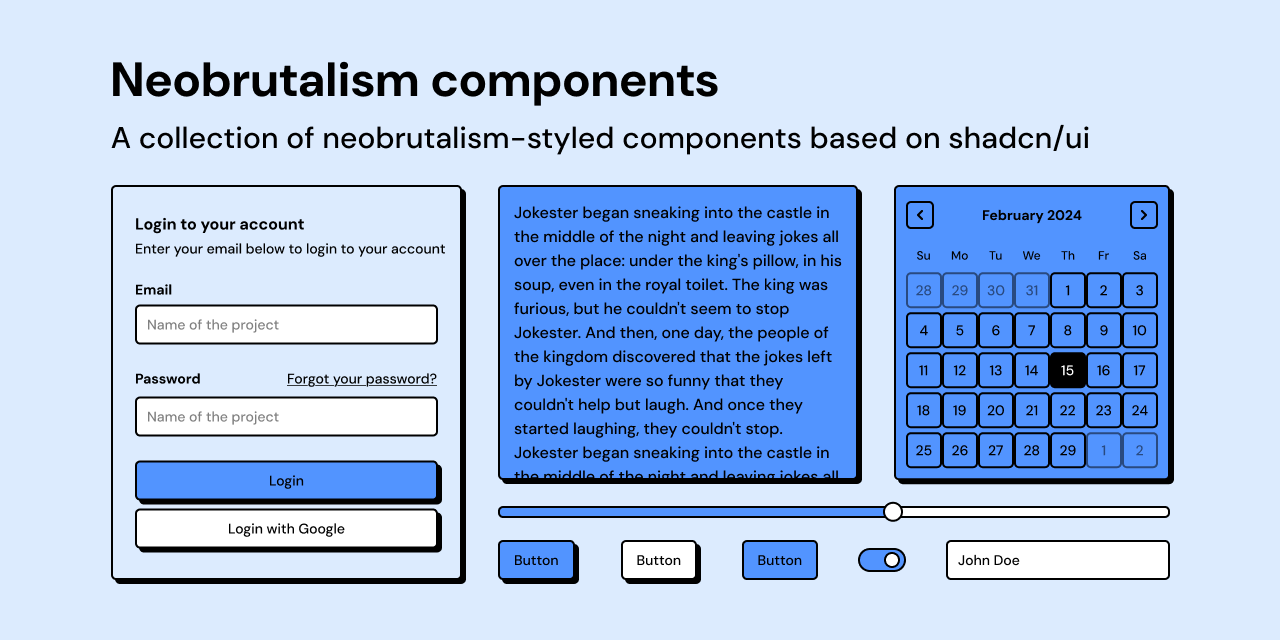
 Introduction - Neobrutalism components
https://www.neobrutalism.dev/docs
Neobrutalism is a mix of regular brutalism in web design and more modern typography, illustration, and animation standards. Neobrutalism refuses the usual components of UX-UI design and embraces uncomfortable design elements, and it is more fearless to use distinctive color palettes.

 How to Make a Damn Website
https://lmnt.me/blog/how-to-make-a-damn-website.html
A lot of people want to make a website but don’t know where to start or they get stuck. That’s in part because our perception of what websites should be has changed so dramatically over the last 20 years.
 Using CSS nesting - CSS | MDN
https://developer.mozilla.org/en-US/docs/Web/CSS/Guides/Nesting/Using
The CSS nesting module allows you to write your stylesheets so that they are easier to read, more modular, and more maintainable. As you are not constantly repeating selectors, the file size can also be reduced.
CSS nesting is different from CSS preprocessors such as Sass in that it is parsed by the browser rather than being pre-compiled by a CSS preprocessor. Also, in CSS nesting, the specificity of the & nesting selector is similar to the :is() function; it is calculated using the highest specificity in the associated selector list.
 Shuffling a CSS grid using custom properties | Christian Heilmann
https://christianheilmann.com/2025/11/24/shuffling-a-css-grid-using-custom-properties/
The grid above shuffles around on every reload or when you active `shuffle` button. There are many ways to achieve this effect, but this example uses only CSS properties to set the order of the grid items. The HTML is not altered and there is no DOM manipulation other than accessing the CSS properties of the parent element. This should make this highly performant. The JavaScript code rotates the order of the items in the grid by changing the CSS variables that define their order.
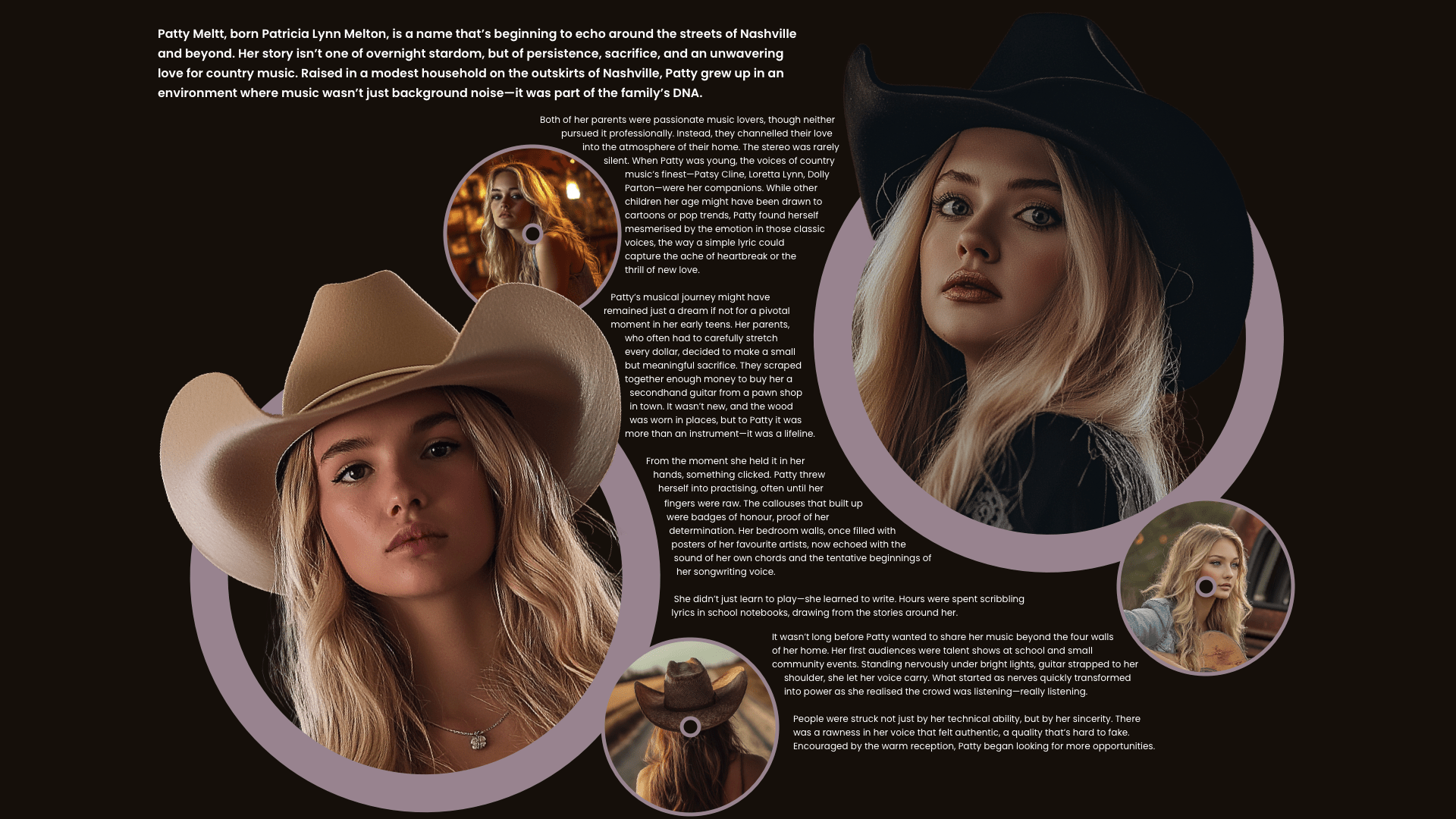
 Getting Creative With shape-outside | CSS-Tricks
https://css-tricks.com/getting-creative-with-shape-outside/
There are so many creative opportunities for using shape-outside that I’m surprised I see it used so rarely. So, how can you use it to add personality to a design? Here’s how I do it.
 Custom CSS to give linkding a dark, card-based layout
https://gist.github.com/ttscoff/041eccfbdd70c72698ffb570586dbea5

 Split Flap
https://fx.hot.page/split-flap?ref=sidebar
As an ode to the train stations of my childhood, I bring you a skeuomorph split-flap web component

 It's time for modern CSS to kill the SPA - Jono Alderson
https://www.jonoalderson.com/conjecture/its-time-for-modern-css-to-kill-the-spa/
If you’re still building your site as an SPA for the sake of “smoothness,” you’re solving a problem the browser already fixed – and you’re paying for it in complexity, performance, and maintainability.
 vanilla-extract — Zero-runtime Stylesheets-in-TypeScript.
https://vanilla-extract.style/
Use TypeScript as your preprocessor. Write type‑safe, locally scoped classes, variables and themes, then generate static CSS files at build time.
 Tailwind is the Worst of All Worlds
https://colton.dev/blog/tailwind-is-the-worst-of-all-worlds/
Tailwind is the worst of all worlds. It is a regrettable step backwards that takes everything bad about CSS and modern web development and brings it all together in one library.
 WebTUI
https://webtui.ironclad.sh/start/intro/
WebTUI is a CSS library that brings the beauty of Terminal User Interfaces (TUIs) to the browser
 Nicolas Mattia – How to Set WebGL Shader Colors with CSS and JavaScript
https://www.nmattia.com/posts/2025-01-29-shader-css-properties/
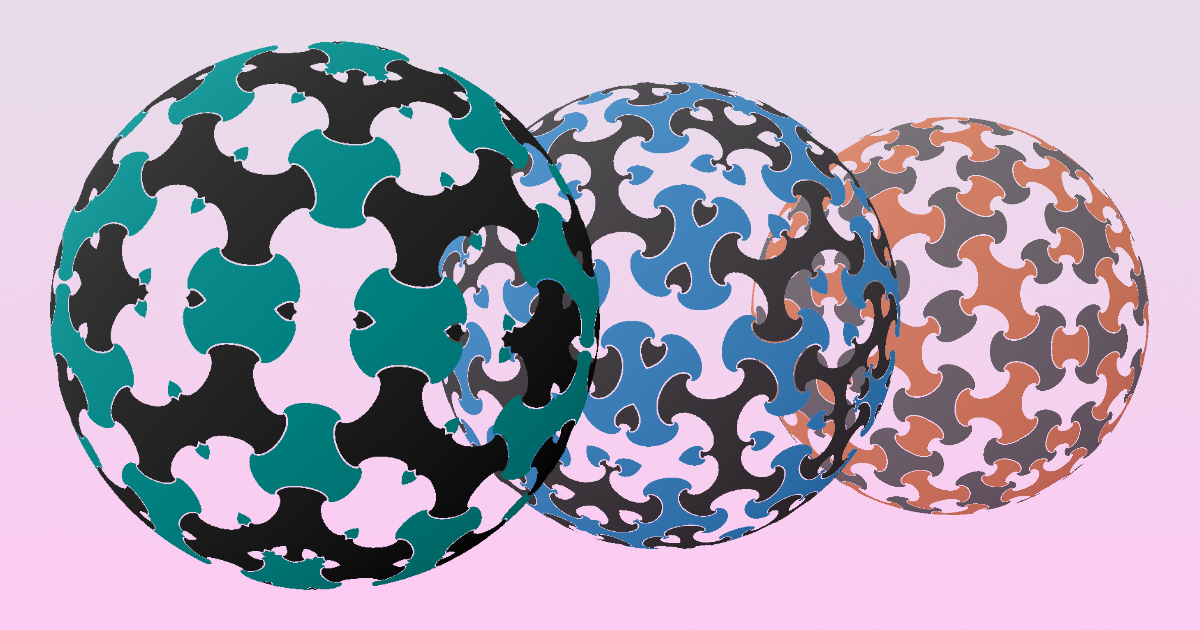
WebGL shaders rendered to canvas elements are a great way to add interesting visuals to a website. Unfortunately, unlike HTML, they do not natively integrate with CSS. This post shows a way to work around this limitation and influence WebGL graphics from CSS.

 Single HTML Element Star Rating Component - DEV Community
https://dev.to/alvaromontoro/single-html-element-star-rating-component-205l?
In this article, we'll explore how to build a star rating system using a single HTML and just one JavaScript command.

 Durable websites | Go Make Things
https://gomakethings.com/durable-websites/
Serve mostly static HTML. Use flat JSON storage. Go buildless! Use service workers. Go HTML-first.
Retro futuristic radio buttons with GSAP
https://codepen.io/jdillon/pen/qEWOGxm
 The Pixel Canvas Shimmer Effect
https://ryanmulligan.dev/blog/pixel-canvas/
I recently stumbled on a super cool, well-executed hover effect from the clerk.com website where a bloom of tiny pixels light up, their glow staggering from the center to the edges of its container. With some available free time over this Thanksgiving break, I hacked together my own version of a pixel canvas background shimmer. It quickly evolved into a pixel-canvas Web Component that can be enjoyed in the demo below. The component script and demo code have also been pushed up to a GitHub repo.
 How to fix Storybook screenshot testing | Tiger Oakes
https://tigeroakes.com/posts/storybook-test-runner-screenshots/
As an alternative to Chromatic, I’ve been using Storybook’s Test Runner to power screenshot tests for Microsoft Loop. We configure the test runner to run in CI and take a screenshot of every story. However, the initial implementation based on the official Storybook docs was very flaky due to inconsistent screenshots of the same story. Here are some tips to reduce flakiness in your Storybook screenshot tests.
Domo Dance Party! (2024 remake)
https://codepen.io/lonekorean/pen/KKOLdzK
 Sharp canvases | soledad penadés
https://soledadpenades.com/posts/2024/sharp-canvases/
If you are rendering images in a canvas element and want to keep the pixels square and BLOCKY, you should know about the image-rendering CSS property.
 More options for styling <details> | Chrome for Developers
https://developer.chrome.com/blog/styling-details
From Chrome 131 you have more options to style the structure of <details> and <summary> elements. You can now use these elements when building disclosure or accordion widgets.
 </> htmx ~ You Can't Build Interactive Web Apps Except as Single Page Applications... And Other Myths
https://htmx.org/essays/you-cant/
The browser has come a long way. Give it a chance!
The Different (and Modern) Ways To Toggle Content | CSS-Tricks
https://css-tricks.com/the-different-and-modern-ways-to-toggle-content/
let’s spend some time looking at disclosures (<details> and <summary>), the Dialog API, the Popover API, and more. We’ll look at the right time to use each one depending on your needs. Modal or non-modal? JavaScript or pure HTML/CSS? Not sure? Don’t worry, we’ll go into all that.
 3D parallax effect on hover
https://css-tip.com/3d-parallax-effect/
After the previous effect, I am trying another concept of 3D parallax effect with a better illusion!
@layer - CSS: Cascading Style Sheets | MDN
https://developer.mozilla.org/en-US/docs/Web/CSS/@layer
The @layer CSS at-rule is used to declare a cascade layer and can also be used to define the order of precedence in case of multiple cascade layers.
:has() - CSS: Cascading Style Sheets | MDN
https://developer.mozilla.org/en-US/docs/Web/CSS/:has
The functional :has() CSS pseudo-class represents an element if any of the relative selectors that are passed as an argument match at least one element when anchored against this element. This pseudo-class presents a way of selecting a parent element or a previous sibling element with respect to a reference element by taking a relative selector list as an argument.
CSS container queries - CSS: Cascading Style Sheets | MDN
https://developer.mozilla.org/en-US/docs/Web/CSS/CSS_containment/Container_queries
Container queries enable you to apply styles to an element based on the size of the element's container. If, for example, a container has less space available in the surrounding context, you can hide certain elements or use smaller fonts.
 CSS Variables (custom properties) in Pseudo-element "content" Property - Stack Overflow
https://stackoverflow.com/questions/40164169/css-variables-custom-properties-in-pseudo-element-content-property/40179718#40179718
CSS custom properties with integer values can be displayed in a pseudo-element's content property via a CSS counter.
Tab panel using <details> with vertical tabs and web components
https://codepen.io/lmorchard/pen/eYqWmvV
Tab panel using <details> with selectable tab orientation (no JS)
https://codepen.io/lmorchard/pen/mdNmyvP
 Example of Tabs with Automatic Activation | APG | WAI | W3C
https://www.w3.org/WAI/ARIA/apg/patterns/tabs/examples/tabs-automatic/
This example section demonstrates a tabs widget that implements the Tabs Pattern. In this example, a tab is automatically activated and its associated panel is displayed when the tab receives focus. It is recommended that authors consider implementing automatic activation of tabs only in circumstances where panels can be displayed instantly, i.e., all panel content is present in the DOM.
Pure CSS Tabs
https://codepen.io/markcaron/pen/MvGRYV
A version of a tab panel in HTML & CSS with no javascript, using a radio selector
 Stripe Dot Dev
https://stripe.dev/
Learn how to build web and mobile applications to accept payments, send payouts, and manage your business online with Stripe.
Cycling gradient glow - no text duplication
https://codepen.io/thebabydino/pen/rNPOpJK
 Using CSS to create a CRT
http://aleclownes.com/2017/02/01/crt-display.html
I have attempted to assemble a set of CSS effects to replicate this look mainly by adding three things: screen-door effect, flicker, and color separation
 Tree views in CSS
https://iamkate.com/code/tree-views/
A tree view (collapsible list) can be created using only HTML and CSS, without the need for JavaScript. Accessibility software will see the tree view as lists nested inside disclosure widgets, and the standard keyboard interaction is supported automatically.
Tree views in CSS
https://iamkate.com/code/tree-views
A tree view (collapsible list) can be created using only HTML and CSS, without the need for JavaScript. Accessibility software will see the tree view as lists nested inside disclosure widgets, and the standard keyboard interaction is supported automatically.
Another 100 CSS loaders for your next project - DEV Community 👩💻👨💻
https://dev.to/afif/another-100-css-loaders-for-your-next-project-352l
Ready for the second set of loaders? Yes, it's again me with another collection of 100 CSS loaders. Now you have a total of 200 different loaders!
DRY Switching with CSS Variables: The Difference of One Declaration | CSS-Tricks
https://css-tricks.com/dry-switching-with-css-variables-the-difference-of-one-declaration/?unapproved=1674473&moderation-hash=4e9cb4ef4344732a9e5a5ca87b6d0849#comment-1674473
This is the first post of a two-part series that looks into the way CSS variables can be used to make the code for complex layouts and interactions less difficult to write and a lot easier to maintain. This first installment walks through various use cases where this technique applies.
DRY Switching with CSS Variables: The Difference of One Declaration | CSS-Tricks
https://css-tricks.com/dry-switching-with-css-variables-the-difference-of-one-declaration?moderation-hash=4e9cb4ef4344732a9e5a5ca87b6d0849&unapproved=1674473#comment-1674473
This is the first post of a two-part series that looks into the way CSS variables can be used to make the code for complex layouts and interactions less difficult to write and a lot easier to maintain. This first installment walks through various use cases where this technique applies.
 Aerotwist - FLIP Your Animations
https://aerotwist.com/blog/flip-your-animations/
What we’re trying and do is to turn animations on their head (flip, see? Gosh darnit, I’m so funneh) and, instead of animating “straight ahead” and potentially doing expensive calculations on every single frame we precalculate the animation dynamically and let it play out cheaply.
Aerotwist - FLIP Your Animations
https://aerotwist.com/blog/flip-your-animations
What we’re trying and do is to turn animations on their head (flip, see? Gosh darnit, I’m so funneh) and, instead of animating “straight ahead” and potentially doing expensive calculations on every single frame we precalculate the animation dynamically and let it play out cheaply.
 Fill Murray
http://www.fillmurray.com/
The internet was missing the ability to provide custom-sized placeholder images of Bill Murray. Now it can.
Fill Murray
http://www.fillmurray.com
The internet was missing the ability to provide custom-sized placeholder images of Bill Murray. Now it can.
 CSS3 transitions using visibility and delay
http://www.greywyvern.com/?post=337
An element with opacity of zero is still "opaque" to clicks and mouse-overs. This causes serious problems, especially for drop down menus:
 Media Queries for Standard Devices | CSS-Tricks
http://css-tricks.com/snippets/css/media-queries-for-standard-devices/
Media Queries for Standard Devices | CSS-Tricks
http://css-tricks.com/snippets/css/media-queries-for-standard-devices
 Case Study: Auto-Resizing HTML5 Games - HTML5 Rocks
http://www.html5rocks.com/en/tutorials/casestudies/gopherwoord-studios-resizing-html5-games/
In the summer of 2010, we created Sand Trap, a game that we entered in a competition on HTML5 games for mobile phones. But most mobile phones either displayed only part of the game or made the game too small—making it completely unplayable. So we took it upon ourselves to make the game fluidly adjust to match any resolution. After a bit of re-programming and using ideas outlined in this article, we had a game that scaled across any modern browser, whether it ran in a desktop or a mobile device.
Case Study: Auto-Resizing HTML5 Games - HTML5 Rocks
http://www.html5rocks.com/en/tutorials/casestudies/gopherwoord-studios-resizing-html5-games
In the summer of 2010, we created Sand Trap, a game that we entered in a competition on HTML5 games for mobile phones. But most mobile phones either displayed only part of the game or made the game too small—making it completely unplayable. So we took it upon ourselves to make the game fluidly adjust to match any resolution. After a bit of re-programming and using ideas outlined in this article, we had a game that scaled across any modern browser, whether it ran in a desktop or a mobile device.

 Referencing DOM from JS: there must be a DRYer, safer way
http://blog.pamelafox.org/2013/06/referencing-dom-from-js-there-must-be.html
It bothers me when I realize that I'm relying on CSS class names in my JS
 Ladda
http://lab.hakim.se/ladda/
A UI concept which merges loading indicators into the action that invoked them. Primarily intended for use with forms where it gives users immediate feedback upon submit rather than leaving them wondering while the browser does its thing. For a real-world example, check out any of the forms on slid.es.
Ladda
http://lab.hakim.se/ladda
A UI concept which merges loading indicators into the action that invoked them. Primarily intended for use with forms where it gives users immediate feedback upon submit rather than leaving them wondering while the browser does its thing. For a real-world example, check out any of the forms on slid.es.
 Font Awesome, the iconic font designed for Bootstrap
http://fortawesome.github.io/Font-Awesome/
Font Awesome, the iconic font designed for Bootstrap
http://fortawesome.github.io/Font-Awesome
 This is CSS
http://i.imgur.com/Q3cUg29.gif
 Build a Street Fighter Demo with CSS Animations and JavaScript
http://davidwalsh.name/street-fighter
I recently learned a cool technique from Simurai about how to animate PNG sprites with the CSS3 animations' steps() property. The main idea in this technique is to "recreate" some kind of animated GIF but with the tiles of a PNG sprite.
 Markdown.css - make HTML look like plain-text
http://mrcoles.com/demo/markdown-css/
CSS to make HTML markup look like plain-text markdown.
Markdown.css - make HTML look like plain-text
http://mrcoles.com/demo/markdown-css
CSS to make HTML markup look like plain-text markdown.
 How to Create a CSS3 Ajax Loading Icon Without Images - SitePoint
http://www.sitepoint.com/css3-ajax-loading-icon/
Fortunately, CSS3 allows us to create loading icons without images. They’re easy to create, scale, re-color, use on any background and don’t incur image downloads
How to Create a CSS3 Ajax Loading Icon Without Images - SitePoint
http://www.sitepoint.com/css3-ajax-loading-icon
Fortunately, CSS3 allows us to create loading icons without images. They’re easy to create, scale, re-color, use on any background and don’t incur image downloads
 Demoing and displaying JavaScript at the same time using CSS | Christian Heilmann
http://christianheilmann.com/2012/05/08/demoing-and-displaying-javascript-at-the-same-time-using-css/
If you do a view-source you find no other script in use, yet it displays in the page. What is this sourcery*? Simple, and it was Mathias Bynens who got me onto it: just display script elements as block and add some generated content to show the “Source” text:
Demoing and displaying JavaScript at the same time using CSS | Christian Heilmann
http://christianheilmann.com/2012/05/08/demoing-and-displaying-javascript-at-the-same-time-using-css
If you do a view-source you find no other script in use, yet it displays in the page. What is this sourcery*? Simple, and it was Mathias Bynens who got me onto it: just display script elements as block and add some generated content to show the “Source” text:
 lake.js
http://alligator.github.com/lake.js/
Lake.js takes an img element and inserts a canvas element displaying the image and its flipped reflection directly after the img element.
lake.js
http://alligator.github.com/lake.js
Lake.js takes an img element and inserts a canvas element displaying the image and its flipped reflection directly after the img element.
bartaz/impress.js
https://github.com/bartaz/impress.js
It's a presentation framework based on the power of CSS3 transforms and transitions in modern browsers and inspired by the idea behind prezi.com.
 Arctext.js - Curving Text with CSS3 and jQuery | Codrops
http://tympanus.net/codrops/2012/01/24/arctext-js-curving-text-with-css3-and-jquery
While CSS3 allows us to rotate letters, it is quite complicated to arrange each letter along a curved path. Arctext.js is a jQuery plugin that let's you do exactly that. Based on Lettering.js, it calculates the right rotation of each letter and distributes the letters equally across the imaginary arc of the given radius.
 jQuery Masonry
http://masonry.desandro.com
A dynamic layout plugin for jQuery
The flip-side of CSS floats
 CSS Media Queries
http://cssmediaqueries.com
HTML4 and CSS2 currently support media-dependent style sheets tailored for different media types. A media query consists of a media type and zero or more expressions that check for the conditions of particular media features.
Seems like a nifty site to vet media queries on all my devices
 Device-scale user interface elements in iOS Mobile Safari - (37signals)
http://37signals.com/svn/posts/2407-device-scale-user-interface-elements-in-ios-mobile-safari
Instead, we developed a JavaScript technique for dynamically scaling elements based on the current zoom factor. The technique provides a magic class name device_scale that you can apply to any element you want to remain the same size regardless of zoom.
 Shining - Awesome presentations in HTML!
http://shining.heroku.com
A toolkit for building presentations in HTML
 Detecting Support for data: URIs | Weston Ruter
http://weston.ruter.net/2009/05/07/detecting-support-for-data-uris
The data: URI scheme is now supported by the most current version of every major browser, including Internet Explorer. Because of this I wanted to use CSS background images encoded with data: URIs in a current project at Shepherd Interactive. Why? The first rule of High Performance Websites is to Minimize HTTP Requests. By storing background images directly in the stylesheet only one HTTP request is then necessary to fetch the stylesheet and the images all at once. Furthermore, by giving that stylesheet a far-future cache expiration date the browser will never need to request it again.
 CSS background image hacks – Nicolas Gallagher
http://nicolasgallagher.com/css-background-image-hacks
Emulating background image crop, background image opacity, background transforms, and improved background positioning. A few hacks relying on CSS pseudo-elements to emulate features unavailable or not yet widely supported by modern browsers.
 Super Awesome Buttons with CSS3 and RGBa - ZURB Playground - ZURB.com
http://www.zurb.com/playground/super-awesome-buttons
 lojjic's PIE at master - GitHub
http://github.com/lojjic/PIE
"A behavior for Internet Explorer allowing it to recognize and render various CSS3 box decoration properties"
 jQuery Masonry · David DeSandro
http://desandro.com/resources/jquery-masonry
"Masonry is a layout plugin for jQuery. Think of it as the flip side of CSS floats. Whereas floating arranges elements horizontally then vertically, Masonry arranges elements vertically then horizontally according to a grid. The result minimizes vertical gaps between elements of varying height, just like a mason fitting stones in a wall."
The New Lens Flare · David DeSandro
http://desandro.com/articles/the-new-lens-flare
"By abusing the text-shadow property, you can turn any ho-hum bit of text into a magnificent, radiant beacon of allure and awe. But getting your bling-bling on has never been for the cheapskates. Expect to pay a boatload in refresh rates, as your browser buckles under the weight of rendering that glorious halo."
 ZOMG! CSS Lens Flare!
http://mozilla.seanmartell.com/Flare
 Jon Rohan · Creating Triangles in CSS
http://www.dinnermint.org/css/creating-triangles-in-css
"I’ve come across a few techniques and tips in my career, while working at my last gig a co-worker pointed me to this technique. I believe this was originally discovered by the legendary Eric Meyer, but I couldn’t find much documentation about it on the web so I thought I would describe it here."
 The Demise of Plain CSS: Why Sass And Languages Like It Will Triumph
http://wiseheartdesign.com/articles/2010/01/18/the-demise-of-css-why-sass-and-languages-like-it-will-triumph
"Just like higher-level programming languages compile to assembler, so Sass compiles to CSS. And just as higher-level programming languages eventually replaced the regular usage of assembler, so Sass (or a language like it) will eventually replace CSS.
Now, don’t get me wrong. I am sure CSS has many more years ahead of it, but Sass and languages like it are the future. Yes, you can complain about the syntax. You can complain about the generated code. But ultimately, the productivity and simplicity that languages like Sass offer will win over the masses. Of that you can be sure."
 universal-ie6-css - Project Hosting on Google Code
http://code.google.com/p/universal-ie6-css
A universal stylesheet for IE6 that doesn't look like complete ass, no matter what the site.
 Some Notes On iTunes LP · Jay Robinson
http://jayrobinson.org/2009/09/11/some-notes-on-itunes-lp
"The iTunes LP experience is accomplished with HTML 4.01, CSS and JS. The interface feels very Flash-like, but there is no trace of it. The CSS animations are elaborate and smooth. ... As a music fan, and as a web developer, I couldn’t be more pleased with the new iTunes LP offering. If your audience is significantly Apple-oriented (e.g. a site about Mac rumors or a popular iPhone app) this proves that you can provide an incredible experience using only JavaScript and some proposed CSS3 properties."
 Weekend coding: Add a character counter as the background of a textarea with JavaScript | CodeUtopia
http://codeutopia.net/blog/2009/08/01/weekend-coding-add-a-character-counter-as-the-background-of-a-textarea-with-javascript
"Have you ever filled a textarea on a page, which had a limit to how many characters you could type into it? ... How to effectively communicate how many characters you can type into a box, and have it look good. ... Add the number counter as the background of the textarea!"
 To Sprite Or Not To Sprite at Vladimir Vukićević
http://blog.vlad1.com/2009/06/22/to-sprite-or-not-to-sprite
"The biggest problem with CSS sprites is memory usage. Unless the sprite image is carefully constructed, you end up with incredible amounts of wasted space. My favourite example is from WHIT TV's web site, where this image is used as a sprite. Note that this is a 1299x15,000 PNG. It compresses quite well — the actual download size is around 26K — but browsers don't render compressed image data. When this image is downloaded and decompressed, it will use almost 75MB in memory (1299 * 15000 * 4)."
 how to make ie6 behave - work blog - onderhond.com
http://www.onderhond.com/blog/work/ie6-core-bug-fixing
"No doubt there is more. I'm not an expert on ie6 debugging, but for the greater part these are issues that pop up with every project, and getting these fixes in as quickly as possible makes for much easier ie6 debugging afterwards. Whether you create your ie6 css alongside your main css or run through your main css to construct a ie6 css when everything is finished is entirely up to you. But when you make sure all the above is taken care of, ie6 will look like a much nicer browser. "
 CSS IS AWESOME Mug from Zazzle.com
http://www.zazzle.com/css_is_awesome_mug-168716435071981928
"Your web developers will overflow their box model when they see you sporting this hilarious new t-shirt! Then they'll go back to using tables. "
 V2 suggestion on WeGottaEat
http://wegottaeat.com/forums/postsm/v2-suggestion_211
 Just give up and use cardboard - Warpspire
http://warpspire.com/tipsresources/personal/just-give-up-and-use-cardboard
 New CSS Sticky Footer - 2009
http://www.cssstickyfooter.com
 Conditional stylesheets vs CSS hacks? Answer: Neither! — Paul Irish - Javascript, front-end web development, and hackery
http://paulirish.com/2008/conditional-stylesheets-vs-css-hacks-answer-neither
"Using the same conditional comments, we’re just conditionally adding an extra class onto the body tag."
 10 Useful Techniques To Improve Your User Interface Designs | How-To | Smashing Magazine
http://www.smashingmagazine.com/2008/12/15/10-useful-techniques-to-improve-your-user-interface-designs
"1. Padded block links 2. Typesetting buttons 3. Using contrast to manage focus 4. Using color to manage attention 5. White space indicates relationships 6. Letter spacing 7. Auto-focus on input 8. Custom input focus 9. Hover controls 10. Verbs in labels"
 james.padolsey/style.css
http://james.padolsey.com/wp-content/themes/james.padolsey/style.css
Huh, I didn't know you could customize the text selection highlight color in CSS. "::selection { background: #CF0000; color: white; /* Safari */ } ::-moz-selection { background: #CF0000; color: white; /* Firefox */ } "
Extending jQuery’s selector capabilities - James Padolsey
http://james.padolsey.com/javascript/extending-jquerys-selector-capabilities
"I’m sure you all know that it’s possible to create plugins and extend various aspects of the jQuery JavaScript library but did you know you could also extend the capabilities of it’s selector engine?"
 Eric's Archived Thoughts: JavaScript Will Save Us All
http://meyerweb.com/eric/thoughts/2008/10/22/javascript-will-save-us-all
"we’re all vendors now, baby!"
 paulhammond.org: Conditional classnames
http://www.paulhammond.org/2008/10/conditional
 Nihilogic: Sandbag text wrapping with Canvas
http://blog.nihilogic.dk/2008/09/sandbag-text-wrapping-with-canvas.html
"With CSS you can make text wrap around an image using the float property and for most purposes this is quite adequate. However, it doesn't take into account the actual image and treats it as one big block, even if you'd prefer the text to wrap around the actual content in the picture, magazine style.Since we now have pixel access (in cool browsers, anyway) via the Canvas element, this technique can now be implemented dynamically with a bit of JavaScript."
 Labs/Ubiquity/Skins/ - MozillaWiki
https://wiki.mozilla.org/Labs/Ubiquity/Skins
"Skinning Ubiquity is easy; Firefox supports CSS3, which also adds a great number of features to make styling dependent on CSS alone easier. "
 PURE Unobtrusive Rendering Engine for HTML
http://beebole.com/pure
 woork: FORM elements design using CSS and list (ul and dl)
http://woork.blogspot.com/2008/06/form-elements-design-using-css-and-list.html
"if you want to use pure CSS code instead of HTML table to design your FORM I think this is a good way to do it."
 chromaSYNTHETIC Journal » Blog Archive » Cool Flash Effect Without Flash
http://www.chromasynthetic.com/blog/archive/70
"I promise this is something you haven’t seen with Mootools yet, maybe not even JavaScript."
 Text + Image + CSS3 = Crazy Delicious
http://metaatem.net/highlite?colors=128&image=http://images.slashdot.org/topics/topiced.gif&text=start+coming+up+with+overregularizations+like+%22goed%22+instead+of+%22went%22+or+%22playses%22+in+place+of+%22plays,%22+that+kind+of+attempt+at+applying+regular+morphological+rules+to+irregular+items,+is+when+you+might+say+they+are+acquiring+language+via+data+mining.+I.e.,+they+hear+a+form+used+often+enough+that+it+becomes+part+of+their+knowledge+about+words,+to+the+extent+that+that+form+is+unconsciously+applied+even+to+make+words+they+have+certainly+never+heard+in+adult+speech+before.+&width=120
"Hide an image in html"
 Welcome to Tablecloth
http://cssglobe.com/lab/tablecloth
"By simply adding 2 lines of code to your html page you will have styled and active tables that your visitors will love"
 Enhancing YUI grids with equal height columns - Wait till I come!
http://www.wait-till-i.com/index.php?p=479
"One of the biggest issues of CSS layouts is that not all columns are the same height which makes it hard to style them in a traditional manner."
 Scrollovers - A New Way of Linking
http://www.scrollovers.com
"Scrollovers are a way to quickly and easily add flare to your web pages, giving your users an experience they weren't expecting." Lens flare, then rounded corners, now this.
CSS Specificity: Things You Should Know
http://www.smashingmagazine.com/2007/07/27/css-specificity-things-you-should-know
"Apart from Floats, the CSS Specificity is one of the most difficult concepts to grasp in Cascading Stylesheets."
 Detect when an element has scrolled into view
http://www.dustindiaz.com/element-scroll-into-view
"You have an element in the DOM sitting somewhere below the fold (see above the fold), and you’d like to know when it has breached through the bottom threshold of your screen as a user is scrolling down a page."
 CSS Media Targeted JavaScript | iBloom Studios
http://www.ibloomstudios.com/articles/css_media_targeted_javascript
"With the ever increasing use of alternate media types I feel there is a need to deliver JavaScript targeted to these types of devices."
Link Specificity
http://meyerweb.com/eric/css/link-specificity.html
"I tried to apply CSS to my hyperlinks and the hovering didn't work. How come? Is this another case of browsers being stupid?"
 Particletree » Rediscovering the Button Element
http://particletree.com/features/rediscovering-the-button-element
"Creating a consistent interface for your users is a constant struggle for every application designer. Building consistency on the web is especially tough because the visual rendering differences across browsers and operating systems are wildly different
 jamesv.org » Blog Archive » Semantic XHTML for Flash
http://www.jamesv.org/2007/04/22/semantic-xhtml-for-flash
"It strikes me as odd that there isn’t a standard method for treating Flash (or other types of rich media) in a similar fashion to CSS. With the exception of video assets, there really aren’t many types of content on the web these days that can’t be
 Spotlight-Like Search As You Type With CSS, AJAX & JS » Dustin Bachrach Blog
http://dbachrach.com/blog/2007/04/15/spotlight-like-search-as-you-type-with-css-ajax-js
Categorized, Spotlight-like autocompletion search
 Viddler.com - Chris Messina talks about hAtomic - Uploaded by cdevroe
http://www.viddler.com/explore/cdevroe/videos/133
"Chris Messina of Citizen Agency explains a mashroom Web2Open project called hAtomic."
 rakaz - Make your pages load faster by combining and compressing javascript and css files
http://rakaz.nl/item/make_your_pages_load_faster_by_combining_and_compressing_javascript_and_css_files
"The script will intercept the attempt to retrieve something from the javascript directory and will notice that you want to fetch multiple files at once. It will then concatenate the requested files, compress it and send it as one to the browser."
 150 Headlines: Faust: Flash Augmenting Standards
http://blog.space150.com/2007/1/11/faust-flash-augmenting-standards
Did this at Organic over a year ago. "Faust is a process for writing accessible sites where the page seen by users with Flash installed uses the same HTML as the page seen by users without Flash. ... parses content right out of the HTML page. "
 John Manoogian III » Blog Archive » (The Only) Ten Things To Know About CSS
http://blog.jm3.net/2007/03/16/the-only-ten-things-to-know-about-css
"AKA Secrets of the patented JM3 Gasbag Model™"
 Coding Horror: Stylesheets for Print and Handheld
http://www.codinghorror.com/blog/archives/000782.html
"It's high time I set up a print stylesheet for this website."
53 CSS-Techniques You Couldn’t Live Without | Smashing Magazine
http://www.smashingmagazine.com/2007/01/19/53-css-techniques-you-couldnt-live-without
"53 CSS-based techniques you should always have ready to hand if you develop web-sites."
 A List Apart: Articles: Whitespace
http://www.alistapart.com/articles/whitespace
"Once you know how to design and manipulate the space outside, inside, and around your content, you’ll be able to give your readers a head start, position products more precisely, and perhaps even begin to see your own content in a new light."
 Using YUI in Greasemonkey Scripts » Yahoo! User Interface Blog
http://yuiblog.com/blog/2007/01/03/yui-greasemonkey
"a Greasemonkey script that adds calls to external JavaScript libraries and CSS files to a given page and, once they are loaded, passes the YAHOO global object to the code inside the Greasemonkey script."